
WO Mic: Turn Your Phone into a Professional PC Microphone (2026)
30/04/2026
WO Mic: Turn Your Phone into a Professional PC Microphone (2026)
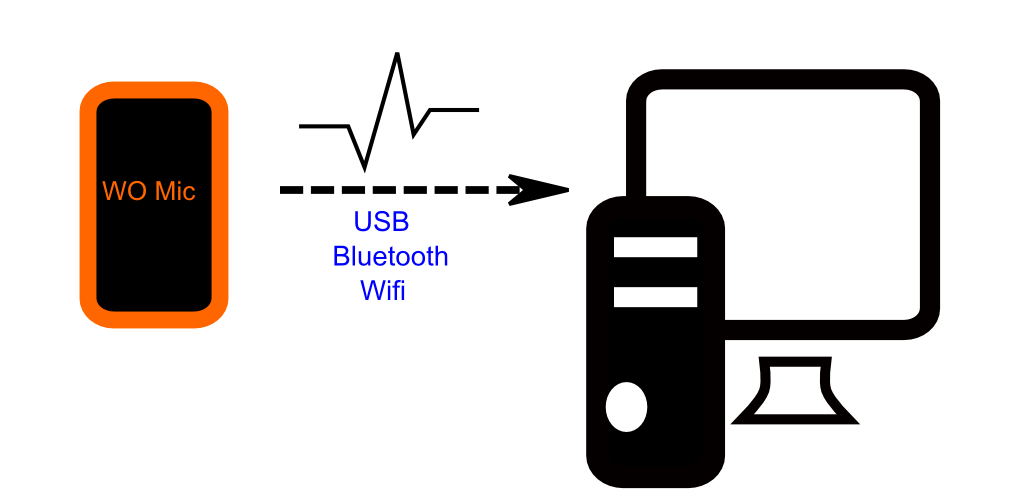
Often, you may need to join an important video call or participate in a group game, only to discover that your PC's built-in microphone is broken or of poor quality. This is where WO Mic comes in—a smart and cost-effective solution that saves you from buying an expensive external microphone by efficiently turning your smartphone into a wireless or wired PC microphone.
Benefits of Using WO Mic:
- Cost-Effective: Instead of purchasing a professional microphone, you can utilize the high-quality microphone already built into your smartphone.
- Flexible Connectivity: The app provides multiple connection options:
- Wi-Fi: Allows you to move freely around the room (great for casual meetings).
- USB: (The recommended option) Minimizes latency to the lowest possible level, making it the preferred choice for gamers and streamers.
- Bluetooth: An additional option for wireless connectivity.
- Full Compatibility: The app works with Windows, macOS, and Linux. Your computer recognizes it as a real "Virtual Microphone," ensuring compatibility with all applications like Zoom, Discord, and Skype.
How to Get Started:
- On Phone: Download the WO Mic app from your app store.
- On PC: Download and install the "Client" software and the "Device Driver" from the official WO Mic website.
- Connect: Open the app on your phone and the software on your PC, select the connection method (e.g., USB), and tap "Start" on both ends.
Golden Tip: For the best sound quality and lowest possible latency during streaming or gaming, we always recommend using a USB cable and enabling "USB Debugging" in your Android phone’s Developer Options.
FAQs
Need a microphone for your PC? No need to buy a new one. WO Mic allows you to turn your smartphone into a high-quality microphone for work, gaming, and streaming with ease.
CONTACT US
©2026 MobiTech Integrated Solutions. . All Rights Reserved