
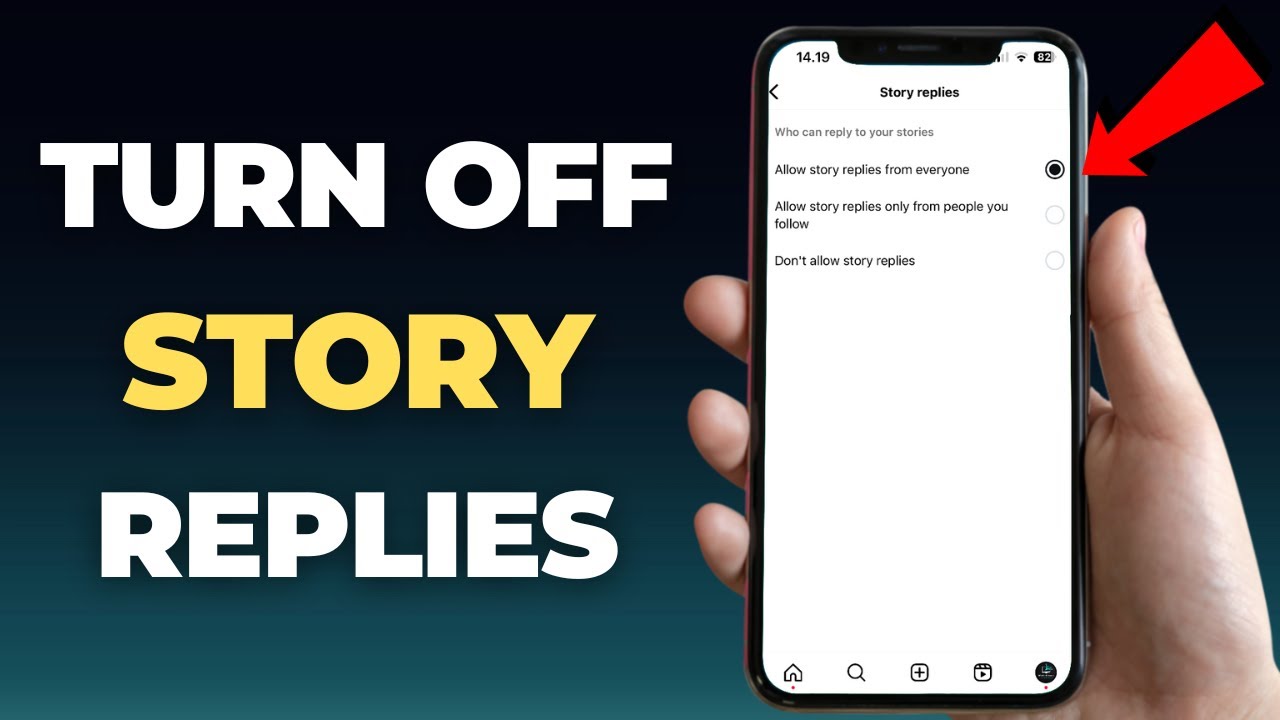
Stop Instagram Story Replies in 2026 — Just 4 Steps to Block Responses and Full Story Privacy Settings Guide
Why Would You Want to Stop Instagram Story Replies?
Many Instagram users post Stories they don't want to open up for discussion or receive messages about — it could be a personal Story, a business account announcement, or simply a moment you want to share without being disturbed by incoming messages. In these cases, turning off the Story reply feature becomes a practical way to manage your privacy.
Instagram provides this setting officially and natively within the app — no additional apps or third-party tools needed.
Understanding Instagram Story Reply Options
Before going through the steps, it's useful to understand the options available to you. Instagram offers three different options for controlling replies on your Stories: allowing all followers to reply, allowing only people you follow to reply, or blocking replies completely from everyone. You can switch between these options at any time.
Steps to Stop Instagram Story Replies
Step 1 — Go to Your Profile and Settings
Open the Instagram app on your phone. Tap your profile picture at the bottom of the screen to go to your profile. In the upper right corner you'll find the three horizontal lines icon (≡) — tap it to open the side menu. From the menu that appears tap "Settings and Privacy."
Step 2 — Enter Messages and Story Replies Settings
Inside the Settings menu scroll down until you find "Messages and Story Replies." Tap it to enter the messages settings section.
Step 3 — Access the Story Replies Setting
Inside the Messages and Replies section you'll find several options. Look for "Story Replies" and tap it. This is the dedicated setting for controlling who can reply to your Stories.
Step 4 — Choose "Don't Allow Replies"
Three options will appear: Everyone, People You Follow, and Don't Allow. Tap "Don't Allow Story Replies." The setting saves immediately without needing to press any confirmation button.
The Result — What Do Followers See Now?
After activating this setting, anyone who views your Stories from now on won't find the reply box at the bottom of the screen. The Story appears normally for viewers but the "Send message" option disappears entirely. This applies to all your followers at once as soon as the setting is saved.
How to Re-enable Replies Later
If you change your mind and want to allow replies again, follow the same four steps above and choose "Everyone" instead of "Don't Allow." The change is immediate and followers will start seeing the reply box on your new Stories again.
Other Instagram Story Privacy Settings
Stopping replies is not the only option available — Instagram provides a range of additional Story privacy settings including: hiding your Story from specific people (Hide Story From) without unfollowing them, choosing "Close Friends" to post Stories visible only to those you select, and controlling who can share your Story with others (Allow Sharing). All of these are in the same Settings and Privacy section.
The Difference Between Stopping Replies and Making Your Account Private
Stopping replies does not affect who sees your Stories — followers still see the full Story. The only difference is they cannot send a private reply to it. In contrast, making your account Private restricts Story visibility to approved followers only — a more comprehensive and restrictive option.
FAQs
CONTACT US
©2026 MobiTech Integrated Solutions. . All Rights Reserved