
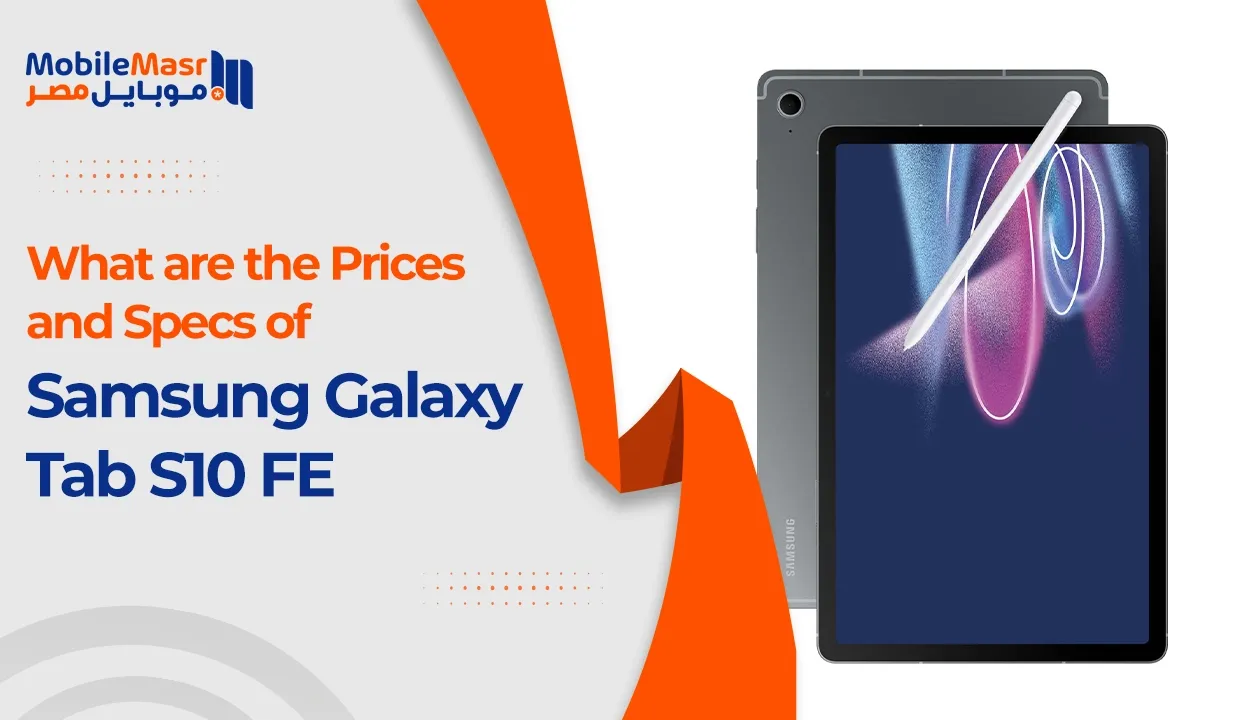
Samsung Galaxy Tab S10 FE 2026: Price & Specs in Egypt?
What Is the Samsung Galaxy Tab S10 FE and Why Does It Matter in 2026?
The Samsung Galaxy Tab S10 FE occupies a strategically important position in Samsung's tablet lineup — it's the device that democratizes the premium Galaxy Tab S experience by delivering the features that matter most to mainstream tablet buyers at a price that doesn't require a premium budget. "FE" stands for Fan Edition, a designation Samsung uses for devices that bring key premium features to a more accessible price tier without fundamentally compromising the experience that defines the series.
The Samsung tablet market in 2026 is characterized by intense competition across all price segments, and the Tab S10 FE's relevance comes from its specific positioning: it delivers S Pen support, a large high-resolution display, Samsung's full One UI tablet experience with Galaxy AI, and Samsung DeX mode in a package that sits meaningfully below the Tab S10's price point. For Egyptian buyers evaluating the Android tablet landscape, this combination creates a compelling value proposition.
What Does "FE" Mean in Samsung's Lineup and How Does It Affect the Tab S10 FE?
Fan Edition in Samsung's product strategy has consistently meant taking the previous generation's core hardware and premium features — particularly display quality, S Pen support, and software ecosystem — and pairing them with a more accessible chipset and slightly reduced specification in areas that have less daily impact. The Samsung Galaxy Tab S10 FE follows this pattern, delivering the S Pen experience, a large display, and Samsung's full software suite at a price positioned significantly below the mainstream Tab S10.
The FE designation means buyers get genuine Samsung premium tablet DNA — not a watered-down Samsung tablet experience — at a price that expands the audience considerably beyond buyers who can afford Tab S10 Plus or Ultra pricing. The key features that define the Galaxy Tab S series experience are preserved; the cost reduction comes from areas like chipset tier and display technology.
How Does the Samsung Galaxy Tab S10 FE Fit Into Samsung's 2026 Tablet Strategy?
Samsung's 2026 Samsung tablet strategy positions devices from the Tab A-series through the Tab S Ultra to cover every segment from budget to professional-grade. The Samsung Galaxy Tab S10 FE sits as the entry point to the Tab S series, distinctly above the Tab A-series in display quality, S Pen support, and software features. It serves as the gateway device that introduces buyers to Samsung's premium tablet ecosystem — the S Pen, Samsung DeX, and the full Galaxy AI feature set — without requiring a flagship investment.
Who Is the Samsung Galaxy Tab S10 FE Designed For?
The Samsung Galaxy Tab S10 FE is designed for a range of users who share a common need: a capable, versatile tablet that delivers more than entertainment but doesn't require professional-grade investment.
Is the Samsung Galaxy Tab S10 FE Good for Students?
Yes — the Samsung Galaxy Tab S10 FE is an excellent choice for students at all educational levels. The S Pen enables handwritten note-taking directly on the large display, which research consistently shows improves retention compared to typing. Samsung Notes with AI summarization features helps organize study materials. The large display makes reading PDFs and e-textbooks comfortable at full-page scale. Samsung DeX provides a laptop-like computing mode for typing essays and managing files. The long battery life supports extended study sessions without charge anxiety. For Egyptian students managing both online learning and traditional academic work, the Tab S10 FE covers all use cases in a single device.
Is the Samsung Galaxy Tab S10 FE a Good Choice for Remote Workers?
Remote workers will find the Samsung Galaxy Tab S10 FE a compelling productivity tool, particularly through Samsung DeX mode, which transforms the tablet into a desktop-computing experience with an external monitor, keyboard, and mouse. Microsoft Office suite applications, Google Workspace tools, and communication platforms like Teams and Zoom all run well on the Tab S10 FE's hardware. The S Pen adds annotation and signature capability that makes document workflows more natural. For Egyptian professionals who work remotely and need a device that bridges entertainment and productivity, the Tab S10 FE is a genuinely capable option.
Can Casual Users and Entertainment Lovers Benefit from the Tab S10 FE?
Absolutely — the Samsung Galaxy Tab S10 FE is an outstanding entertainment device. The large, high-resolution display makes streaming video on YouTube, Netflix, and other platforms genuinely cinematic. Gaming on the large screen with Game Booster optimization provides an immersive experience that small phone screens can't match. The stereo speaker system delivers audio quality that enhances media consumption considerably. Casual users who primarily want a larger screen for social media, video, and light gaming will find the Tab S10 FE delivers far more value per price than the comparison suggests.
What Are the Official Specs of the Samsung Galaxy Tab S10 FE in 2026?
The Samsung Galaxy Tab S10 FE specifications define a tablet that balances comprehensive capability with accessible pricing:
- Display: 10.9-inch TFT LCD, 2K (2304×1440 pixels), 90Hz, Vision Booster
- Processor: Exynos 1580 (4nm)
- RAM: 6GB or 8GB
- Storage: 128GB or 256GB, expandable via microSD
- Rear camera: 8MP
- Front camera: 10MP
- Battery: 10,090mAh, 45W fast charging
- OS: Android 15, One UI 7 (Tablet)
- S Pen: Included in box
- Connectivity: Wi-Fi 6, Bluetooth 5.3, USB-C 3.2, optional 5G
- Weight: 523g (Wi-Fi), 529g (5G)
What Are the Display Specs of the Samsung Galaxy Tab S10 FE?
The S10 FE display is the aspect of this tablet that most clearly reflects its FE positioning — Samsung has used a high-quality TFT LCD rather than the AMOLED panels found in the Tab S10 and higher-tier Galaxy Tab S devices. The choice of LCD at this tier allows Samsung to maintain acceptable pricing while keeping the display dimensions and resolution at levels that deliver a genuinely satisfying visual experience.
What Screen Size and Resolution Does the Samsung Galaxy Tab S10 FE Offer?
The Samsung Galaxy Tab S10 FE features a 10.9-inch display with 2K resolution at 2304×1440 pixels, delivering a pixel density of approximately 249 PPI. At this screen size and resolution, text is sharp and detailed, images render cleanly, and video content looks excellent at streaming qualities up to 1080p. The 2K resolution makes the high-resolution screen particularly valuable for reading — fine text in PDFs and e-books is clear and comfortable at readable font sizes.
Does the Samsung Galaxy Tab S10 FE Support High Refresh Rate Display?
Yes — the Samsung Galaxy Tab S10 FE display supports 90Hz refresh rate, which makes scrolling, animations, and app interactions noticeably smoother than 60Hz alternatives. For tablet use cases where scrolling through long documents, web pages, or social media feeds is frequent, the 90Hz smoothness is a meaningful quality-of-life improvement. The 90Hz rate also benefits gaming, making game animations more fluid and touch input feel more responsive.
How Does the Display of the Tab S10 FE Compare to AMOLED Panels?
The S10 FE display uses TFT LCD technology rather than AMOLED, which creates specific differences in the viewing experience. LCD displays cannot achieve true blacks (they always have some backlight bleed into dark areas), and contrast ratios are lower than AMOLED. However, Samsung's LCD panels at the Tab S level are high-quality — Vision Booster technology provides good outdoor visibility, colors are accurately calibrated, and the overall visual quality is excellent for a TFT LCD panel. For content like reading, web browsing, and document work, the difference from AMOLED is minimal in practice. For video content with dark scenes (movies, gaming), AMOLED's deeper black levels would be preferable, which is a genuine trade-off of the FE tier.
What Processor Powers the Samsung Galaxy Tab S10 FE?
The Exynos processor at the heart of the Samsung Galaxy Tab S10 FE is the Exynos 1580, manufactured on Samsung's 4nm process node — a genuine mid-range chip that handles the tablet's intended use cases capably.
How Does the Tab S10 FE Chipset Perform in Daily Use?
In daily tablet use, the Exynos 1580 in the Samsung Galaxy Tab S10 FE delivers consistently smooth performance for all standard applications. Web browsing is fast, app loading is quick, video playback is smooth, and the Samsung One UI tablet interface responds without lag. The chip's neural processing unit accelerates Galaxy AI features including Note summarization, Circle to Search, and image editing tools. For typical tablet use patterns — reading, browsing, streaming, note-taking, and communication — the Exynos 1580 provides more than adequate performance with no notable frustrations.
Is the Samsung Galaxy Tab S10 FE Chipset Good for Gaming?
Android tablet performance in gaming on the Samsung Galaxy Tab S10 FE is solid for mid-range gaming expectations. The Exynos 1580's GPU handles popular titles including PUBG Mobile, Free Fire, and Genshin Impact at medium-high settings. The 90Hz display amplifies the gaming experience by making animations more fluid. Game Booster provides resource optimization and thermal management during gaming sessions. Very graphically demanding titles at maximum settings will reveal the chipset's performance ceiling, but most popular games run smoothly at settings that provide an enjoyable experience on the large display.
How Does the Processor of the Tab S10 FE Compare to Competing Tablets?
The Exynos 1580 in the Samsung Galaxy Tab S10 FE occupies a mid-range position in the 2026 tablet processor landscape. Higher-tier tablets use more powerful chips that produce faster benchmark scores and handle very demanding applications with greater ease. The Tab S10 FE's chipset advantage is its balance — the 4nm process delivers good efficiency for tablet battery life, enabling the large 10,090mAh battery to stretch across genuinely long sessions, while the performance is adequate for all typical tablet use cases.
What RAM and Storage Options Come with the Samsung Galaxy Tab S10 FE?
Tablet storage options and RAM on the Samsung Galaxy Tab S10 FE are configured to handle the multitasking demands of modern tablet workflows.
The RAM options are 6GB and 8GB, paired with 128GB or 256GB of internal storage respectively. Samsung's RAM Plus virtual memory expansion allows the 6GB variant to reach 8-12GB of effective memory through UFS storage allocation. For tablet multitasking with multiple large applications simultaneously, the 8GB variant provides more headroom. The 256GB storage option is particularly valuable for users who install many apps, store offline media, or work with large files.
Does the Samsung Galaxy Tab S10 FE Support MicroSD Card Expansion?
Yes — the Samsung Galaxy Tab S10 FE supports microSD card expansion up to 1TB, providing extensive tablet storage options for users who need large offline media libraries, extensive app installations, or significant file storage without relying entirely on cloud services. The microSD slot is separate from the SIM slot in LTE/5G variants, allowing simultaneous SIM and storage card use.
Which Storage Version of the Tab S10 FE Is Best for Egyptian Users?
For Egyptian users, the 128GB/6GB base configuration of the Samsung Galaxy Tab S10 FE is adequate for most users when supplemented by microSD expansion for media storage. Users who plan to install many large apps, maintain large offline video libraries, or use the tablet for professional document management should choose the 256GB variant for comfortable long-term storage management. The specific pricing differential between variants in Egypt should be checked through Mobile Masr's current listings to inform the decision.
What Are the Camera Specs of the Samsung Galaxy Tab S10 FE?
Tablet camera quality on the Samsung Galaxy Tab S10 FE is designed for functional tablet use cases rather than competing with smartphone camera systems.
How Good Is the Rear Camera on the Samsung Galaxy Tab S10 FE?
The rear camera on the Samsung Galaxy Tab S10 FE is an 8MP sensor suitable for document scanning, quick reference photography, video calling in landscape mode, and whiteboard capture. Tablet rear cameras are rarely primary photography tools — most people use their phone for serious photography — but the 8MP sensor on the Tab S10 FE handles its practical use cases (document scanning for work, QR codes, occasional photos) adequately and without notable frustration.
Is the Front Camera of the Tab S10 FE Suitable for Video Calls?
The front camera on the Samsung Galaxy Tab S10 FE is 10MP, which is genuinely well-specified for the front camera's primary use case: video calling and conferencing. At 10MP, video calls on Zoom, Teams, Google Meet, and WhatsApp produce clear, detailed facial capture that looks professional in business and educational contexts. For students attending online lectures and remote workers in video meetings, the Tab S10 FE's front camera delivers consistently good results.
Does the Samsung Galaxy Tab S10 FE Support 4K Video Recording?
The Samsung Galaxy Tab S10 FE rear camera supports video recording at up to 4K at 30fps — a specification that makes it more capable than typical tablet cameras for users who want to capture presentations, lectures, or other reference material in high resolution. The front camera records at 1080p for video calls and selfie video.
What Is the Battery Capacity and Charging Speed of the Samsung Galaxy Tab S10 FE?
Tablet battery life is one of the Samsung Galaxy Tab S10 FE's genuine strengths — the 10,090mAh battery is Samsung's largest standard in the Galaxy Tab S FE lineup.
How Long Does the Samsung Galaxy Tab S10 FE Battery Last on a Single Charge?
The Samsung Galaxy Tab S10 FE delivers exceptional battery endurance — Samsung rates it for approximately 15-18 hours of video playback. In real-world mixed use (browsing, streaming, some gaming, and productivity tasks), most users achieve 12-15 hours of screen-on time on a single charge. For students in all-day school or university sessions, remote workers in extended work days, and entertainment users in long travel scenarios, the battery endurance is genuinely outstanding and eliminates charge anxiety throughout typical use cycles.
Does the Samsung Galaxy Tab S10 FE Support Fast Charging?
Yes — the Samsung Galaxy Tab S10 FE supports 45W fast charging tablet capability, which is one of the most impressive charging specifications in the Samsung tablet lineup. At 45W, the 10,090mAh battery reaches approximately 50% charge in around 40-45 minutes and achieves full charge in approximately 90 minutes. This is notably fast charging for a battery of this capacity. The included 45W charger in the retail box ensures buyers can take advantage of maximum charging speed immediately without a separate purchase.
Does the Tab S10 FE Support Wireless Charging?
The Samsung Galaxy Tab S10 FE does not support wireless charging — this feature is reserved for higher-tier Galaxy Tab S models. The 45W wired charging compensates meaningfully by providing fast charge restoration when needed.
What Connectivity Features Does the Samsung Galaxy Tab S10 FE Include?
Does the Samsung Galaxy Tab S10 FE Support 5G?
The Samsung Galaxy Tab S10 FE is available in three connectivity configurations: Wi-Fi only, Wi-Fi + LTE (4G), and Wi-Fi and 5G tablet configurations. The 5G variant enables mobile data connectivity on 5G networks where available in Egypt. For Egyptian users who want data connectivity on the move without relying on mobile hotspot from their phone, the LTE or 5G variant is the appropriate choice. The Wi-Fi-only variant is suitable for home and office users who have reliable Wi-Fi access in their primary use environments.
What Wi-Fi and Bluetooth Standards Does the Tab S10 FE Support?
The Samsung Galaxy Tab S10 FE supports Wi-Fi 6 (802.11ax) for fast, efficient wireless connectivity on both 2.4GHz and 5GHz bands. Wi-Fi 6 provides meaningfully better performance than Wi-Fi 5 in environments with many connected devices and delivers lower latency for video calls and online gaming. Bluetooth 5.3 enables stable, low-energy connections with Galaxy Tab accessories including keyboards, earbuds, and stylus devices.
Does the Samsung Galaxy Tab S10 FE Have a USB-C Port?
Yes — the Samsung Galaxy Tab S10 FE uses a USB-C 3.2 port for charging and data transfer. USB-C 3.2 provides fast data transfer speeds for connecting external storage drives, importing photos from cameras, and connecting to external displays via USB-C to HDMI adapters. The port's data transfer capability is directly relevant for Samsung DeX use, enabling connection to a monitor for desktop-mode computing.
What Are the Physical Dimensions and Weight of the Samsung Galaxy Tab S10 FE?
Is the Samsung Galaxy Tab S10 FE Slim Enough for Everyday Portability?
The Samsung Galaxy Tab S10 FE measures approximately 265.2 × 167.0 × 6.5mm — an impressively thin profile for a device with a 10,090mAh battery and 10.9-inch display. At 6.5mm thickness, the tablet is genuinely slim and pocketable in large bags with ease. This lightweight tablet design is one of the engineering achievements of the Tab S10 FE — maintaining excellent portability despite housing a very large battery. Weight at 523g (Wi-Fi) or 529g (5G) is reasonable for a 10.9-inch tablet and comfortable for extended handheld reading or drawing sessions.
What Color Options Are Available for the Tab S10 FE in Egypt?
The Samsung Galaxy Tab S10 FE is available in Mint Green, Lavender, and Gray color options — a refreshing departure from the all-black-and-silver aesthetic that dominates the tablet market. The color options are distinctive and make the tab easily identifiable in shared environments. For Egyptian buyers, color availability depends on Samsung's regional distribution — checking Mobile Masr's current inventory confirms which colors are available locally.
What Operating System and Software Does the Samsung Galaxy Tab S10 FE Run?
Does the Samsung Galaxy Tab S10 FE Come with One UI?
Yes — the Samsung Galaxy Tab S10 FE runs Samsung One UI 7 built on Android 15, Samsung's tablet-optimized interface that has been developed specifically for large-screen use. One UI for tablets provides split-screen multitasking, a taskbar for quick app access, drag-and-drop between apps, and a desktop-like experience that takes full advantage of the 10.9-inch display. The tablet-specific optimizations in One UI 7 make the Tab S10 FE feel purpose-built for large-screen use rather than simply being a phone interface stretched to tablet dimensions.
How Many Android Updates Will the Tab S10 FE Receive?
The Samsung Galaxy Tab S10 FE receives Samsung's standard commitment for Galaxy Tab S series devices — 4 years of major Android OS updates and 5 years of security patches. This is among the most generous software support commitments in the Android tablet market, ensuring the device remains current through a multi-year ownership period. For Egyptian buyers who keep tablets for 3-5 years, this update commitment directly affects the device's long-term value and relevance.
What Is the Price of the Samsung Galaxy Tab S10 FE in Egypt in 2026?
What Is the Official Price of the Samsung Galaxy Tab S10 FE in Egypt?
The Samsung Galaxy Tab S10 FE is priced at 36,000 EGP in Egypt for the base configuration available in the local market. This price positions the Galaxy Tab S10 FE as an accessible premium tablet — significantly more affordable than the Galaxy Tab S10 and Tab S10 Plus while delivering the S Pen experience, large display, and Samsung's full tablet software suite that define the Tab S series experience. At 36,000 EGP, the Tab S10 FE represents the most accessible entry point to Samsung's S Pen-equipped tablet lineup.
What Is the Price of the Tab S10 FE Wi-Fi Version in Egypt?
The Wi-Fi-only version of the Samsung Galaxy Tab S10 FE is the base configuration in Egypt, priced at 36,000 EGP. This variant is ideal for users who primarily use the tablet at home, in the office, or in educational environments where Wi-Fi connectivity is reliably available and a separate mobile data plan for the tablet isn't necessary.
What Is the Price of the Tab S10 FE LTE Version in Egypt?
The LTE-enabled variant of the Samsung Galaxy Tab S10 FE carries a premium above the Wi-Fi base price. The actual current pricing for the LTE variant in Egypt is not separately specified from the base price — you can contact Mobile Masr's customer service through mobilemasr.com for the most accurate current pricing on all connectivity variants of the Tab S10 FE in the Egyptian market.
What Is the Price of the Tab S10 FE 5G Version in Egypt?
The Wi-Fi and 5G tablet variant of the Samsung Galaxy Tab S10 FE carries the highest pricing within the lineup. As with the LTE variant, precise current pricing for the 5G configuration in Egypt should be confirmed through Mobile Masr's customer service for the most accurate and current market information.
How Has the Price of the Samsung Galaxy Tab S10 FE Changed Since Its Launch?
Did the Price of the Tab S10 FE Drop After the Initial Launch in Egypt?
The Samsung Galaxy Tab S10 FE launched and has maintained pricing consistent with Samsung's premium tablet positioning in Egypt. The 36,000 EGP price reflects current market conditions including import costs, currency dynamics, and Samsung's regional pricing strategy. Samsung tablets in Egypt tend to hold their pricing more firmly than smartphones due to the smaller buyer volume in the tablet segment.
What Are the Expected Price Trends for the Tab S10 FE in Late 2026?
Price trends for the Samsung Galaxy Tab S10 FE in Egypt through late 2026 will depend on currency stability, Samsung's promotional calendar (particularly around Ramadan and back-to-school periods), and the announcement of successor devices. Buyers who are considering the Tab S10 FE as a purchase should monitor pricing through Mobile Masr as the year progresses, as promotional periods can offer meaningful savings.
Where Can You Buy the Samsung Galaxy Tab S10 FE at the Best Price in Egypt?
Is the Samsung Galaxy Tab S10 FE Available on MobileMasr?
Yes — Mobile Masr at mobilemasr.com offers the Samsung Galaxy Tab S10 FE and is the recommended platform for purchasing this tablet in Egypt. Mobile Masr specializes in the Egyptian electronics market and provides transparent, current pricing that reflects actual market conditions. The platform offers both new units and certified pre-owned options, giving buyers flexibility around the 36,000 EGP base price point. For Egyptian buyers who want the most reliable purchase experience for a tablet at this investment level, Mobile Masr provides the trust, verified inventory, and competitive pricing that the purchase deserves.
What Are the Best Online Stores to Buy the Tab S10 FE in Egypt?
Mobile Masr at mobilemasr.com is the premier destination for the Samsung Galaxy Tab S10 FE in Egypt. The platform's specialization in Samsung devices ensures accurate product information, current pricing, and purchase security. Samsung-authorized retailers and Samsung's own official retail presence in Egypt are alternative authentic purchase channels with full warranty coverage.
Are There Any Installment Plans Available for the Tab S10 FE in Egypt?
Yes — installment financing for the Samsung Galaxy Tab S10 FE is available through Egyptian banks and retailer financing programs. At 36,000 EGP, installment plans make the tablet significantly more accessible on a monthly basis — a 12-month plan at 0% interest (where available) results in approximately 3,000 EGP monthly. Egyptian banks including CIB, QNB, Banque Misr, and others typically offer installment programs for electronics purchases. Checking current installment terms through Mobile Masr and Samsung-authorized retailers provides the most accurate financing information.
How Does the Samsung Galaxy Tab S10 FE Perform in Real-World Use?
How Does the Samsung Galaxy Tab S10 FE Handle Multitasking?
Tablet multitasking on the Samsung Galaxy Tab S10 FE benefits from both the capable Exynos 1580 processor and Samsung's One UI 7 tablet-optimized multitasking features. The 10.9-inch display provides enough screen real estate for two-app split-screen use that's genuinely productive rather than cramped.
Can the Tab S10 FE Run Multiple Apps Simultaneously Without Lag?
The Samsung Galaxy Tab S10 FE handles typical multitasking scenarios smoothly — running a browser alongside a note-taking app, using split-screen for a video call with a document editor open, or managing social media while a download proceeds in the background. The 8GB RAM variant handles more demanding simultaneous app use than the 6GB configuration, keeping more apps active in memory and reducing reload frequency when switching.
How Does Samsung DeX Mode Work on the Galaxy Tab S10 FE?
Samsung DeX mode on the Samsung Galaxy Tab S10 FE transforms the tablet into a desktop computing environment when connected to an external monitor via USB-C. In DeX mode, apps run in resizable windows in a traditional desktop layout, with a taskbar at the bottom for app management. The Tab S10 FE can simultaneously display DeX on an external monitor while using the tablet display as a secondary screen or touchpad. For Egyptian professionals and students who occasionally need a desktop-like computing experience but don't want to carry a laptop, DeX provides a practical solution.
How Good Is the Samsung Galaxy Tab S10 FE for Gaming?
Android tablet performance in gaming on the Samsung Galaxy Tab S10 FE delivers a genuinely enjoyable large-screen gaming experience for the titles that define popular mobile gaming.
What Games Run Smoothly on the Samsung Galaxy Tab S10 FE?
Games that run smoothly on the Samsung Galaxy Tab S10 FE include PUBG Mobile (medium-high settings, stable frame rates), Free Fire (high settings, smooth), Mobile Legends (maximum settings, 60fps stable), Genshin Impact (medium settings, playable), and all casual titles with essentially no limitations. The large display makes battle royale games particularly immersive — the wider field of view and larger touch targets improve gameplay in ways that phone screens can't replicate.
Does the Tab S10 FE Support Game Booster Features?
Yes — the Samsung Galaxy Tab S10 FE includes Samsung's Game Booster system, which optimizes resource allocation during gaming sessions, manages thermal performance to prevent throttling, blocks notification interruptions during gameplay, and provides frame rate monitoring. Game Booster also includes performance mode options that prioritize processing resources for gaming at the cost of battery consumption.
How Does the Tab S10 FE Handle High-Graphics Mobile Games?
For high-graphics mobile games demanding maximum settings — particularly Genshin Impact and similar titles — the Samsung Galaxy Tab S10 FE handles them playably at medium settings with occasional frame rate dips at maximum. For competitive gaming where frame rate consistency matters, medium settings provide a more stable experience than maximum settings on this chipset tier.
How Does the Samsung Galaxy Tab S10 FE Perform for Streaming and Entertainment?
Is the Tab S10 FE Display Good Enough for Netflix and YouTube?
The Samsung Galaxy Tab S10 FE display is excellent for Netflix and YouTube — the 10.9-inch, 2K resolution screen delivers sharp, detailed video playback that makes content genuinely cinematic compared to phone screens. Netflix certification for HD or FHD streaming (verify by variant) ensures content renders at appropriate quality levels. The multimedia tablet use case is one of the strongest arguments for the Tab S10 FE — its large, clear display transforms streaming from a phone-scale experience to something approaching a personal theater.
How Is the Speaker Quality on the Samsung Galaxy Tab S10 FE?
The Samsung Galaxy Tab S10 FE features stereo speakers positioned on opposite sides of the tablet for a genuine stereo sound stage in landscape orientation. Speaker quality is excellent for a tablet at this price — clear audio reproduction with adequate volume for room-filling sound during media consumption. The dual speaker setup creates natural channel separation that makes music, movies, and game audio sound dimensional.
Does the Tab S10 FE Support Dolby Atmos or Stereo Speakers?
The Samsung Galaxy Tab S10 FE supports Dolby Atmos processing through its dual speakers and headphone output (via USB-C adapter). Dolby Atmos enhances spatial audio perception, making movie soundtracks and music feel more three-dimensional and immersive. For users who watch movies and listen to music regularly on their tablet, the Dolby Atmos support adds meaningful audio quality improvement over non-Atmos speaker systems.
How Does the Samsung Galaxy Tab S10 FE Perform in Productivity Tasks?
Is the Tab S10 FE Compatible with Samsung DeX for Desktop-Like Use?
Samsung DeX mode is fully supported on the Samsung Galaxy Tab S10 FE, enabling laptop-replacement computing for appropriate professional workflows. With a Bluetooth keyboard (or Samsung's Book Cover Keyboard case), mouse, and external display via USB-C, the Tab S10 FE provides a full desktop computing experience capable of handling email, document editing, spreadsheets, presentations, video calls, and most professional communication tools.
How Well Does Microsoft Office and Google Workspace Work on the Tab S10 FE?
Microsoft Office and Google Workspace applications run excellently on the Samsung Galaxy Tab S10 FE. Word, Excel, PowerPoint, and their Google equivalents (Docs, Sheets, Slides) all benefit from the large display that provides adequate working space for documents without excessive scrolling. In Samsung DeX mode, these applications run in windowed desktop format that closely approximates a laptop productivity experience. S Pen annotation directly on Office documents adds a capability that laptops without touchscreens can't provide.
Does the Samsung Galaxy Tab S10 FE Support the S Pen?
Does the Samsung Galaxy Tab S10 FE Come with an S Pen in the Box?
Yes — the Samsung Galaxy Tab S10 FE includes an S Pen in the retail box, which is one of the defining features that makes it part of the Tab S series rather than the Tab A series. The included S Pen provides handwriting and drawing capability from the moment of purchase without requiring a separate accessory purchase. This inclusion is a meaningful value differentiator — comparable tablets require purchasing styluses separately, adding to the total ownership cost. The S Pen stores magnetically on the back of the tablet when not in use.
What S Pen Features Are Available on the Samsung Galaxy Tab S10 FE?
S10 FE stylus support encompasses the full range of Samsung Notes capabilities, AI-enhanced writing features, and creative applications that have made the S Pen one of Samsung's most appreciated input tools.
Can You Use the S Pen for Note-Taking on the Tab S10 FE?
Yes — S Pen note-taking on the Samsung Galaxy Tab S10 FE through Samsung Notes is one of the most natural and capable note-taking experiences available on an Android tablet. The combination of low latency S Pen input and Samsung Notes' paper-like writing feel produces handwritten notes that closely approximate pen-on-paper writing. AI Note Summarization in Samsung Notes automatically generates structured summaries from handwritten notes, making the Tab S10 FE's note-taking capability genuinely superior to basic typing for study and meeting documentation.
Does the S Pen on the Tab S10 FE Support Pressure Sensitivity?
Yes — the S Pen included with the Samsung Galaxy Tab S10 FE supports pressure sensitivity, enabling variable line weight in drawing and calligraphy applications. This pressure sensitivity is essential for digital art and design use cases, allowing artists to produce brush strokes and line work that responds naturally to applied pressure, closely approximating traditional art tools.
Is the S Pen on the Tab S10 FE Useful for Digital Art and Design?
The S Pen on the Samsung Galaxy Tab S10 FE with its pressure sensitivity and low-latency input is a capable digital art tool. Applications like Adobe Illustrator, Autodesk Sketchbook, and Procreate (via compatibility solutions) all benefit from the S Pen's pressure sensitivity for natural brush and pen work. For amateur artists and design students, the Tab S10 FE's S Pen provides a professional-grade input experience at an accessible tablet price point.
How Does the S Pen Experience on the Tab S10 FE Compare to the Tab S10 Plus?
The S Pen experience on the Samsung Galaxy Tab S10 FE is functionally comparable to the Tab S10 Plus in terms of pressure sensitivity and latency — both deliver the core S Pen capability that defines Samsung's tablet stylus experience. The primary differences are that the Tab S10 Plus has a larger display (12.4 inches) and higher-tier AMOLED display, both of which provide more canvas and better visual quality for art applications. For note-taking and typical productivity use, the Tab S10 FE's S Pen delivers an experience that's essentially indistinguishable from its more expensive sibling.
How Does the Samsung Galaxy Tab S10 FE Compare to Other Samsung Tablets in 2026?
Samsung Galaxy Tab S10 FE vs Samsung Galaxy Tab S10 — Which Is Better?
The Samsung Galaxy Tab S10 FE and Galaxy Tab S10 represent different tiers of Samsung's premium tablet lineup, with the standard Tab S10 occupying the mainstream flagship position above the FE.
How Do the Displays of the Tab S10 FE and Tab S10 Compare?
The Galaxy Tab S10 uses a Dynamic AMOLED 2X display while the Samsung Galaxy Tab S10 FE uses a TFT LCD panel. AMOLED delivers true blacks, higher contrast, and better power efficiency on dark content. For media consumption in dark environments and HDR video, the Tab S10's AMOLED is noticeably superior. For reading, web browsing, and daytime use, the practical difference is smaller. The Tab S10 FE's display is excellent for its technology tier — the comparison is not poor vs. good, but good vs. excellent.
Which Has Better Performance: Tab S10 FE or Tab S10?
The Galaxy Tab S10 uses the Snapdragon 8 Gen 3 processor while the Samsung Galaxy Tab S10 FE uses the Exynos 1580 — a significant performance gap in demanding applications and gaming. For typical productivity and entertainment use, both handle tasks adequately. For very demanding gaming and professional creative applications, the Tab S10's Snapdragon 8 Gen 3 delivers substantially better performance. The budget Samsung tablet positioning of the FE variant reflects this chipset difference clearly.
Which Offers Better Value for Money in Egypt: Tab S10 FE or Tab S10?
At 36,000 EGP, the Samsung Galaxy Tab S10 FE offers significantly better value per Egyptian pound than the Tab S10 for buyers whose needs center on productivity, note-taking, education, and standard entertainment. The FE's S Pen inclusion, large battery, and Samsung's software ecosystem deliver the most practically useful tablet features at a more accessible price. For buyers who specifically need AMOLED display quality and Snapdragon performance, the Tab S10's premium is justified. For the majority of users, the Tab S10 FE covers their actual needs at a meaningfully lower investment.
Samsung Galaxy Tab S10 FE vs Samsung Galaxy Tab S9 FE — What Changed?
How Does the Design of the Tab S10 FE Differ from the Tab S9 FE?
The Samsung Galaxy Tab S10 FE brings a refined design with slimmer bezels and updated color options compared to the Tab S9 FE. The physical dimensions are similar, maintaining the same 10.9-inch display size that defines this form factor tier.
Are There Any Camera Improvements in the Tab S10 FE Over the Tab S9 FE?
The Tab S10 FE improves the front camera to 10MP (from 10MP on the S9 FE — consistent) and maintains the 8MP rear camera. The primary improvements in the Samsung Galaxy Tab S10 FE over the S9 FE are in the processor generation (Exynos 1580 vs Exynos 1380), software (Android 15 and Galaxy AI features), and charging speed improvements.
Is It Worth Upgrading from the Tab S9 FE to the Tab S10 FE?
For Tab S9 FE owners, the upgrade to the Samsung Galaxy Tab S10 FE is worthwhile primarily if Galaxy AI features — Note Summarization, Circle to Search, and AI-enhanced productivity tools — are compelling for your use case, or if the updated processor's improved efficiency produces meaningfully better battery endurance in your usage pattern. For users satisfied with the S9 FE's performance, the upgrade is incremental rather than essential.
Samsung Galaxy Tab S10 FE vs Samsung Galaxy Tab A9 Plus — Which Should You Buy?
How Do the Specs of the Tab S10 FE and Tab A9 Plus Differ?
The Galaxy Tab A9 Plus and the Samsung Galaxy Tab S10 FE have different fundamental identities. The A9 Plus is a mid-range entertainment tablet without S Pen support; the Tab S10 FE is a premium-tier device with full S Pen capability and Samsung DeX support. The Tab S10 FE provides a significantly higher-quality experience across display, performance, and software features.
Which Is the Better Budget Choice in Egypt: Tab S10 FE or Tab A9 Plus?
For buyers who specifically need S Pen capability for note-taking or digital art and who want Samsung DeX for productivity, the Samsung Galaxy Tab S10 FE at 36,000 EGP is clearly the appropriate choice despite the higher price. For buyers whose needs are purely entertainment-focused and who don't need a stylus or desktop mode, the Tab A9 Plus at its lower price point may be the pragmatic choice. The decision should be driven by whether S Pen and DeX capabilities are actual needs rather than aspirational features.
How Does the Samsung Galaxy Tab S10 FE Compare to Non-Samsung Tablets?
Samsung Galaxy Tab S10 FE vs Apple iPad (10th Gen) — Which Is Better in 2026?
The Samsung Galaxy Tab S10 FE and iPad 10th Gen comparison is the defining cross-platform tablet choice for buyers evaluating Android versus iOS tablet ecosystems.
How Do the Displays of the Tab S10 FE and iPad 10th Gen Compare?
The iPad 10th Gen uses a Liquid Retina IPS LCD at 2360×1640 pixels; the Samsung Galaxy Tab S10 FE uses a TFT LCD at 2304×1440 pixels with 90Hz refresh rate. The iPad's display has slightly higher pixel density, while the Tab S10 FE's 90Hz provides smoother visual fluidity. Both are high-quality LCD panels at their respective price tiers; the practical difference is minimal for typical use.
Which Is Better for Productivity: Tab S10 FE or iPad 10th Gen?
For productivity in the Android ecosystem, the Samsung Galaxy Tab S10 FE has meaningful advantages: Samsung DeX mode provides a more complete desktop computing experience than iPadOS's stage manager equivalent. Samsung Notes with Galaxy AI features and S Pen is a more powerful note-taking system than the iPad's equivalent (Apple Pencil sold separately). For users already in the Apple ecosystem, the iPad's Continuity features with Mac provide integration advantages the Tab S10 FE cannot match.
What Are the Price Differences Between the Tab S10 FE and iPad in Egypt?
The Samsung Galaxy Tab S10 FE at 36,000 EGP competes directly with the iPad 10th Gen in pricing in Egypt. Specific iPad pricing in Egypt fluctuates with currency conditions — checking both devices' current prices through their respective authorized retail channels provides the accurate comparison. The Tab S10 FE's S Pen inclusion (no extra accessory cost) is a meaningful value advantage over the iPad, which requires a separate Apple Pencil purchase for stylus capability.
Samsung Galaxy Tab S10 FE vs Xiaomi Pad 7 — Which Offers More Value?
How Do the Performance Benchmarks of Tab S10 FE and Xiaomi Pad 7 Compare?
Competing tablets from other manufacturers may offer different processor configurations at similar price points. The Samsung Galaxy Tab S10 FE's value advantage is not solely in hardware benchmarks — Samsung's 4+5-year update commitment, Galaxy AI feature integration, S Pen inclusion, and Samsung DeX mode are features that contribute to value beyond raw performance comparison.
Which Tablet Has Better Build Quality: Tab S10 FE or Xiaomi Pad 7?
The Samsung Galaxy Tab S10 FE uses aluminum construction consistent with Samsung's premium tablet build quality standards. The 6.5mm slim profile and quality materials make it a premium-feeling device that justifies its positioning. Samsung's build quality consistency and the support of Samsung's service network in Egypt are tangible ownership advantages over competing tablets with more limited regional support infrastructure.
Samsung Galaxy Tab S10 FE vs Lenovo Tab P12 — Which Is the Better Workhorse?
For productivity workhorse comparison, the Samsung Galaxy Tab S10 FE and competing productivity tablets each have distinct advantages. Samsung's Galaxy AI integration — particularly Note Summarization, Circle to Search, and S Pen writing features — creates a productivity experience that's deeply integrated into the software ecosystem. Samsung DeX on the Tab S10 FE enables desktop-class productivity in a way that competing mid-range tablets don't replicate as completely. For Egyptian buyers who need a tablet primarily for work and study, the Tab S10 FE's productivity feature set is the more compelling offering.
What Are the Key Features and Technology of the Samsung Galaxy Tab S10 FE?
Does the Samsung Galaxy Tab S10 FE Support Samsung's AI Features?
Yes — Samsung One UI 7 on the Samsung Galaxy Tab S10 FE includes Samsung's Galaxy AI feature suite, enabled by the Exynos 1580's dedicated Neural Processing Unit.
What Galaxy AI Features Are Available on the Tab S10 FE?
Galaxy Tab features in Galaxy AI on the Samsung Galaxy Tab S10 FE include: Note Assist (AI summarization and organization of handwritten and typed notes), Circle to Search (Google search from any screen content), Photo Assist (AI-powered image editing), Chat Assist (message drafting and translation), Live Translate (real-time translation in calls and messages), and Transcript Assist (recording transcription). The combination of S Pen input and AI Note features on the large display creates a note-taking and study experience that is genuinely more capable than the sum of its parts.
Can You Use AI Note Summarization on the Samsung Galaxy Tab S10 FE?
Yes — AI Note Summarization is available on the Samsung Galaxy Tab S10 FE through Samsung Notes. After handwriting or typing notes, the AI summarization feature automatically generates structured summaries, extracts key points, and organizes information. For students who take extensive notes during lectures and need quick review summaries for exam preparation, this feature adds significant practical value to the tablet's academic use case.
How Does Circle to Search Work on the Samsung Galaxy Tab S10 FE?
Circle to Search on the Samsung Galaxy Tab S10 FE allows users to circle any content on the screen — text, images, objects, or visual elements — to trigger an immediate Google search without leaving the current application. On the tablet's large display, Circle to Search is particularly useful for research workflows — circling a term in a reading app to get an instant definition or context, or identifying products or places in images. The S Pen can be used for Circle to Search activation, making the gesture feel natural for note-taking users.
Does the Samsung Galaxy Tab S10 FE Have a Fingerprint Sensor?
Yes — the Samsung Galaxy Tab S10 FE has a fingerprint sensor.
Where Is the Fingerprint Sensor Located on the Tab S10 FE?
The fingerprint sensor on the Samsung Galaxy Tab S10 FE is integrated into the power button on the side of the tablet — a practical placement that works naturally with how users pick up and hold the tablet. Side-mounted fingerprint sensors are among the fastest and most convenient unlock mechanisms, providing secure authentication without requiring an on-screen sensor or face recognition camera.
Is the Fingerprint Scanner on the Tab S10 FE Fast and Accurate?
The side-mounted fingerprint sensor on the Samsung Galaxy Tab S10 FE is fast and reliable — unlocking in under 0.5 seconds with high accuracy under standard conditions. Multiple finger enrollment improves recognition across different grip positions.
Does the Samsung Galaxy Tab S10 FE Support Face Recognition?
Yes — the Samsung Galaxy Tab S10 FE supports face recognition unlock using the front camera. Face recognition provides a convenient secondary biometric option for situations where fingerprint access is less practical, though it's rated as a convenience-level security feature rather than a high-security biometric.
What Security Features Does the Samsung Galaxy Tab S10 FE Offer?
Does the Tab S10 FE Have Samsung Knox Security?
Yes — the Samsung Galaxy Tab S10 FE includes Samsung Knox, the defense-grade security platform that provides hardware-backed encryption, secure boot verification, and Knox Vault for protected credential storage. Knox enables Secure Folder — an encrypted isolated environment for sensitive apps and data. For business use of the tablet, Knox provides enterprise-grade security certification that supports corporate deployment requirements.
Is the Samsung Galaxy Tab S10 FE Suitable for Business Use?
The Samsung Galaxy Tab S10 FE is genuinely suitable for business use through the combination of Knox security, Samsung DeX for desktop computing, S Pen for document annotation and signing, Microsoft 365 and Google Workspace compatibility, and Samsung's 4-year update commitment. For Egyptian business professionals who need a device that handles both professional productivity and daily personal use, the Tab S10 FE covers both needs effectively.
Does the Samsung Galaxy Tab S10 FE Support Samsung Ecosystem Connectivity?
Can You Link Your Samsung Phone to the Tab S10 FE?
Yes — the Samsung Galaxy Tab S10 FE integrates with Samsung smartphones through Samsung's Link to Windows and Samsung continuity features. Phone Link enables notification mirroring, app mirroring, file transfer between phone and tablet, and shared clipboard functionality. For Samsung smartphone users, linking a phone to the Tab S10 FE creates a seamless multi-device experience where content and notifications flow naturally between devices.
Does the Tab S10 FE Support Samsung Multi-Window and Second Screen Features?
Yes — the Samsung Galaxy Tab S10 FE supports Multi-Window mode (split-screen, pop-up windows), Samsung Edge Panel for quick app access, and Second Screen functionality that allows the tablet to serve as a secondary display for a connected Windows laptop. The Second Screen feature is particularly valuable for remote workers who use a laptop as their primary computer but want the tablet's large display as an extension for reference material, communication tools, or creative applications.
What Accessories Are Available for the Samsung Galaxy Tab S10 FE?
What Official Samsung Cases and Covers Are Available for the Tab S10 FE?
Galaxy Tab accessories from Samsung for the Samsung Galaxy Tab S10 FE include a range of protective and productivity-enhancing options.
Does Samsung Offer a Keyboard Cover for the Galaxy Tab S10 FE?
Yes — Samsung offers the Book Cover Keyboard for the Samsung Galaxy Tab S10 FE, which combines a protective case with a full Bluetooth keyboard in a single accessory. The keyboard connects via Bluetooth or the tablet's pogo pin connector for immediate use without pairing setup. The Book Cover Keyboard transforms the Tab S10 FE into a laptop-like form factor that makes extended typing sessions comfortable and productive. This accessory significantly enhances the Samsung DeX experience by providing a physical keyboard without carrying a separate Bluetooth keyboard.
Is There an Official Book Cover Case for the Samsung Galaxy Tab S10 FE?
Yes — Samsung's Book Cover case provides a slim, professional case that folds into a stand for hands-free viewing at multiple angles. The Book Cover's viewing angles support both landscape media consumption and portrait document reading. It's the most practical protection option for everyday tablet use and is well-made to match the tablet's slim, premium aesthetic.
What Third-Party Accessories Are Compatible with the Tab S10 FE?
Which Bluetooth Keyboards Work Best with the Samsung Galaxy Tab S10 FE?
Any Bluetooth keyboard is compatible with the Samsung Galaxy Tab S10 FE through Bluetooth 5.3. Slim, folding Bluetooth keyboards are popular for users who want portable typing capability without the bulk of a dedicated keyboard case. Compact keyboards designed for tablet use pair quickly and work seamlessly with Samsung DeX mode for desktop computing sessions.
Are There Good Screen Protectors for the Samsung Galaxy Tab S10 FE?
Tempered glass screen protectors designed specifically for the Samsung Galaxy Tab S10 FE's dimensions are available from multiple manufacturers. S Pen-compatible tempered glass (matte or glossy) preserves the stylus writing experience while providing surface protection against scratches and minor impacts. Paper-feel screen protectors are popular among S Pen users who prefer a texture that more closely approximates writing on paper.
Can You Use the Samsung Galaxy Tab S10 FE with Samsung Galaxy Buds?
Yes — the Samsung Galaxy Tab S10 FE is fully compatible with Samsung Galaxy Buds through Bluetooth 5.3. Galaxy Buds 4 Pro and other Galaxy Buds models pair seamlessly with the Tab S10 FE, providing audio quality enhancement for media consumption, noise cancellation for focused study or work sessions, and hands-free use for video calls and voice interactions. The Galaxy Wearable app on the Tab S10 FE manages Galaxy Buds pairing, firmware updates, and audio customization.
What Are the Pros and Cons of the Samsung Galaxy Tab S10 FE in 2026?
What Are the Main Advantages of Buying the Samsung Galaxy Tab S10 FE?
The Samsung Galaxy Tab S10 FE genuine advantages make a compelling purchase case for its target audience:
- S Pen included in box: The most practical stylus input experience in Android tablets at this price tier, with no additional purchase required
- 45W fast charging: Remarkable charging speed for a 10,090mAh battery — one of the fastest in the tablet category
- Exceptional battery life: 15+ hours of video playback covers even the most demanding use days
- Samsung DeX: Genuine desktop computing experience from a tablet
- Galaxy AI features: Note Summarization, Circle to Search, and AI writing tools add daily productivity value
- 4+5 years of updates: Best software support in the Android tablet market
- 10.9-inch display with 90Hz: Large, smooth screen for immersive media and comfortable productivity
- Samsung Knox security: Enterprise-grade data protection on a budget Samsung tablet
- 36,000 EGP pricing: Accessible entry to Samsung's S Pen tablet lineup
Is the Build Quality of the Samsung Galaxy Tab S10 FE Worth the Price?
Yes — the Samsung Galaxy Tab S10 FE aluminum construction, 6.5mm slim profile, and premium weight balance justify the price through a lightweight tablet design that feels genuinely high-quality in daily handling. The build is notably better than competing tablets at similar price points, and the longevity of aluminum construction means the tablet will remain physically well-preserved through years of regular use.
How Does Samsung's Software Support Add Value to the Tab S10 FE?
Samsung One UI 7's continued evolution and Samsung's commitment to 4 major Android OS updates and 5 years of security patches create long-term value that compounds over the ownership period. Each major update brings new Galaxy AI features, improved performance optimization, and security improvements that extend the device's effective lifespan. For a tablet at 36,000 EGP, knowing that the software experience will remain current and secure for at least 4-5 years significantly improves the per-year cost calculation.
What Are the Drawbacks and Weaknesses of the Samsung Galaxy Tab S10 FE?
Does the Tab S10 FE Have Any Known Display Limitations?
The S10 FE display limitation is primarily the LCD versus AMOLED comparison — the absence of true black levels and the lower contrast ratio of LCD compared to AMOLED means dark content (night-time movie scenes, dark-themed games) doesn't look as deep or dramatic as it would on the Tab S10's AMOLED panel. For buyers who prioritize display quality for movie watching above all else, this is the Tab S10 FE's most significant hardware trade-off.
Are There Any Performance Bottlenecks in the Samsung Galaxy Tab S10 FE?
The Exynos 1580 shows its limitations primarily in very demanding 3D gaming at maximum settings and in professional-grade creative applications that require heavy processing. For typical productivity, education, entertainment, and casual gaming, no meaningful performance bottlenecks are encountered. Power users who push the tablet's processing ceiling in specific demanding workflows may find the chipset constraining.
Is the Samsung Galaxy Tab S10 FE Worth Buying in Egypt in 2026?
At 36,000 EGP, the Samsung Galaxy Tab S10 FE is worth buying for the well-defined audience whose needs align with its strengths. The combination of S Pen inclusion, 45W fast charging, extraordinary battery life, Samsung DeX, Galaxy AI features, and 4+5-year update commitment creates a tablet that delivers exceptional value for students, remote workers, and entertainment users who want the full Samsung tablet ecosystem at the most accessible price in the Tab S series.
Who Should Buy the Samsung Galaxy Tab S10 FE in Egypt?
Buyers who should choose the Samsung Galaxy Tab S10 FE: students at all levels who want handwritten note-taking with AI summarization, remote workers who want DeX productivity without a laptop, entertainment users who want a large screen for streaming and gaming, and buyers who want a premium Samsung tablet at the most accessible Tab S price point.
Who Should Skip the Samsung Galaxy Tab S10 FE and Look Elsewhere?
Buyers who should look elsewhere: users who prioritize AMOLED display quality for dark content and HDR video and have the budget for the Tab S10, gamers who need maximum 3D performance, and users whose budget is below the 36,000 EGP price and for whom the Tab A9 Plus or a competing budget tablet would be more financially appropriate.
What Do Users and Reviewers Say About the Samsung Galaxy Tab S10 FE?
What Do International Tech Reviewers Say About the Tab S10 FE?
How Did GSMArena Rate the Samsung Galaxy Tab S10 FE?
GSMArena and major international tech publications consistently recognize the Samsung Galaxy Tab S10 FE as a well-value proposition in its category — acknowledging the S Pen inclusion, exceptional battery life, and Samsung's software ecosystem as key strengths while noting the LCD display as the primary quality trade-off compared to Samsung's AMOLED-equipped tablets. The 45W fast charging receives particular praise as an unexpected specification for a budget Samsung tablet tier device.
What Did YouTube Tech Reviewers Think About the Tab S10 FE?
YouTube tech reviewers in the tablet and Android space consistently recommend the Samsung Galaxy Tab S10 FE for the combination of S Pen and Samsung DeX at its price point — features that distinguish it from competing tablets at similar prices that offer neither. Battery life endurance is a recurring highlight, with reviewers frequently noting multi-day use between charges as a genuine differentiator. The 45W charging speed surprises reviewers who expect slower charging at this price tier.
What Do Egyptian Users Say About the Samsung Galaxy Tab S10 FE?
What Are the Most Common Complaints from Tab S10 FE Users in Egypt?
Egyptian users of the Samsung Galaxy Tab S10 FE most commonly note the LCD display's contrast limitations compared to AMOLED alternatives, the weight as slightly heavy for extended one-handed use, and the desire for higher processing performance for demanding games. The 36,000 EGP price point is noted as a significant investment, though most users who have made the purchase express satisfaction with the value received relative to the investment.
What Do Egyptian Users Praise Most About the Tab S10 FE?
Egyptian users consistently praise the battery life as the standout feature — multi-day use without charging in light-use scenarios is particularly appreciated by students and professionals who use the tablet throughout the day. The S Pen note-taking experience receives enthusiastic praise from students who find handwritten notes on the Samsung Galaxy Tab S10 FE to be genuinely superior to typed notes for study purposes. Samsung DeX is praised by professionals who use the tablet as a laptop replacement in travel scenarios.
The Samsung Galaxy Tab S10 FE stands as a genuinely compelling value proposition at 36,000 EGP — delivering S Pen capability, Samsung DeX, extraordinary 45W fast charging, exceptional battery endurance, and Samsung's 4+5-year software support commitment at the most accessible price point in Samsung's S Pen tablet lineup. For students, remote workers, and multimedia users who want the full Samsung tablet ecosystem without flagship pricing, it's one of the strongest recommendations in Egypt's 2026 tablet market.
Ready to purchase the Samsung Galaxy Tab S10 FE or explore Samsung's complete tablet and smartphone lineup? Visit mobilemasr.com today — Egypt's most trusted platform for buying electronics and smartphones new and certified pre-owned. Whether you're purchasing a sealed Tab S10 FE at the most competitive price in Egypt or exploring certified pre-owned options for additional savings, Mobile Masr offers transparent pricing, verified inventory, and a purchasing experience built specifically for Egyptian buyers. Browse now and take the first step toward the Samsung tablet experience that serves your needs every day.
FAQs
CONTACT US
Download the app


CONTACT US


Payment Methods










Shipping with

©2026 MobiTech Integrated Solutions. . All Rights Reserved
©2026 MobiTech Integrated Solutions. . All Rights Reserved