
PhoneTrans — Transfer Files Between iPhone, Android and Computer
PhoneTrans — Transfer Files Between iPhone, Android and Computer
Switching to a new phone should be an exciting experience, not a stressful one. But moving photos, messages, contacts, and apps between different devices — especially between Android and iPhone — has always been one of the most frustrating tasks for any user. PhoneTrans by iMobie was built to solve this problem completely, letting you transfer all your data with a single click and no technical knowledge required.
What Is PhoneTrans?
PhoneTrans bridges the gap between iOS and Android systems and makes it one-click easy to transfer data and files freely across iPhone, iPad, and Android phones and tablets of various brands. The software runs on both Windows and Mac and is designed to be simple enough for anyone to use, including those with minimal technical experience.
PhoneTrans's Three Transfer Modes
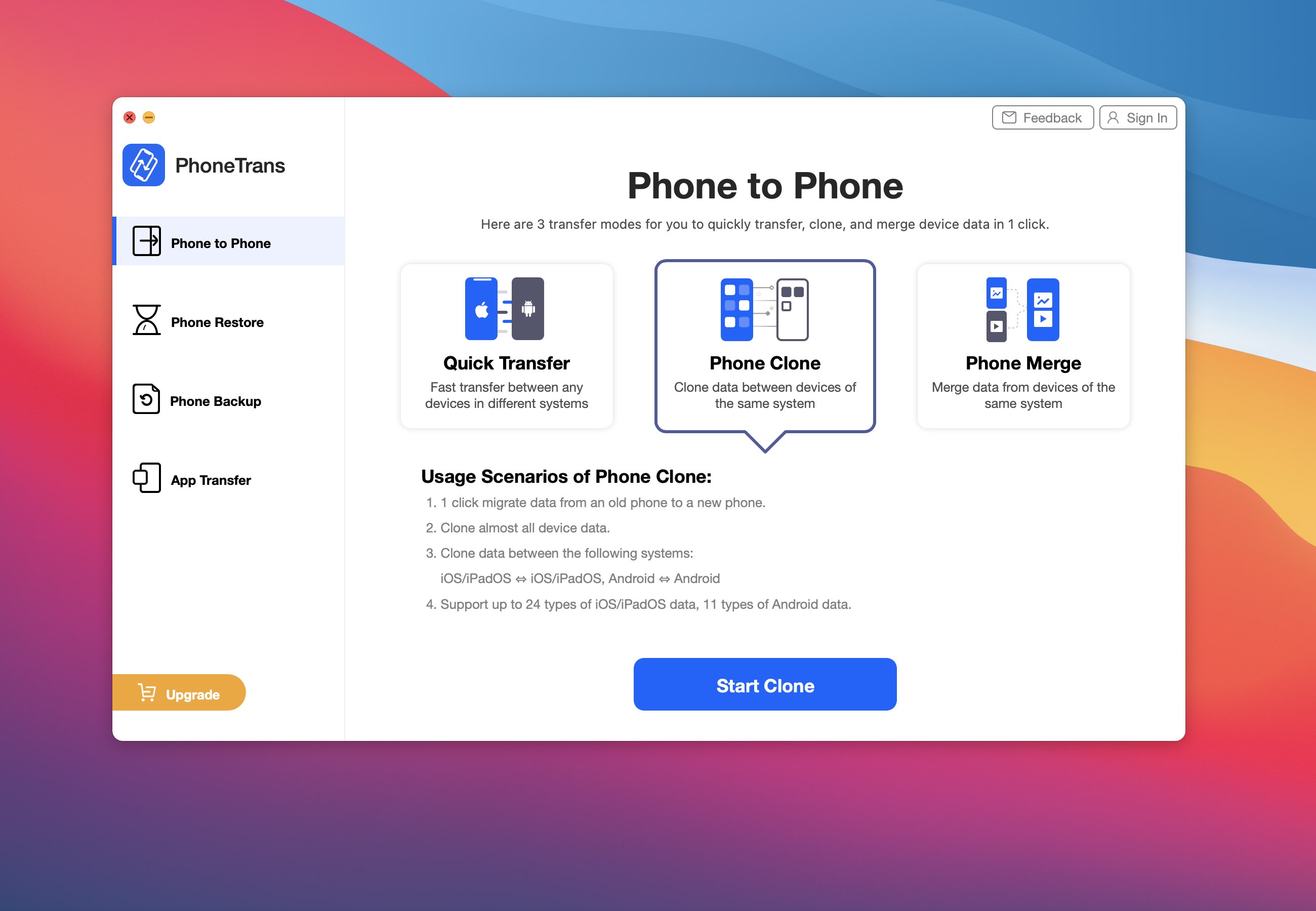
The software offers three different transfer approaches so you can choose what fits your situation. The first is Quick Transfer, where you can select the data and files you want from your previous Android or iOS device and transfer them directly to the new one — whether it's an iPhone or Android phone — saving a huge amount of data migration time and precious phone storage. The second is Phone Clone, which performs a full 1:1 copy of your old phone's data and settings to the new one in a single tap. The third is Phone Merge, which is perfect when your new phone is already in use and you want to add data from the old one without overwriting anything or losing any data.
What Data Types Does PhoneTrans Support?
The software supports over 32 iOS data types and over 12 Android data types, including contacts, messages, media files, and WhatsApp chats. It also supports transferring apps from one iPhone to another — a rare capability not found in most competing tools. Beyond device-to-device transfers, you can also migrate data from backups, iCloud, Google account, and iTunes library.
Backup and Restore Features
PhoneTrans offers two backup modes — a full backup of your entire phone content and a selective backup of specific data types you choose. One particularly useful feature is the ability to restore only specific data from a backup without wiping existing content on your phone, giving you precise control over what gets transferred and what stays untouched.
How to Use PhoneTrans Step by Step
Download and install PhoneTrans on your Windows or Mac computer. Connect both your old and new phones to the computer using USB cables. The software will automatically detect both devices and assign one as the Source and one as the Target. Choose your preferred transfer mode from Quick Transfer, Phone Clone, or Phone Merge. Select the data types you want to move, tap Transfer Now, and wait for the process to complete.
Is PhoneTrans Free?
iMobie PhoneTrans offers a free version but it is limited in functionality. The free version allows basic scanning and some previews, but to perform full data transfers you will need to upgrade to a paid license. Licenses cover one computer and support up to five devices, with discounts available during promotional periods.
How to Download PhoneTrans
You can download the software from the official website at imobie.com/phonetrans. It's available for Windows 7 and above and for macOS. The installer is around 150MB and is updated regularly to support the latest iOS and Android versions.
FAQs
CONTACT US
©2026 MobiTech Integrated Solutions. . All Rights Reserved