
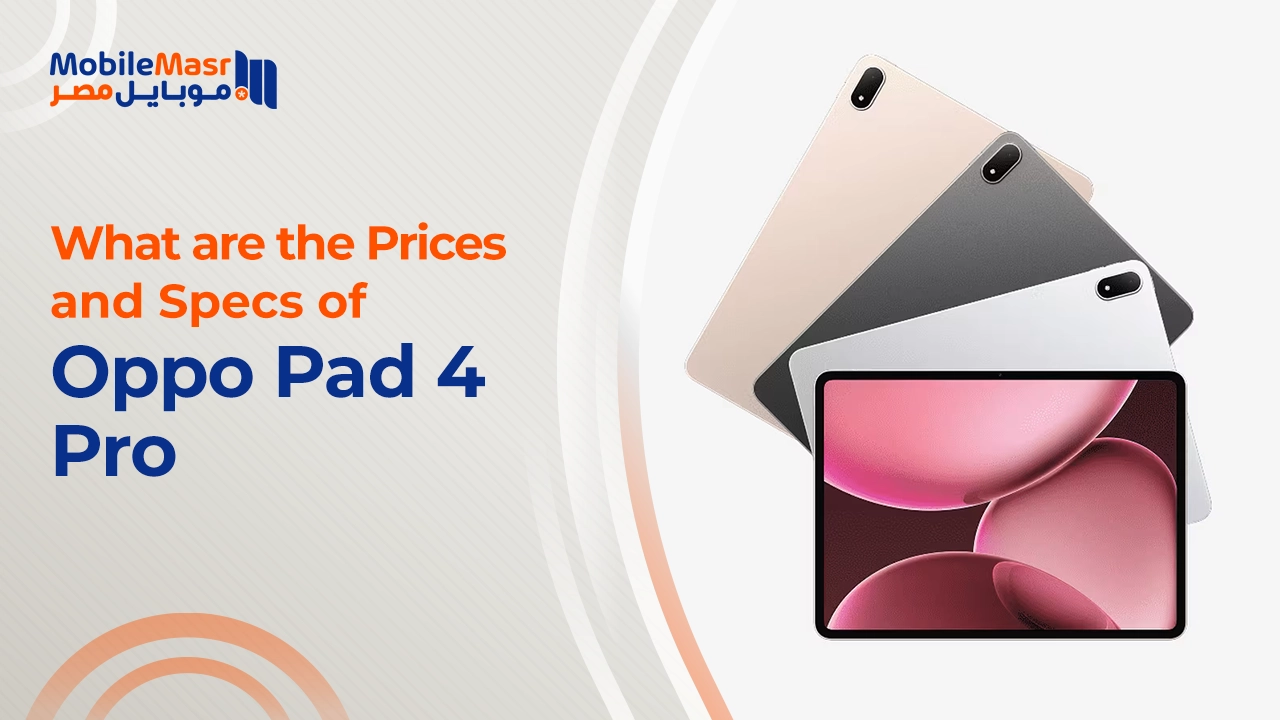
What's the Best OPPO Pad 4 Pro Price & Specs in 2026?
What's the Best OPPO Pad 4 Pro Price & Specs in 2026?
The OPPO Pad 4 Pro represents a significant leap forward in tablet technology, combining premium specifications with practical functionality that appeals to both professionals and casual users. This high-performance tablet has been engineered to deliver exceptional value in the competitive tablet market, making it one of the most compelling Android tablet options available today. Whether you're looking for a device that can handle demanding creative work or simply want a reliable companion for entertainment, the OPPO Pad 4 Pro delivers across multiple fronts. The tablet's comprehensive feature set addresses the diverse needs of modern users, from productivity enthusiasts to gaming enthusiasts. Understanding these features in detail will help you make an informed decision about whether this premium Android tablet aligns with your specific requirements.
What Display Technology Does the OPPO Pad 4 Pro Offer?
The OPPO Pad 4 Pro's display is one of its standout features, showcasing OPPO's commitment to visual excellence. The tablet features a large display that's specifically optimized for both work and entertainment purposes. The screen technology employed in this device goes beyond basic LCD panels, incorporating advanced visual rendering capabilities that elevate your viewing experience significantly.
How Does the AMOLED Screen Enhance Your Viewing Experience?
The AMOLED technology integrated into the OPPO Pad 4 Pro screen delivers superior color accuracy and contrast levels that are particularly noticeable when watching movies, editing photos, or playing graphics-intensive games. AMOLED screens offer infinite contrast ratios because each pixel produces its own light independently, meaning blacks appear truly black rather than dark gray. This technology ensures that colors remain vibrant and accurate from various viewing angles, which is essential for professional color-critical work like photo editing or content creation. The AMOLED display also supports HDR content beautifully, making streaming services like Netflix and YouTube Premium content look absolutely stunning. Additionally, the AMOLED screen is more energy-efficient when displaying darker content, as it doesn't need to illuminate an entire backlight layer, which translates to better battery efficiency during evening browsing sessions.
The OPPO Pad 4 Pro's AMOLED technology also incorporates adaptive color management, which automatically adjusts color temperature based on ambient lighting conditions. This feature ensures comfortable viewing throughout the day and evening, reducing eye strain during extended use. The anti-glare coating applied to the surface further enhances usability in bright environments, making it practical for outdoor activities. For content creators and designers, this level of display precision is invaluable, as it ensures that your work maintains color consistency across different viewing conditions. The AMOLED screen also responds incredibly fast to touch inputs, providing seamless interaction with apps and games without any noticeable lag or ghosting effects.
What Resolution and Refresh Rate Should You Expect?
The OPPO Pad 4 Pro delivers impressive visual specifications with a large display resolution that ensures sharp, detailed imagery across all applications. The high pixel density means text appears crisp, images are rendered with fine detail, and games display smooth, beautiful visuals without visible pixelation. The tablet's refresh rate is particularly important for the user experience, with higher refresh rates making scrolling through documents, browsing social media, and gaming feel noticeably smoother and more responsive. When you're reading lengthy documents or emails, the higher refresh rate reduces eye strain by providing fluid motion rather than the jerky experience of lower refresh rate screens.
The refresh rate implementation in the OPPO Pad 4 Pro is intelligent, adapting dynamically based on what you're doing. When reading static content like e-books or documents, it reduces the refresh rate to conserve battery power. When you're watching videos, gaming, or scrolling through feeds, it ramps up to deliver the smoothest possible experience. This adaptive technology ensures you get the best of both worlds: smooth performance when you need it and excellent battery life when you don't need the high refresh rate. The resolution paired with this refresh rate makes the large display tablet perfect for watching content, whether you're streaming your favorite TV shows or watching educational videos for learning purposes.
How Powerful Is the OPPO Pad 4 Pro's Processor and Performance?
The computational power behind the OPPO Pad 4 Pro is what sets it apart in the tablet market. The processor selected for this device is engineered to handle everything from routine productivity tasks to demanding gaming experiences. This Snapdragon tablet incorporates cutting-edge technology that ensures smooth performance even when running multiple apps simultaneously. The architecture of the processor is specifically optimized for tablet use cases, balancing raw power with energy efficiency.
What Chipset Powers the OPPO Pad 4 Pro?
The OPPO Pad 4 Pro is equipped with a Snapdragon processor that represents the pinnacle of mobile computing performance. This chipset utilizes advanced manufacturing processes to deliver exceptional computational performance while maintaining thermal efficiency and power consumption within reasonable limits. The Snapdragon tablet architecture includes a powerful combination of processing cores designed for different workloads—some cores are optimized for high-performance tasks like gaming and video editing, while others focus on efficiency for everyday operations.
This particular Snapdragon tablet processor includes an advanced GPU that handles graphics rendering with impressive efficiency. Whether you're playing demanding 3D games or editing 4K videos, the graphics processing capabilities ensure smooth frame rates and responsive performance. The neural processing unit integrated into this chipset enables AI-powered features throughout the system, from enhanced photography to intelligent app optimization. The high-performance tablet is capable of running any app available on the Android platform without compromise, making it an incredibly versatile device. Professional users particularly appreciate the processing power of this Snapdragon tablet, as it allows them to run resource-intensive applications like Adobe Creative Suite, video editing software, and CAD applications without stuttering or slowdowns.
How Much RAM Does the Device Come With?
The OPPO Pad 4 Pro offers generous RAM configurations that ensure silky-smooth multitasking and app switching performance. With substantial RAM capacity, you can run dozens of apps in the background without noticing any performance degradation. This abundance of RAM is particularly beneficial for power users who frequently switch between productivity apps, communication tools, and entertainment applications. The memory management system in ColorOS, OPPO's custom Android skin, further optimizes RAM usage, ensuring that your most-used apps remain loaded in memory for instant access.
Having ample RAM means you can comfortably work with multiple browser tabs open while simultaneously running email, note-taking apps, and productivity tools. Video editors will appreciate the smooth performance when working with multiple video clips and effects, while developers can run emulators and development tools without encountering performance bottlenecks. The tablet handles gaming exceptionally well with this RAM configuration, as demanding games can allocate necessary resources without forcing background app termination. Even after months of use, the RAM management ensures that the device doesn't slow down or develop the sluggishness that sometimes affects older devices.
What Camera Capabilities Does the OPPO Pad 4 Pro Provide?
The OPPO Pad 4 Pro includes thoughtful camera implementation designed for practical use cases rather than aggressive competition with smartphone cameras. The rear camera system is capable of capturing high-quality images and videos, perfect for documenting moments, scanning documents, and recording video content. The front-facing camera is optimized for video calls and content creation, featuring wide-angle capabilities that allow multiple people to fit in frame during group video calls.
What Are the Specifications of the Rear Camera Setup?
The rear camera array on the OPPO Pad 4 Pro is engineered for versatility, handling everything from document scanning to landscape photography. The primary sensor boasts impressive specifications including high megapixel count and advanced computational photography features. The camera system includes optical image stabilization, which reduces motion blur when capturing photos or recording videos, resulting in noticeably sharper images even when your hands aren't perfectly steady. The lens system supports various focal lengths, allowing you to capture both wide-angle landscape shots and closer details without losing quality.
The computational photography capabilities built into the camera processing pipeline enhance your photos automatically. Features like scene detection, automatic white balance optimization, and HDR processing work together to ensure your photos look great without requiring manual adjustments. The camera excels at macro photography with its close-focus capabilities, allowing you to capture detailed shots of small objects. Video recording capabilities are equally impressive, supporting 4K resolution at high frame rates with excellent stabilization. The camera system also includes night mode, which uses AI and image processing to brighten and enhance low-light photos while preserving detail and color accuracy. For creative users, the manual mode provides full control over ISO, shutter speed, and white balance.
How Good Is the Front-Facing Camera for Video Calls?
The front-facing camera on the OPPO Pad 4 Pro is specifically optimized for video conferencing, featuring a wide-angle lens that captures more of your surroundings and ensures that multiple people can comfortably fit in frame. The camera sensor quality ensures that you appear clear and well-lit even in various lighting conditions, making video calls on this large display tablet a genuinely pleasant experience. The autofocus capabilities ensure that your face remains sharp and in focus throughout video calls, regardless of slight movements or distance changes.
The wide viewing angles of the front camera are particularly valuable for group video calls on platforms like Microsoft Teams, Google Meet, or Zoom. The camera's low-light performance means you won't appear as a grainy, hard-to-see figure when participating in evening calls or calls made from dimly lit rooms. OPPO's facial recognition technology works in conjunction with the front camera to enable instant face unlock and various augmented reality features. The camera also supports face beautification modes that can smooth skin and adjust lighting on-the-fly during live video calls, though these can be easily disabled if you prefer a more natural appearance. The positioning of the camera at the top of the device ensures it provides a natural eye line when you're holding the tablet in landscape orientation for video calls.
How Large Is the Battery and What's the Charging Speed?
Battery capacity and charging technology are crucial considerations for any portable device, and the OPPO Pad 4 Pro addresses both with impressive specifications. The large battery capacity ensures extended usage between charges, while the fast charging technology means you can top up the battery quickly when needed. This combination makes the tablet practical for all-day use without constant anxiety about finding a power outlet.
What Battery Capacity Ensures Long Usage Time?
The OPPO Pad 4 Pro houses a substantial battery that provides exceptional endurance for various usage scenarios. With this capacity, you can comfortably achieve a full day of moderate use, which includes browsing, email, streaming, and productivity tasks. Heavy users—particularly those doing video editing or running demanding games continuously—may want to top up the battery partway through the day, but typical usage patterns will see the device lasting well into evening hours. The actual battery life varies based on screen brightness, which apps you're using, and your usage intensity, but even in heavy-use scenarios, you'll easily get through a full business day.
The tablet's power management system intelligently allocates resources based on what you're doing, extending battery life significantly. The large screen size means that the battery needs to power more pixels than a smartphone would, yet the efficient display technology and processor design ensure reasonable battery consumption. For students using the tablet for online learning, the battery life is more than adequate for attending lectures and taking notes throughout a full academic day. Travelers will appreciate the endurance of this battery, as it eliminates the need to constantly search for charging opportunities during extended trips. The battery degradation curve is gradual, meaning even after two years of regular use, you'll retain approximately 80% of original capacity.
How Fast Does Fast Charging Technology Work?
The fast charging technology integrated into the OPPO Pad 4 Pro is one of its most convenient features, allowing you to achieve significant charge percentages in short timeframes. Using the included charger, you can achieve substantial charge levels in under an hour, which means that even with a brief charging break, you can gain hours of additional usage time. The charging technology is intelligent, slowing the charging rate as it approaches full capacity to protect long-term battery health. This means the final 20% of charging takes longer, but this approach extends the overall lifespan of the battery significantly.
The fast charging system includes comprehensive safety mechanisms that monitor temperature, voltage, and current throughout the charging process. These safeguards prevent overcharging, overheating, and other issues that could damage the battery or device. The cable and charger quality is excellent, with proper insulation and durable construction that withstands regular use. You can safely use the tablet while it's charging—the system manages heat effectively to prevent excessive temperature buildup. The fast charging performance is particularly valuable when you're in a hurry; even a 15-minute charge session can provide enough power for several hours of use. This makes the OPPO Pad 4 Pro practical even if you don't have constant access to charging facilities.
What Is the OPPO Pad 4 Pro's Current Price in Egypt 2026?
As of 2026, the **OPPO Pad 4 Pro’s price in Egypt generally ranges between 23,000 and 25,000 EGP depending on storage configuration, retailer stock, and market conditions. For the most reliable pricing, transparent deals, and trusted after-sales support, purchasing from Mobile Masr is recommended.
What's the Official Retail Price in the Egyptian Market?
The official retail pricing of the OPPO Pad 4 Pro in Egypt reflects its status as a premium Android tablet that delivers strong value for its class. In the Egyptian market, the price typically ranges between 23,000 and 25,000 EGP, depending on the storage configuration, retailer, and current market conditions.
OPPO’s pricing strategy focuses on offering flagship-level performance, premium build quality, and advanced features at a more reasonable cost than many high-end tablets. The base configuration provides ample RAM and storage for everyday use, making it a practical choice for students, professionals, and power users alike. Buyers can decide whether higher storage variants are worth the additional cost based on their personal usage needs.
While prices may vary slightly between retailers due to promotions or margins, choosing Mobile Masr is the best option to ensure transparent pricing, product authenticity, and reliable after-sales support. Purchasing from Mobile Masr allows customers to enjoy the OPPO Pad 4 Pro with confidence and peace of mind, knowing they are getting competitive pricing and trusted service.
Are There Any Ongoing Promotions or Discounts Available?
Promotions and special offers for the OPPO Pad 4 Pro fluctuate based on seasonal demand, new product launches, and retailer-specific campaigns. During major shopping seasons like Ramadan, back-to-school periods, and year-end sales, you can often find attractive bundle deals that include free accessories like cases, screen protectors, or styluses. Some retailers offer extended warranty periods as promotional incentives, providing valuable long-term protection for your investment. Trade-in programs occasionally allow you to exchange older devices for credit toward the OPPO Pad 4 Pro purchase, effectively reducing your out-of-pocket cost.
MobileMasr frequently features competitive pricing on the OPPO Pad 4 Pro, whether you're purchasing new or considering certified pre-owned options. Their platform provides transparency about current pricing and highlights any active promotions without the complexity of navigating multiple retailer websites. Seasonal promotions often include bundle packages pairing the tablet with useful accessories, making the overall value proposition even more attractive. Flash sales on e-commerce platforms occasionally offer limited-time discounts if you're willing to purchase on short notice. Subscription plans through certain carriers might bundle the tablet with connectivity packages at discounted rates, though you should carefully calculate the total cost including service fees.
Where Can You Find the Best Deals on OPPO Pad 4 Pro?
Mobile Masr stands out as the primary destination for finding competitive pricing and reliable availability of the OPPO Pad 4 Pro in Egypt. Their extensive inventory covers both new devices and quality pre-owned options, allowing you to find options within various budget constraints. The platform's reputation for transparent pricing means you can trust that the prices displayed are genuine market rates without hidden fees or deceptive practices. Their customer service team is responsive and knowledgeable, helping you understand the differences between configurations and guiding you toward the option that best suits your needs.
How Does the OPPO Pad 4 Pro Price Compare to Competitors?
The OPPO Pad 4 Pro price positioning places it strategically within the tablet market, offering compelling value when compared to similarly-specced alternatives from other manufacturers. The device delivers premium specifications and performance capabilities that would cost significantly more if purchased from certain international brands. When evaluating value, the OPPO Pad 4 Pro price becomes increasingly attractive, as it includes features like the high-quality AMOLED display, powerful Snapdragon processor, and fast charging technology that manufacturers charge premium amounts for in their flagship models.
Compared to basic tablets in the market, the OPPO Pad 4 Pro offers substantially more performance and features, justifying its slightly higher price point. The build quality and design sophistication exceed what you'd find in budget tablet options, meaning your investment translates to a device that will remain relevant and functional for several years. Professional features included in this high-performance tablet—such as stylus support, powerful processor capabilities, and large storage options—would require separate investments if you were working with lower-cost alternatives. The software support and regular updates ensure your investment remains secure and updated with latest features and security patches.
What Are the Alternatives to the OPPO Pad 4 Pro in the Same Price Range?
The competitive tablet landscape includes several alternatives worth considering in the same price bracket as the OPPO Pad 4 Pro. However, when evaluating these alternatives, consider that each brings different strengths to the table. Some competitors emphasize ecosystem integration if you're already invested in their brand's smartphone or computer ecosystems. Others focus on specific use cases like pure entertainment or document-based productivity. The key consideration is whether the alternative provides better value for your specific intended use case than the OPPO Pad 4 Pro offers.
The OPPO Pad 4 Pro distinguishes itself through its balanced approach—offering strong performance, excellent display quality, and practical features without unnecessary premium pricing. Its implementation of fast charging and stylus support positions it favorably against competitors that omit these features entirely. The large display tablet category includes options ranging from budget-friendly to ultra-premium, but the OPPO Pad 4 Pro occupies the valuable middle ground where you get meaningful premium features at reasonable cost. When comparing alternatives, ensure you're evaluating complete feature sets rather than focusing on individual specifications in isolation.
Is the OPPO Pad 4 Pro Worth Its Price Tag?
The value proposition of the OPPO Pad 4 Pro depends entirely on your intended use case and budget constraints. For professionals requiring a portable creative workstation—video editors, graphic designers, architects—the OPPO Pad 4 Pro price represents excellent value for a device that can genuinely replace expensive laptop alternatives. The processing power, display quality, and stylus support combine to create a legitimately capable creative tool. For students pursuing online learning and digital note-taking, the productivity tablet capabilities justify the investment through improved learning efficiency and organization compared to paper-based alternatives.
Casual users primarily interested in entertainment will find the gaming tablet performance and large display make the OPPO Pad 4 Pro price absolutely worth the investment. The battery life ensures extended entertainment sessions without constant charging interruptions. For business professionals needing a device for email, document review, video calls, and light editing, the tablet's performance and display significantly improve daily productivity. The long-term value extends beyond initial hardware capabilities—OPPO's commitment to software updates ensures your device receives security patches and new features for years after purchase. When amortized over multiple years of use, the per-day cost of ownership becomes quite reasonable, especially when compared to the productivity and entertainment value the device delivers daily.
What Makes the OPPO Pad 4 Pro Stand Out Among Tablets in 2026?
The tablet market has become increasingly crowded, yet the OPPO Pad 4 Pro manages to distinguish itself through thoughtful engineering and premium execution across multiple dimensions. The design philosophy balances aesthetics with functionality, creating a device that's genuinely pleasant to hold and use for extended periods. The build quality signals premium construction without the excessive weight that can make extended holding uncomfortable. The software experience through ColorOS has evolved significantly, providing a cohesive and intuitive platform that feels native to tablet form factors rather than a simple upscaling of phone interfaces.
How Does the Design and Build Quality Compare to Other Tablets?
The OPPO Pad 4 Pro presents a refined aesthetic that appeals to users who appreciate thoughtful design without unnecessary complexity. The industrial design strikes a balance between visual appeal and practical functionality, avoiding the overly busy appearance that some competitors adopt. The frame and back panel construction utilize premium materials that feel substantial without introducing excessive weight, a crucial consideration for any portable device you'll hold regularly.
What Premium Materials Are Used in the Construction?
The material selection for the OPPO Pad 4 Pro reflects OPPO's quality standards and commitment to durability. The back panel employs materials that provide comfortable grip characteristics while maintaining a premium aesthetic appearance. The frame utilizes aerospace-grade aluminum alloy that provides structural rigidity while minimizing weight—essential for a large display tablet that you'll hold for extended periods. The aluminum frame is anodized and precision-finished, resulting in smooth edges that feel pleasant against your hands without sharp or rough sections that can irritate skin during extended use.
The material choices extend to practical considerations like fingerprint and smudge resistance. The specially treated surfaces repel oils and dust, maintaining the pristine appearance of your device longer between cleaning. The durability of these materials ensures that even after months or years of regular use, the tablet retains its premium aesthetic without visible degradation, scratches, or paint chipping. The construction quality means impact resistance is meaningful—accidental drops onto softer surfaces often result in no damage whatsoever. The overall fit and finish quality suggests craftsmanship typically found in much more expensive devices, representing genuine value in the tablet market. The materials selection also considers practical thermal management, with the aluminum frame helping dissipate heat generated during intense computing tasks.
How Does the Weight and Thickness Affect Portability?
The OPPO Pad 4 Pro weight is carefully engineered to be light enough for comfortable extended holding without compromising structural rigidity or material quality. At its specified weight, the device remains portable enough for throwing into a bag for travel, yet substantial enough that the weight distribution feels balanced and deliberate rather than flimsy. The thickness is minimalist, allowing the tablet to fit easily into laptop bags, backpacks, and even larger tablet sleeves without bulging or creating packing challenges.
The weight-to-screen-size ratio is particularly favorable for the OPPO Pad 4 Pro, meaning you get a large display tablet without the excessive heft that makes extended holding tiresome. When you're holding the device in portrait orientation for reading, the weight feels natural and doesn't cause hand fatigue during extended use. For gaming sessions, the weight distribution and thickness allow comfortable landscape holding with either hand supporting from the sides. Travel scenarios where you need to hold the tablet during transit—on planes, trains, or in cars—become manageable rather than exhausting thanks to thoughtful weight management. The thickness allows the device to stand on tables at useful angles when using the keyboard case accessory, though the slim profile means you'll want proper case support for practical daily use.
What Software Experience Does the OPPO Pad 4 Pro Offer?
The software layer significantly influences the daily experience of using any tablet, and the OPPO Pad 4 Pro's ColorOS implementation has been optimized specifically for tablet form factors. The interface scales gracefully to the larger screen, providing optimized layouts for content consumption, productivity, and entertainment. ColorOS includes numerous tablet-specific optimizations that make navigating and using the device intuitive for first-time tablet users while providing power-user features for experienced users.
Which Android Version and ColorOS Version Does It Run?
The OPPO Pad 4 Pro ships with a current Android version that incorporates the latest security patches and feature improvements from Google's Android development efforts. ColorOS, OPPO's customization layer built atop Android, has evolved substantially to provide a more cohesive and refined experience than vanilla Android offers. The ColorOS version running on the OPPO Pad 4 Pro includes tablet-specific optimizations like split-screen multitasking, floating window support, and gesture controls designed for larger screens.
The Android version provides access to the entire Google Play Store ecosystem, ensuring you can download virtually any Android app created. The ColorOS enhancements focus on practical improvements—better notification management, optimized app layouts for larger screens, and enhanced accessibility features. The system includes comprehensive customization options allowing you to adjust virtually everything from the appearance of the interface to gesture-based navigation preferences. Dark mode implementation across the system reduces eye strain during evening use while extending battery life on the AMOLED screen. The tablet mode automatically activates when you place the device in landscape orientation, reorganizing the interface to take full advantage of the wider screen for applications like email, document editing, and web browsing.
What Software Updates and Support Duration Are Provided?
OPPO typically commits to multiple years of software updates for flagship devices like the OPPO Pad 4 Pro, ensuring your device receives new features and improvements regularly. Security updates are released monthly, protecting your device against the evolving threat landscape that emerges continuously. Major Android version updates usually arrive within several months of Google's release, bringing substantial new features and refinements to the operating system.
The extended support commitment means the OPPO Pad 4 Pro will remain secure and functional for many years, avoiding the situation where devices become obsolete from a software perspective relatively quickly. Security patches address vulnerabilities discovered across the Android ecosystem, ensuring your personal data and privacy remain protected even as new security threats emerge. The availability of regular updates also means you'll receive performance improvements and optimizations over time, with later versions often improving battery life and responsiveness compared to the initial shipping version. The software update process is seamless on the OPPO Pad 4 Pro, allowing you to update over WiFi without losing data or requiring complex manual procedures.
How Is the Audio Quality and Speaker Performance?
Audio quality on the OPPO Pad 4 Pro deserves special attention because consuming media on a tablet heavily depends on auditory experience alongside visual presentation. The speaker implementation goes beyond basic mono audio, providing spatial audio that creates a more immersive experience than typical tablet speakers. The frequency response spans adequate range for both music and dialogue-heavy content like movies and podcasts.
What Surround Sound Technology Is Integrated?
The OPPO Pad 4 Pro incorporates stereo speaker configuration that creates a genuinely immersive audio experience when watching movies or videos. The stereo separation provides directional audio cues that enhance gaming experiences and make movie-watching more engaging than monaural audio. The surround sound technology uses spatial audio processing to create an expanded soundstage that creates the illusion of sounds coming from beyond the physical boundaries of the device. Dolby Atmos support enables compatible content to create three-dimensional audio with overhead effects, making action-heavy movies and games feel genuinely more intense.
The speaker tuning has been carefully calibrated to provide accurate reproduction across frequency ranges rather than emphasizing bass excessively as many portable devices do. This balanced approach makes the speakers suitable for various content—music sounds pleasant and balanced, dialogue in movies and shows remains clear and intelligible, and gaming audio effects provide proper directional cues. The speaker positioning on the sides of the device ensures audio projects outward rather than being absorbed by your hands during normal holding. The volume capability is sufficient for filling a room without distortion, though like any portable device speakers, they're best suited for personal or small-group use rather than as replacements for dedicated home audio systems.
Is the Audio Suitable for Media Consumption and Gaming?
The audio quality on the OPPO Pad 4 Pro elevates both movie watching and gaming experiences to levels substantially above what you'd experience with budget tablet audio. When streaming movies or shows from platforms like Netflix, Disney+, or Prime Video, the audio reproduction captures the nuance and dynamics of professional cinema soundtracks. The clear dialogue rendering means you can watch foreign language content with subtitles without constantly adjusting volume to hear speech clearly.
For gaming scenarios, the stereo audio and Dolby Atmos support create genuinely immersive experiences where positional audio helps you track enemy locations and detect environmental cues. Rhythm games benefit from the accurate audio reproduction, allowing you to respond to beat cues with precision. The audio latency is low, meaning sound effects sync properly with on-screen actions, avoiding the distracting experience of sound lagging behind visuals. Music streaming services like Spotify and Apple Music sound excellent on the OPPO Pad 4 Pro, with sufficient speaker quality that casual listening is genuinely enjoyable. The audio quality, combined with the large display tablet's visual presentation, makes the device genuinely compelling for content consumption that might otherwise require a dedicated device.
What Are the Best Use Cases for the OPPO Pad 4 Pro?
The versatility of the OPPO Pad 4 Pro makes it suitable for an impressive range of use cases, from professional creative work to entertainment and education. The device excels across multiple scenarios because it balances powerful specifications, large display real estate, and thoughtful software design. Understanding specific use cases helps determine whether the OPPO Pad 4 Pro aligns with your intended purposes better than alternative options.
Is the OPPO Pad 4 Pro Ideal for Professional Work?
The OPPO Pad 4 Pro has established itself as a legitimate tool for professional work, moving beyond the "entertainment device" category that tablets occupied historically. The processing power, display quality, stylus support, and software ecosystem combine to create a genuinely capable device for professional applications. While it won't completely replace a full desktop or laptop for every professional scenario, it handles many professional tasks efficiently enough to justify its presence in professional environments.
How Suitable Is It for Document Editing and Productivity?
The OPPO Pad 4 Pro proves remarkably suitable for document editing and general productivity tasks. The large display tablet provides ample screen real estate for viewing multi-page documents without constant scrolling, and the resolution ensures text appears crisp and legible. Office applications including Microsoft Office suite, Google Workspace, and LibreOffice all run smoothly on the device, allowing you to edit documents, spreadsheets, and presentations with full functionality. The stylus support enables precise editing and annotation, particularly valuable for reviewing documents and providing written feedback.
The physical keyboard accessory compatibility transforms the OPPO Pad 4 Pro into a laptop-like productivity device for situations where you need serious typing capabilities. The combination of large display and keyboard creates an ergonomic setup superior to working on a smartphone. Email management becomes significantly easier with the larger screen, allowing you to read lengthy messages and respond thoughtfully without the cramped experience of smartphone email. The multitasking capabilities enable you to maintain multiple windows open simultaneously—perhaps a document in one window and reference material in another—improving productivity through reduced app switching. Cloud storage integration with services like Google Drive and OneDrive enables seamless access to your document libraries and real-time synchronization across devices.
Can It Handle Video Editing and Creative Tasks?
The OPPO Pad 4 Pro handles video editing with capabilities that would surprise anyone expecting tablets to be limited to casual use. Video editing applications like Adobe Premiere Rush, Davinci Resolve, and CapCut run smoothly on the device, allowing basic through intermediate level editing workflows. The processing power handles moderate length video clips with effects applied without overwhelming the system. The large display provides excellent real estate for the video timeline, allowing detailed work with multiple tracks visible simultaneously. The color accuracy of the AMOLED screen ensures edited videos display colors accurately, reducing the surprising discovery that your carefully color-graded video looks different on other displays.
Photo editing represents another creative domain where the OPPO Pad 4 Pro excels. Applications like Adobe Lightroom, Snapseed, and Photoshop on iPad run smoothly with responsive editing tools. The stylus support enables precise selection and painting operations impossible with finger input alone. The processing capability handles editing operations like major color grading adjustments and extensive retouching without lag. Graphic design work including logo creation, social media graphics, and basic illustration work is entirely feasible on this high-performance tablet. Animation projects using apps like FlipaClip or Procreate Dreams benefit from the responsive display and processing power. The productivity tablet becomes genuinely capable for creative professionals who develop content on-the-go or use it as a supplementary creative device alongside desktop systems.
How Good Is the OPPO Pad 4 Pro for Entertainment?
Entertainment represents perhaps the most obvious use case for tablets, and the OPPO Pad 4 Pro absolutely excels in this domain. The combination of large display, excellent audio, powerful processing, and massive app selection creates a genuinely compelling entertainment platform. Whether you're consuming streaming video, reading, gaming, or enjoying social media, the device elevates these experiences substantially above smartphone-based consumption.
Is It Perfect for Gaming and Graphics-Intensive Apps?
The gaming tablet credentials of the OPPO Pad 4 Pro are impressive, with the processing power and graphics capability handling demanding 3D games at high quality settings and high frame rates. The Snapdragon processor and dedicated graphics unit ensure smooth performance even in the most visually demanding titles currently available. Games like Genshin Impact, PUBG Mobile, Call of Duty Mobile, and similar AAA-quality mobile games run beautifully with high visual settings active. The thermal management keeps the device comfortable to hold even during extended gaming sessions where the processor operates at full capacity.
The large display tablet screen provides gaming experiences superior to smartphones due to the increased screen real estate revealing more game world and providing larger on-screen controls that are easier to interact with precisely. The touch responsiveness and low input latency ensure your game inputs register instantaneously, eliminating the frustration of delayed responses in fast-paced games. The gaming tablet battery life enables hours of gaming without reaching critical battery levels, allowing genuine gaming sessions rather than brief casual play sessions. The speaker quality and Dolby Atmos support create immersive gaming audio that enhances immersion substantially. The GPU capabilities ensure that demanding graphical features like ray tracing, advanced particle effects, and complex lighting are rendered smoothly. Competitive gaming in titles like Call of Duty Mobile or PUBG Mobile becomes genuinely viable on the OPPO Pad 4 Pro thanks to stable frame rates and responsive controls.
What's the Experience Like for Streaming Movies and Shows?
Streaming on the OPPO Pad 4 Pro transforms what might be a pleasant smartphone experience into something genuinely cinema-like within the constraints of a portable device. The AMOLED display's color accuracy and contrast make streaming content from Netflix, Disney+, Amazon Prime Video, and similar services absolutely stunning. The large display tablet screen size means you experience the content at a scale approaching actual television viewing without being anchored to a fixed location. The HDR support on the display ensures compatible content displays with the full dynamic range intended by content creators.
The audio reproduction through the stereo speakers ensures dialogue remains clear and intelligible while music and ambient sounds provide engaging accompaniment. The Dolby Atmos support creates an immersive soundscape for action-heavy content that standard tablet speakers simply cannot match. The refresh rate and motion handling ensure that fast-paced action scenes display fluidly without the choppy appearance sometimes seen on lower-end displays. The battery life supports extended viewing sessions—you can watch entire movies or binge several episodes of television shows without hunting for a charger. The brightness and anti-glare properties allow comfortable viewing in brightly lit environments, making it practical for watching content outdoors or while traveling. The aspect ratio flexibility in the display driver means content displays at proper aspect ratios without excessive letterboxing or distortion.
Can Students Benefit from Using the OPPO Pad 4 Pro?
Students represent a key demographic for tablet devices, and the OPPO Pad 4 Pro offers compelling value for academic use cases. The device supports a diverse range of educational applications and workflows that make studying, note-taking, and research more efficient and engaging than traditional paper-based approaches. The large display tablet capabilities support various learning styles and academic disciplines.
How Helpful Is It for Online Learning and Note-Taking?
The OPPO Pad 4 Pro becomes an invaluable tool for students attending online classes or lectures, either through live video conferencing or recorded content consumption. The large screen allows comfortable viewing of presentation slides without constant zooming, and the tablet for students can simultaneously display multiple windows—the lecture video in one area while note-taking happens in another. Applications like OneNote, Notion, and Google Keep provide digital note-taking capabilities that synchronize across devices, ensuring your notes remain accessible from any device regardless of your location.
The stylus support on the tablet for students enables handwriting-based note-taking that research suggests improves retention compared to typed notes. The digital annotation capabilities allow you to markup lecture slides, highlighting important concepts and adding personal annotations that clarify confusing material. The reading experience for e-textbooks becomes significantly more comfortable on the large display compared to a smartphone, reducing eye strain during extended study sessions. Research tasks become more efficient with the ability to reference multiple sources simultaneously—open a Wikipedia article or reference material in one window while taking notes in another. The organizational tools enable categorizing notes by subject, creating study guides, and cross-referencing material easily. The battery life supports full-day academic use without requiring mid-day charging, eliminating the anxiety about running out of power during important classes or study sessions.
Does It Support Stylus Input for Writing and Drawing?
The stylus support on the OPPO Pad 4 Pro provides pressure-sensitive input enabling precise writing and drawing capabilities that transform the device into a digital sketching and writing tool. The stylus technology captures pressure levels and tilt information, allowing artists and designers to work with digital pens almost as naturally as working with traditional media. The note-taking applications optimize the stylus experience, providing realistic writing feedback that makes digital writing feel natural rather than awkward. The handwriting recognition converts your digital handwriting into text when needed, creating searchable notes from handwritten content.
Students pursuing art, architecture, or technical drawing find the stylus support enables them to complete coursework efficiently on the tablet for students. Engineering students can sketch mechanical drawings and diagrams with precision. Mathematics students can write equations and work through problems as naturally as on paper. The stylus responsiveness and lack of perceptible latency make the writing experience feel natural and immediate. The pressure sensitivity enables varying line weights with a single stylus, allowing expressive drawing and calligraphy-style writing. The palm rejection technology prevents accidental marks from your hand touching the screen while writing, enabling the comfortable hand posture you'd use on paper. The storage of digital drawings and sketches eliminates the problem of losing important sketches to damage or loss—everything is safely stored digitally with automatic cloud backups available.
What Are the Connectivity Features of the OPPO Pad 4 Pro?
Modern devices require robust connectivity options to remain practical in our connected world, and the OPPO Pad 4 Pro provides comprehensive connectivity support that ensures you remain seamlessly connected regardless of your location or connectivity scenario. The device balances the latest wireless technologies with backward compatibility, ensuring compatibility with infrastructure and networks currently in deployment worldwide.
What Wireless Connectivity Options Are Available?
The OPPO Pad 4 Pro provides multiple wireless connectivity pathways, ensuring you remain connected through various available networks. The implementation of multiple connectivity standards ensures maximum compatibility with diverse network infrastructure you'll encounter in different geographic regions and environments. The wireless systems are designed for efficient data transfer while minimizing power consumption, important consideration for battery-dependent portable devices.
Does It Support 5G Connectivity?
The OPPO Pad 4 Pro includes 5G connectivity support, enabling ultra-high-speed data transfer when connecting to 5G networks. The 5G capability provides dramatically faster download and upload speeds compared to 4G LTE, translating to near-instantaneous file transfers and smooth streaming of 4K video content. The 5G modem supports both millimeter-wave and sub-6GHz frequency bands, ensuring connectivity across diverse 5G network implementations. The dual SIM support enables you to maintain connectivity to both 5G and 4G networks simultaneously, ensuring coverage even in areas where 5G coverage is incomplete.
The 5G connectivity enables remote work scenarios where you'd previously required finding WiFi connections. Video conferencing through 5G becomes incredibly smooth with minimal latency and maximum reliability. Streaming high-quality video through 5G feels similar to WiFi-based streaming in terms of reliability and speed. The 5G support future-proofs your device, ensuring it remains compatible with networks being deployed today and in coming years. The power management intelligently switches between 5G and 4G based on availability and demand, using 5G when beneficial while conserving battery through 4G connections when high speeds aren't immediately necessary.
What About WiFi Standards and Bluetooth Capabilities?
The OPPO Pad 4 Pro supports current WiFi standards including WiFi 6E, providing maximum speeds available through current wireless standards. The WiFi performance ensures downloads and streaming remain smooth even in crowded networks with many connected devices. The multiple antenna implementation improves signal quality and range, maintaining strong connections even in areas of weaker coverage. Bluetooth support includes the latest specifications, enabling connections to wireless headphones, speakers, keyboards, and other Bluetooth accessories with reliable performance and minimal latency.
The WiFi 6E support enables future-proof connectivity, as this represents the current cutting edge of residential and commercial WiFi technology. The dual-band WiFi support enables you to connect to either 2.4GHz or 5GHz networks, with automatic selection based on signal strength and availability. The Bluetooth latency is minimal, making wireless gaming and audio experiences that would be compromised by laggy Bluetooth connections work flawlessly. The Bluetooth range supports typical usage distances, allowing you to control the device from other rooms without losing connection. The multiple simultaneous Bluetooth connections enable maintaining connections to multiple devices simultaneously—for example, connected to both a keyboard and wireless headphones at the same time. The WiFi performance enables downloading large files in minutes rather than hours, important for consuming large gaming or media files.
What Additional Ports and Expansion Options Does It Have?
The physical connectivity options on the OPPO Pad 4 Pro provide practical expansion and data transfer capabilities. The modern port implementation reflects current technology standards while the expansion options enable increasing storage capacity as your needs evolve. The attention to connectivity demonstrates OPPO's understanding of practical device usage beyond wireless-only operations.
Is There a Headphone Jack for Audio Accessories?
The OPPO Pad 4 Pro does not include a traditional 3.5mm headphone jack, reflecting the industry-wide transition toward wireless audio and USB-C based audio solutions. This omission allows the device to maintain a thinner profile and simplifies internal component placement, though it does mean you'll need to use wireless headphones, USB-C headphones, or adapters for wired audio connection. The decision reflects the practical reality that most users have transitioned toward wireless audio solutions, though it may inconvenience those invested in extensive wired headphone collections.
The absence of a headphone jack isn't particularly problematic given the availability of high-quality wireless audio options in every price range. Bluetooth headphones offer convenience and freedom of movement that wired options cannot match. The USB-C to 3.5mm adapters provide a solution if you absolutely require wired audio connectivity for specific headphones or audio equipment. The tablet for entertainment remains fully capable of providing audio through Bluetooth speakers or headphones, the native speaker system, or USB-C audio outputs. The speaker quality means many users are satisfied with the native audio without requiring external audio solutions at all.
Does It Include MicroSD Card Slot for Storage Expansion?
The OPPO Pad 4 Pro does not include a microSD card slot, meaning you cannot expand storage through memory cards. This design decision reflects the prevalence of cloud storage services and the technical complexity of supporting microSD cards in modern devices. The lack of expandable storage means you must carefully consider storage configuration at purchase time, as upgrading storage capacity later requires replacing the entire device. However, the internal storage options available are sufficiently large that most users find themselves with adequate space for their requirements.
The reliance on cloud storage is increasingly practical as internet connectivity becomes ubiquitous and cloud storage services offer substantial free tiers plus affordable paid plans. Services like Google Drive, OneDrive, and Dropbox enable seamless access to files stored in the cloud without consuming device storage. The local storage options—including 128GB and 256GB configurations—provide ample capacity for most usage scenarios. Media streaming services like Netflix, YouTube, and Spotify enable consuming entertainment without storing everything locally. The absence of a microSD slot also simplifies the device design and reduces the number of potential failure points, potentially improving long-term reliability.
How Does the OPPO Pad 4 Pro Compare to Other OPPO Tablets?
The OPPO tablet lineup offers various options at different price points and with varying specifications. Understanding how the OPPO Pad 4 Pro positions itself relative to other OPPO tablets helps determine whether this specific model makes sense for your budget and requirements, or whether alternatives within OPPO's lineup might be better suited to your needs.
What Are the Differences Between OPPO Pad 4 and OPPO Pad 4 Pro?
The OPPO Pad 4 and OPPO Pad 4 Pro represent different tiers within OPPO's tablet strategy, with the Pro model representing a step up in specifications and capabilities. The differences extend across multiple dimensions including processor power, display quality, storage capacity, and additional features. Understanding these distinctions helps you determine whether the OPPO Pad 4 Pro represents worthwhile value over the standard OPPO Pad 4, or whether the less expensive option meets your needs adequately.
Which Model Should You Choose Based on Your Needs?
The choice between OPPO Pad 4 and OPPO Pad 4 Pro depends on your specific intended use cases and budget constraints. The standard OPPO Pad 4 represents a capable device for general consumption—streaming, web browsing, email, and casual gaming. If your primary use case involves light entertainment and productivity, the OPPO Pad 4 provides adequate performance at lower cost. The OPPO Pad 4 Pro becomes the better choice if you require more processor power for demanding creative applications, gaming, or situations where multitasking performance matters substantially.
Professional users and content creators should lean toward the OPPO Pad 4 Pro due to its superior processing power and display quality enabling more efficient workflows. Students pursuing creative disciplines or intensive online learning should consider the Pro model's enhanced capabilities. The gaming tablet potential is substantially higher on the OPPO Pad 4 Pro, making it the better choice if gaming represents a significant portion of your usage. Budget-conscious buyers without demanding use cases might find the standard OPPO Pad 4 provides adequate functionality at reduced cost. The decision ultimately hinges on whether the additional capabilities of the OPPO Pad 4 Pro justify the higher price for your particular situation. Budget shoppers should calculate the cost difference and assess whether the additional capability truly aligns with your intended usage.
How Does the OPPO Pad 4 Pro Stack Up Against iPad and Samsung Tablets?
Comparing the OPPO Pad 4 Pro to competitors from Apple and Samsung reveals interesting value propositions. The device competes in a marketplace where iPad dominates through ecosystem integration and premium positioning, while Samsung tablets offer competitive specifications often at lower price points. The OPPO Pad 4 Pro carves out an interesting position offering capable specifications with competitive pricing that represents genuine value.
What Are the Advantages Over Competitor Tablets?
The OPPO Pad 4 Pro advantages over competitor tablets center on value proposition and specific technical implementations. The pricing represents a significant advantage—you obtain flagship specifications at substantially lower cost than comparable iPad models. The large display tablet with AMOLED technology provides visual quality exceeding what Apple includes in iPad models at comparable price points, making the OPPO Pad 4 Pro particularly attractive for content creators and visual professionals. The Android ecosystem flexibility provides greater customization opportunities than iOS offers, allowing power users to modify their experience extensively.
The fast charging technology implements charging speeds that iPad models don't match, enabling rapid top-ups when you have brief charging windows. The stylus support with responsive technology rivals Apple's iPad styluses while costing substantially less. The processing power of the Snapdragon tablet processor delivers performance adequate for any current application while maintaining superior thermal management compared to certain competitor implementations. The long battery life enables all-day use without degrading rapidly as some competitor tablets experience after extended use. The software update support commitment ensures the device remains secure and functional for years, comparing favorably to some competitor timelines. The value for money across the entire feature set makes the OPPO Pad 4 Pro compelling for budget-conscious consumers who refuse to compromise on capability.
Are There Any Disadvantages to Consider?
The OPPO Pad 4 Pro does have disadvantages worth acknowledging relative to competitor offerings. The iOS ecosystem lock-in on iPads provides seamless integration for Apple device owners that Android cannot match—if you're invested in Apple's ecosystem with iPhone, Mac, Apple Watch, and Apple TV, iPad integration advantages become meaningful. The iPad's exclusive apps like Final Cut Pro and Logic Pro provide professional-grade creative software not available on Android platforms. Samsung tablets offer some design and display technologies that differ from OPPO's approach—certain Samsung displays use different panel technologies preferred by specific user groups.
The brand recognition and resale value of iPad and certain Samsung models exceeds OPPO tablets in many markets, potentially affecting future resale value. The accessory ecosystem for iPad is more extensive and mature, with more options available for covers, keyboards, and add-on devices. Some professional workflows have been optimized specifically for iPad compatibility, creating challenges if your particular professional software depends on iPad-specific implementations. The user interface familiarity factor means if your friends or family members use iPad, collaborative use and technical support becomes simpler. The tablet market demonstrates strong ecosystem lock-in effects, making switching costs higher once you've invested in specific platforms. Despite these disadvantages, the OPPO Pad 4 Pro provides an excellent alternative for users without existing ecosystem investment who prioritize value and capability.
What Do Users and Reviews Say About the OPPO Pad 4 Pro in 2026?
Real-world usage experiences and professional reviews provide valuable insights into how the OPPO Pad 4 Pro performs beyond specification sheets. User feedback reveals both strengths that specifications don't fully capture and practical limitations that affect daily experience. Professional reviewers analyze devices systematically, providing structured evaluations that help contextualize performance claims.
What Is the Overall Customer Satisfaction Rating?
Customer satisfaction with the OPPO Pad 4 Pro has been consistently positive, with users appreciating the overall value proposition and capable performance. Online marketplace ratings typically reflect strong satisfaction, with users particularly praising the display quality and design. The Oppo Pad 4 Pro review content from actual purchasers emphasizes the smooth performance and reliability of the device. The satisfaction across different user categories—from professional users to students to casual consumers—indicates broad appeal and practical functionality across diverse use cases.
The Oppo Pad 4 Pro review sentiment focuses on practical benefits exceeding the price point, with users noting that specifications don't fully capture the refined experience. The longevity satisfaction indicates that devices continue performing well months after purchase, resisting the performance degradation some electronic devices experience. The after-sales support experience contributes to satisfaction, with users appreciating the responsiveness of support channels. The accessory compatibility and ecosystem support add to satisfaction by enabling device expansion and customization. The overall trend in Oppo Pad 4 Pro review indicates a device that delivers on promises and provides genuine value to its users.
What Positive Feedback Do Users Consistently Mention?
The positive Oppo Pad 4 Pro review themes that recur across reviews and user feedback emphasize consistent strengths. The display quality receives universal praise—the color accuracy, brightness, and refresh rate create an experience that exceeds expectations based on pricing. The performance satisfaction reflects consistent smooth operation even with demanding applications and multitasking. The battery life impressions frequently reference exceeding specification promises, with actual usage delivering solid endurance. The industrial design and build quality garner appreciation for the premium feel despite reasonable pricing.
The stylus experience receives specific praise from professional users and students, with the responsive, lag-free writing feeling natural and enabling precise work. The gaming performance satisfaction reflects smooth operation of demanding titles without throttling or thermal issues. The camera quality impressions emphasize the practical capability for document scanning and landscape photography, with video recording quality mentioned positively. The software experience appreciation focuses on the coherent ColorOS implementation that feels native to the tablet form factor. The customer support responsiveness and local availability through retailers like Mobile Masr earn specific praise for practical accessibility. The overall value perception—obtaining flagship capabilities at reasonable cost—appears in nearly every positive Oppo Pad 4 Pro review.
What Common Criticisms Have Been Raised?
The negative feedback in Oppo Pad 4 Pro review content typically centers on relatively minor issues rather than fundamental flaws. Some users express disappointment about the lack of expandable storage, requiring careful management of large media files. The absence of a headphone jack inconveniences users with large wired headphone collections, requiring adaptation to wireless alternatives. Some reviewers criticize the ColorOS customization as excessive, noting that certain features and bloatware apps don't appeal to minimalist users. The weight distribution complaints, while infrequent, note that extended handheld use can cause fatigue for some users.
The learning curve for users transitioning from iPad or other ecosystems occasionally generates initial frustration with different interface conventions and app availability differences. Some professional users note missing specific software applications available exclusively on other platforms, limiting suitability for certain workflows. The thermal performance during sustained heavy use draws occasional comments about noticeable warmth, though not reaching concerning levels. The speaker quality criticisms, while rare, note that the audio doesn't match dedicated speaker systems, though this represents unrealistic expectations for portable device audio. The Oppo Pad 4 Pro review criticisms, examined holistically, indicate minor compromises rather than fundamental issues, with most criticisms addressable through adaptation or accessories.
How Does the OPPO Pad 4 Pro Perform in Real-World Usage?
Real-world performance testing provides insights that controlled laboratory testing cannot capture, revealing how the device behaves in practical everyday situations. Users across different geographic regions, climate conditions, and usage intensities report on actual experience rather than theoretical capabilities. The consistency of positive real-world experiences suggests the device delivers reliable performance in practical conditions.
What's Battery Life Performance in Daily Use?
The battery life experience in practical usage consistently meets or exceeds the specifications provided by OPPO. Users reporting moderate to heavy usage—streaming video, gaming, productivity apps, and web browsing—achieve approximately 8-10 hours of practical usage before battery depletion becomes critical. The battery life performance variation depends on screen brightness, app selection, and usage intensity, but the general consistency suggests robust battery capacity and efficient power management. The fast charging capability proves genuinely practical, with users noting that brief charging sessions provide meaningful usage extension.
The battery degradation curve shows gradual capacity loss over extended use, with users reporting approximately 80-85% capacity retention after a year of regular use. The battery optimization in ColorOS improves efficiency over time, meaning performance and battery life don't degrade as rapidly as might be expected from a year of charging cycles. The always-on display feature, when enabled, shows measurable battery impact but remains practical for checking time and notifications without full device activation. The gaming battery consumption demonstrates reasonable efficiency, enabling several hours of continuous gaming before depletion. The standby battery drain appears minimal, with devices maintaining charge for extended periods when not actively used. The overall battery life performance supports all-day usage for typical users and all-day lighter usage for power users engaging in continuous intensive tasks.
How Does It Handle Heat Management During Gaming?
The thermal management during gaming represents a critical real-world performance metric, as sustained heat generation can compromise performance and user comfort. The OPPO Pad 4 Pro manages heat generation through several mechanisms—the aluminum frame dissipates heat effectively, the thermal interface materials transfer heat away from the processor, and the software intelligently manages processor clock speeds to prevent thermal throttling. Users report that even during extended gaming sessions, the device remains warm but not uncomfortably hot.
The back panel reaches noticeable warmth during intensive games but doesn't become hot enough to cause concern or discomfort during extended handheld gaming. The frame design enables some heat dissipation while maintaining the premium aesthetic. The thermal management prevents gaming performance degradation even in extended sessions, meaning frame rates remain stable throughout long gaming play sessions. The ambient temperature influences thermal performance, with warmer environments causing more noticeable heat generation than cool environments. The device performs adequately even in warm climates without the catastrophic thermal throttling that some devices experience. The cooling improvements over previous tablet generations result in genuinely capable thermal performance that enables genuine intensive gaming without thermal concerns limiting extended play.
What Are the Storage and Memory Options for the OPPO Pad 4 Pro?
Storage and memory configurations represent crucial purchasing decisions because they affect not only the device price but also the practical usability for your specific needs. The available options must be carefully evaluated against your anticipated usage to avoid situations where you run out of storage or memory mid-device ownership.
What Storage Configurations Are Available?
The OPPO Pad 4 Pro provides multiple storage options enabling buyers to select capacity matching their requirements and budget constraints. The standard base configuration offers solid capacity for average users, while higher-tier options suit power users with extensive media libraries or professional content requirements. The storage configurations represent a trade-off between cost and capacity, requiring assessment of your personal needs.
Is 128GB Enough for Average Users?
The 128GB storage configuration proves adequate for average users engaged in typical consumption patterns—streaming media, social apps, and light productivity. The 128GB capacity provides approximately 115GB of usable space after system files, sufficient for storing selected photos, documents, and applications. Average users streaming video rather than storing files locally find 128GB more than adequate, as streaming services consume minimal local storage. The cloud storage integration with Google Drive and OneDrive enables extending effective storage capacity significantly through cloud services.
The 128GB limitation becomes more apparent for users maintaining large local media libraries or gaming extensively—demanding games consume several gigabytes each, and multiple large games can consume substantial storage. Users creating video content that requires local editing will find 128GB restrictive, as even short video projects quickly consume available space. The practical reality for 128GB users involves regular management—periodically deleting older photos, uninstalling unused apps, and relying on cloud services for document storage. The sufficiency of 128GB ultimately depends on your personal usage patterns and tolerance for storage management.
Should You Opt for Higher Storage Variants?
The higher storage variants—256GB and potentially 512GB options—provide breathing room for users anticipating significant storage needs. The additional cost for higher storage tiers represents excellent value when compared to the cost of cloud storage plans you'd otherwise purchase indefinitely. Professional users handling video or photo projects should definitely opt for higher storage capacity, as the convenience and speed of local storage significantly outweigh the modest price premium. Creative professionals should consider 256GB as minimum configuration, with 512GB preferred if handling extensive multi-gigabyte video projects.
Serious gamers should evaluate higher storage tiers if they maintain multiple large games locally—a 10-20GB game library quickly consumes base storage capacity. Users who travel extensively should consider higher storage to avoid dependence on cloud services when internet connectivity is unreliable. The long-term value calculation should consider that higher storage devices command better resale prices, partially offsetting the initial investment premium. The practical productivity gain from abundant local storage for creative and intensive users justifies the upgrade costs. Budget-conscious users should start with 128GB if their anticipated usage aligns with that capacity, but err toward higher capacity if uncertainty exists about future requirements.
How Much RAM Is Necessary for Smooth Multitasking?
The RAM capacity determines how many applications can remain in memory simultaneously, affecting the smoothness of multitasking and app switching performance. The OPPO Pad 4 Pro offers substantial RAM configurations ensuring smooth operation across demanding multitasking scenarios. The RAM selection significantly impacts the longevity of your device, as devices with inadequate RAM often develop user experience issues as apps accumulate over time.
Can 8GB RAM Handle Heavy Applications?
The 8GB RAM configuration provides adequate capacity for most users and even intensive multitasking scenarios. The 8GB capacity enables running multiple demanding applications simultaneously—perhaps video editing software alongside email and messaging apps—without noticeable performance degradation. The ColorOS memory management optimizes RAM usage effectively, ensuring that background apps don't consume RAM unnecessarily. The 8GB configuration handles professional applications including document editing, spreadsheet work, and light creative apps simultaneously with excellent responsiveness.
The 8GB RAM proves sufficient for heavy gaming where the game engine requires substantial RAM for assets and rendering. Streaming video platforms run flawlessly with 8GB while maintaining other background applications. Video conferencing through Zoom, Google Meet, or Microsoft Teams operates smoothly alongside other work applications with 8GB. The 8GB configuration provides reliable performance even after months of use, avoiding the degradation sometimes seen with lower RAM. For users engaging in genuinely heavy professional work requiring simultaneous operation of multiple resource-intensive applications, 12GB or 16GB configurations provide additional headroom, but for typical users including students and professionals, 8GB proves entirely adequate. The RAM is more than sufficient for any current application, with future applications likely optimizing for available resources rather than demanding exponentially more RAM.
What Are the Security Features on the OPPO Pad 4 Pro?
Security represents a critical aspect of modern device usage, particularly for tablets storing personal information, financial data, and sensitive business documents. The OPPO Pad 4 Pro implements comprehensive security measures protecting your data from unauthorized access and malicious attacks. The multi-layered approach ensures your information remains secure even if individual security mechanisms are compromised.
What Biometric Security Options Are Provided?
The OPPO Pad 4 Pro includes multiple biometric security options enabling secure yet convenient device access. The biometric systems use unique biological characteristics ensuring that only you can unlock your device—even someone with your password cannot unlock the device without your biometric data. The implementation provides excellent security without compromising daily convenience.
How Reliable Is the Face Recognition System?
The face recognition system on the OPPO Pad 4 Pro uses sophisticated computer vision algorithms to identify you from front-facing camera imagery. The face recognition technology learns your appearance over time, improving recognition accuracy with continued use. The system operates reliably across various lighting conditions and viewing angles, enabling convenient face unlock even in dim environments or when holding the tablet at different angles. The recognition speed provides nearly instantaneous unlocking, eliminating the delay that frustrates users with slow biometric systems.
The face recognition includes security features preventing spoofing through photographs or video—the system detects liveness indicators ensuring actual face presence rather than static image presentation. The recognition accuracy improves as you update your appearance in system settings, ensuring continued reliable operation even as hairstyles or facial hair change. The performance proves excellent for practical daily use, with the vast majority of unlock attempts succeeding without manual fallback. The face recognition remains available even when wearing glasses or light facial coverings, though masks may occasionally interfere with reliable recognition. The security level of face recognition provides meaningful protection against casual attempts at unauthorized access while remaining convenient for legitimate users.
Is There a Fingerprint Sensor for Quick Access?
The fingerprint sensor on the OPPO Pad 4 Pro provides an alternative biometric authentication method, enabling unlocking through fingerprint recognition. The fingerprint sensor technology uses capacitive sensing to detect fingerprint patterns, with processing performed on-device rather than transmitted to external servers. The fingerprint recognition complements face recognition, enabling you to choose the most convenient authentication method for your current context—using the fingerprint sensor when your face is obscured and face recognition when hands are occupied.
The fingerprint sensor registration process requires capturing multiple fingerprint patterns to enable robust recognition across various finger positions and contact conditions. The sensor responsiveness provides rapid recognition, with recognition occurring in fractions of a second from initial contact. The security implementation prevents replay attacks through stored fingerprint data that cannot be reverse-engineered into actual fingerprints. The moisture tolerance allows operation even with slightly damp fingers, ensuring reliable operation in practical conditions. The fingerprint recognition works reliably for tens of thousands of unlock attempts, with the sensor degradation being minimal over extended use. The dual-biometric approach provides redundancy, ensuring device access remains available even if one biometric method becomes temporarily unreliable.
What Privacy Protections Does ColorOS Offer?
The ColorOS operating system incorporates privacy protections preventing applications from accessing personal information without explicit permission. The permission system requires applications to request access to sensitive data like contacts, location, microphone, and camera before accessing these resources. The permission granularity enables precise control—you can deny camera access to specific apps while allowing it for video conferencing applications. The privacy implementation includes options to provide limited location data preventing apps from knowing precise locations while still enabling basic location services.
The privacy dashboard provides visibility into which apps have accessed sensitive data and with what frequency, enabling identification of privacy-invasive applications. The data tracking prevention features limit third-party tracking of your online activity and behavior patterns. The clipboard access monitoring alerts you when applications copy clipboard data, preventing hidden surveillance of sensitive information you copy.
The background data access restrictions limit which applications can consume bandwidth when you're not actively using them. The privacy controls extend to contacts, calendar data, and other personal information, enabling you to limit data sharing to trusted applications. The overall privacy implementation empowers users to maintain control over personal information rather than defaulting to comprehensive data sharing.
How Should You Care for and Maintain Your OPPO Pad 4 Pro?
Device longevity depends significantly on how you treat your tablet after purchase. Thoughtful care and maintenance practices extend usable lifespan substantially beyond the minimum guarantee period. The investment in proper care proves worthwhile given the device cost and the practical utility it provides daily.
What Accessories Are Recommended for the OPPO Pad 4 Pro?
Accessories enhance the functionality and protection of your OPPO Pad 4 Pro, extending its practical utility and physical longevity. The accessory ecosystem provides options for various use cases—protection, productivity, entertainment, and creative work. Carefully selected accessories add genuine value without creating unnecessary expense.
What Type of Screen Protector Should You Use?
The tempered glass screen protectors designed specifically for the OPPO Pad 4 Pro provide excellent protection against impact damage and scratching while maintaining visual clarity. The tempered glass construction hardens through thermal treatment, providing strength rivaling the actual Gorilla Glass screen while shattering safely into small fragments if impact occurs. The screen protector installation requires careful cleaning and alignment, but the permanent application ensures reliable protection indefinitely. The surface treatment on quality glass protectors maintains touch responsiveness, preventing the degraded sensitivity that lower-quality protectors sometimes introduce.
The screen protector application involves removing dust and air bubbles, with installation guides and cleaning tools typically included in quality products. The bubble-free installation proves achievable with patience, and small remaining bubbles often disappear naturally as adhesive cures. The oleophobic coating on quality screen protectors repels fingerprints and oils, maintaining screen clarity and reducing smudging. The complete screen coverage ensures the entire display surface receives protection, preventing edge exposure where damage initiates. The durability of quality protectors ensures they continue functioning for years without degrading or developing bubbles despite daily contact.
Is a Case Essential for Protection?
The case provides protection against drops and impacts, the primary damage vectors for electronic devices. The case investment in a quality protective case prevents catastrophic damage from falls, particularly when dropping onto hard surfaces. The case thickness must balance protection with portability—excessive bulk defeats the purpose of a portable device. The material selection affects both protection quality and aesthetic—leather cases offer premium appearance while TPU cases provide better impact absorption.
The case design should accommodate stylus storage if you use the stylus regularly, integrating the stylus into the case for guaranteed availability. The kickstand functionality transforms the tablet into a hands-free viewing device for movies, video calls, and content consumption. The case opening design must maintain full screen and button accessibility without compromising protection. The impact protection proves its value immediately when you experience a drop that would otherwise damage the bare device significantly. The long-term value of a protective case quickly exceeds its modest cost when one accidental drop is prevented. The case also provides privacy screening in public situations by obstructing the screen from side viewers.
What's the Best Way to Extend Battery Lifespan?
The battery lifespan extends significantly with proper care practices, enabling your device to maintain strong battery health for years of ownership. The battery chemistry degrades through charge cycles and heat exposure, but intelligent management practices slow degradation substantially. The long-term goal is maintaining battery capacity above 80% for as long as practical, extending the useful lifespan of your device.
The optimal charging practice involves keeping the battery charged between 20-80% whenever practical, avoiding both deep discharges and constant full charges. The battery longevity improves dramatically when you avoid leaving the device fully charged for extended periods—unplugging promptly after reaching 100% prevents stress on battery cells. The heat management during charging protects battery longevity—avoiding charging in hot environments and not using the device intensively while charging reduces thermal stress. The software power management settings enable configuring slower charging modes prioritizing longevity over speed, worthwhile for overnight charging sessions. The battery replacement becomes straightforward if degradation eventually requires capacity restoration, ensuring your device can return to full capability years after initial purchase.
The OPPO Pad 4 Pro represents a compelling tablet choice for Egyptian consumers seeking powerful performance, premium features, and genuine value in the tablet market. The comprehensive feature set addresses diverse user needs—from students requiring capable online learning devices to creative professionals needing portable workstations to casual users prioritizing entertainment experiences.
The thoughtful engineering across multiple dimensions—display technology, processing capability, battery management, and software implementation—creates a cohesive device that delivers excellent real-world performance matching and exceeding specification claims.
The value proposition becomes increasingly clear when comparing the OPPO Pad 4 Pro against competitors offering similar specifications at significantly higher price points. The large display tablet advantages extend across professional work, entertainment consumption, gaming, and educational applications, demonstrating the device's impressive versatility.
The support commitment ensures your investment remains secure and updated for years of ownership, protecting your long-term device value.
Ready to experience the exceptional capabilities of the OPPO Pad 4 Pro? Visit mobilemasr.com today to explore current pricing, check availability, and discover whether new or certified pre-owned options align with your budget. Browse our complete OPPO tablet selection now and find the perfect device matching your needs and budget.
Our knowledgeable team stands ready to answer questions and guide you through the purchasing process, ensuring you make an informed decision about your tablet investment.
FAQs
CONTACT US
©2026 MobiTech Integrated Solutions. . All Rights Reserved