
What Are the Infinix Xpad 20 Specs & Price in 2026?
What Is the Infinix Xpad 20 and Is It Worth Buying in 2026?
The Infinix Xpad 20 represents Infinix's answer to a simple but important question: can a budget Android tablet actually be good? Announced in May 2025, this 11-inch tablet targets students, families, casual gamers, and everyday users who want a large-screen Android experience without spending premium prices. And looking at what it delivers — an 11-inch Full HD+ IPS LCD display, a 7,000mAh battery, the Folax AI voice assistant, 4G LTE connectivity, quad speakers with DTS audio, and Android 15 — the answer is a confident yes for the right kind of buyer.
The Infinix Xpad 20 doesn't try to compete with professional-grade tablets. It's not built for 3D rendering, professional creative work, or demanding enterprise software. What it is built for — media consumption, online learning, light gaming, video calls, and everyday productivity — it handles with genuine competence at a price point that makes larger-screen computing accessible to a wider Egyptian audience. This comprehensive guide covers every spec, feature, real-world use case, comparison, and consideration you need to decide whether the Xpad 20 belongs on your desk (or in your bag) in 2026.
What Are the Full Specifications of the Infinix Xpad 20?
What Processor Powers the Infinix Xpad 20?
How Does the Infinix Xpad 20 Chipset Compare to Competitors?
The Infinix Xpad 20 processor is the MediaTek Helio G88, built on a 12nm manufacturing process. The Helio G88 is MediaTek's gaming-oriented G-series chipset designed for budget and entry-level devices, with a maximum clock speed of 2.0GHz and paired with an ARM Mali-G52 2EEMC2 GPU. While it's not a cutting-edge chipset by 2026 standards, the Helio G88 is well-matched to the Xpad 20's use case as an everyday tablet.
In the budget tablet space, the Helio G88 competes respectably with similarly positioned chipsets from other manufacturers at the same price tier. It handles the core workloads that define this tablet's audience — YouTube at 1080p, video calls, e-learning platforms, light document work, casual gaming, and social media — without strain. The 12nm process does produce more heat than modern 6nm or 7nm chips under sustained workload, which means extended heavy use generates warmth in the chassis, but for the typical mixed-use patterns of students and casual users, thermal performance is well within comfortable limits.
The Helio G88's real strength is its balance of performance and efficiency at a price that keeps the Xpad 20 accessible. RAM expansion through XOS/Android memory management extends the effective RAM beyond the physical configuration, and the Folax AI assistant integration means software intelligence partially compensates for what the chip lacks in raw performance compared to higher-end alternatives.
What Is the CPU Speed and Core Count of the Infinix Xpad 20?
The Infinix Xpad 20 processor features an octa-core CPU configuration: two Cortex-A75 performance cores running at 2.0GHz for demanding tasks, and six Cortex-A55 efficiency cores running at 1.8GHz for background and lightweight operations. This big.LITTLE heterogeneous architecture is the current standard approach for mobile chipsets, dynamically distributing workloads between performance and efficiency cores based on demand.
The 2.0GHz maximum clock speed is the Helio G88's ceiling, and it's a competent ceiling for the tablet's target applications. Everyday tasks — opening apps, browsing the web, watching videos, typing in Google Docs — run at the performance cores' full speed with minimal latency. The six efficiency cores handle background operations, audio playback, notifications, and low-priority processes without contributing significantly to battery drain, which is one of the reasons the 7,000mAh battery can last as long as it does during typical usage.
How Much RAM and Storage Does the Infinix Xpad 20 Offer?
Is the Storage on the Infinix Xpad 20 Expandable?
The Infinix Xpad 20 storage comes in four configurations: 4GB RAM + 128GB, 6GB RAM + 128GB, 8GB RAM + 128GB, and 8GB RAM + 256GB. All configurations use LPDDR4X RAM for the memory and eMMC storage for the internal drive. The eMMC storage standard is slower than UFS storage found in more premium devices, but for a tablet at this price tier it's standard and acceptable — apps launch and file operations complete at speeds appropriate to the use case.
Yes — the Infinix Xpad 20 storage supports MicroSD card expansion up to 1TB via a dedicated card slot. This is a significant practical advantage that removes storage as a long-term constraint. Students who accumulate lecture recordings, downloaded Netflix content for offline viewing, large app libraries, and photo galleries can expand storage cost-effectively without replacing the tablet. The microSD slot is separate from the SIM card slot on the LTE variant, meaning both cellular connectivity and storage expansion can be active simultaneously.
Which RAM Variant Should You Choose for the Infinix Xpad 20?
For most users, the 6GB or 8GB RAM configuration is the recommended choice. The 4GB RAM variant is the most affordable entry point but shows its limitations when multiple apps are active simultaneously — social media, messaging, and a background download together can exhaust 4GB and cause app reloads when switching tasks. The 6GB variant handles everyday multitasking comfortably, keeping a browser, messaging app, and streaming service in memory simultaneously without forced reloads.
The 8GB RAM variant — particularly the 8GB + 256GB configuration — is the recommended choice for students and productivity users who use their tablet heavily and want maximum multitasking headroom. Android's RAM expansion feature (which borrows additional virtual RAM from internal storage) further extends the effective memory ceiling on all variants, but having physical 8GB as the foundation provides the most consistent multitasking performance.
What Operating System Does the Infinix Xpad 20 Run?
Which Android Version Comes on the Infinix Xpad 20?
The Infinix Xpad 20 operating system is Android 15, making it one of the early budget tablet adopters of Google's most current Android version at the time of its May 2025 launch. Android 15 brings improvements to privacy controls, notification management, battery optimization, and the predictive back navigation gesture — all refinements that improve the day-to-day tablet experience. Full Google Mobile Services are included, providing access to the Google Play Store, Google Maps, YouTube, Gmail, Google Workspace apps, and the full Android ecosystem.
HiOS, Infinix's custom Android skin, adds the Folax AI voice assistant (powered by ChatGPT) for voice-controlled queries, app launches, and task execution; AI Writing and AI Translate tools; Smart Panel for quick app access; and Multi-Device Collaboration for seamless file sharing between Infinix devices. The Learning Centre feature provides curated educational content access, which is particularly relevant for student users.
Does the Infinix Xpad 20 Support OTA Updates?
Yes — the Infinix Xpad 20 receives Over-The-Air updates through the HiOS system update mechanism. Infinix has committed to two years of security patch updates from the tablet's launch date (May 2025), meaning security patches will be delivered through at least May 2027. OTA updates download over Wi-Fi and install automatically or on-demand, keeping the tablet's security and software quality maintained without requiring manual intervention or connecting to a computer. System updates are accessible through Settings → System → Software Update.
What Does the Display of the Infinix Xpad 20 Look Like?
What Is the Screen Size and Resolution of the Infinix Xpad 20?
Is the Infinix Xpad 20 Display Good for Reading and Media?
The Infinix Xpad 20 display is an 11-inch IPS LCD panel with Full HD+ resolution of 1920 x 1200 pixels, delivering a pixel density that makes text sharp and media engaging at typical tablet viewing distances. The 1920 x 1200 resolution — slightly wider than standard 1920 x 1080 due to the 16:10 aspect ratio — provides comfortable reading proportions for e-books, documents, and web pages, where the extra vertical width reduces scrolling frequency compared to a standard 16:9 display.
For media consumption, the 11-inch screen is genuinely immersive. YouTube videos at 1080p fill the screen with crisp, detailed imagery. Netflix content at HD quality looks excellent — the full HD+ resolution means individual pixel elements are not discernible at normal viewing distances, producing a smooth, detailed picture. The Infinix Xpad 20 display's 83.70% screen-to-body ratio maximizes the active viewing area relative to the tablet's physical size, with relatively slim bezels creating a modern appearance.
For reading specifically — e-books, PDFs, academic papers, digital textbooks — the combination of 11 inches, Full HD+ resolution, and the TÜV Rheinland Low Blue Light certification (which filters high-energy wavelengths that contribute to eye strain) creates a comfortable, extended-use reading experience. Students who spend hours reading course material on their tablet will appreciate the eye comfort engineering behind this display.
Does the Infinix Xpad 20 Have a High Refresh Rate Screen?
The Infinix Xpad 20 display supports both 60Hz and 90Hz refresh rates, switchable in display settings. The 90Hz option makes scrolling through web pages, social media feeds, and documents noticeably smoother than standard 60Hz tablets. At 90Hz, animations are fluid, touch response feels immediate, and overall tablet interaction feels more polished and responsive. The 180Hz touch sampling rate (which is separate from the display refresh rate) ensures that touch input registers at twice the visual refresh rate, making interactions feel crisp and lag-free even at 60Hz.
For battery-conscious users, switching to 60Hz reduces display power consumption — appropriate for extended reading sessions or when charging isn't immediately available. The 90Hz mode is the recommended setting for active use, gaming, and media, while 60Hz suits passive reading and document work.
What Display Technology Does the Infinix Xpad 20 Use?
Is the Infinix Xpad 20 Screen IPS LCD or AMOLED?
The Infinix Xpad 20 display uses IPS LCD technology — not AMOLED. IPS LCD produces consistent color accuracy across the full display, good viewing angles (the 1500:1 contrast ratio noted in specifications reflects solid IPS performance), and no per-pixel wear or burn-in risk. The 72% NTSC color gamut coverage delivers natural, balanced color reproduction that is accurate rather than oversaturated — appropriate for reading, work, and general media consumption.
AMOLED alternatives (found in the more expensive Xpad 20 Pro sibling) would provide deeper blacks and more vibrant color pop, but IPS LCD's advantages in color accuracy, white balance consistency, and long-term display health make it a sensible choice for a tablet intended for extended reading and educational use. The TÜV Rheinland Low Blue Light certification applies specifically to the IPS panel's backlight characteristics — AMOLED's flicker patterns can be more challenging for extended reading sessions than well-tuned IPS backlighting.
What Is the Peak Brightness of the Infinix Xpad 20 Display?
The Infinix Xpad 20 display peaks at 440 nits brightness — a reasonable figure for indoor use that covers the typical tablet usage environment well. At 440 nits, the display is clearly visible in most indoor settings including well-lit rooms, classrooms, and offices. In direct sunlight or very bright outdoor conditions, the 440 nit peak will result in some visibility reduction, and users will need to find shade or adjust viewing angles for comfortable outdoor use.
The 25kHz PWM dimming frequency is a notable specification: higher PWM frequencies (25kHz versus the typical 60-240Hz range of budget displays) significantly reduce flicker-induced eye strain during low-brightness use — an important quality for nighttime reading or use in dim environments. This technical detail, combined with the TÜV Low Blue Light certification, reflects Infinix's attention to eye health engineering in the Xpad 20's display system.
Does the Infinix Xpad 20 Support Stylus or Touch Pen Input?
Is the Stylus Included in the Infinix Xpad 20 Box?
The standard Infinix Xpad 20 does not officially support an active stylus — active stylus (pressure-sensitive digital pen) support is a feature of the Xpad 20 Pro, which supports the X Pencil 20 with 4,096 pressure levels and palm rejection. The standard Xpad 20's 180Hz touch sampling rate supports standard capacitive touch with high responsiveness, but without the pressure sensitivity, tilt detection, and palm rejection that an active stylus system requires.
For handwriting, sketching, and note-taking with an active pen, the Infinix Xpad 20 Pro is the appropriate model. For users who only need occasional stylus-style input and are comfortable with passive (non-pressure-sensitive) capacitive styluses — available for a few dollars — the Xpad 20's 180Hz touch sampling provides acceptably responsive capacitive touch input for basic stylus use.
What Are the Use Cases for the Infinix Xpad 20 Stylus?
Given the standard Xpad 20's capacitive touch-only support, stylus use cases are limited to basic capacitive interaction: tapping, drawing with a passive stylus, handwriting with a standard capacitive pen for notes in apps like Google Keep or Samsung Notes (Android). Apps designed for pressure sensitivity (Procreate-level drawing, professional vector illustration) require the active stylus support of the Xpad 20 Pro. For students who need basic digital note-taking, annotating PDFs, and casual sketching, a standard capacitive stylus is affordable and functional. Infinix Xpad 20 features like the large 11-inch display make basic note-taking and PDF annotation a practical and comfortable workflow even without active stylus support.
How Good Is the Camera System on the Infinix Xpad 20?
What Is the Main Camera Resolution of the Infinix Xpad 20?
Does the Infinix Xpad 20 Support 4K Video Recording?
The Infinix Xpad 20 camera quality rear is an 8MP wide-angle camera capable of recording 1080p video at 30fps — not 4K. Tablet cameras in the budget segment are not primary photography tools, and the Xpad 20's 8MP rear camera reflects this realistic positioning. For its intended use cases — document scanning, whiteboard capture, quick product photos, and casual shooting — the 8MP sensor produces adequate results in good lighting.
The 1080p Full HD video recording at 30fps is entirely sufficient for the most common tablet video use cases: recording lectures, video demonstrations, making tutorial videos, and capturing family moments. The resolution is compatible with all standard video platforms and editing tools without requiring additional compression before upload.
What Camera Modes Are Available on the Infinix Xpad 20?
The Infinix Xpad 20 camera quality system includes standard shooting modes: Photo, Video, Portrait, and Pano (panorama). AI Scene Detection is included, automatically recognizing scenes like documents, text, food, and landscapes and applying appropriate processing adjustments. Document scanning mode is particularly useful for students who need to digitize lecture notes, textbook pages, or handwritten assignments. The camera also provides basic filters and AI enhancement options through the XOS camera app interface.
Night Mode is available for low-light capture, applying multi-frame processing to improve results in dim conditions — though tablet cameras' physical sensor limitations mean Night Mode on budget tablets is a step up from flash-only shooting rather than a replacement for dedicated low-light cameras.
How Does the Front Camera of the Infinix Xpad 20 Perform?
Is the Infinix Xpad 20 Front Camera Good for Video Calls?
The Infinix Xpad 20 camera quality front is a 5MP autofocus sensor with a single flash, recording at 720p and 30fps. At 5MP with autofocus, the front camera produces clear, sharp images for video calls — the autofocus is particularly valuable for tablets, where the distance between the camera and the user's face varies more than with held smartphones. Google Meet, Zoom, Microsoft Teams, WhatsApp Video, and similar video calling platforms receive a well-focused, adequately detailed image from the Xpad 20's front camera.
For students attending online classes, the 5MP front camera is entirely appropriate — teachers and classmates see a clear face image, and the autofocus ensures the image stays sharp during slight movement. The tablet's large screen simultaneously makes it easy to see other participants' faces clearly, creating a comfortable two-way video call experience.
Does the Infinix Xpad 20 Have Face Unlock via Front Camera?
Yes — the Infinix Xpad 20 security features include face unlock via the front camera, using 2D facial recognition based on the front camera image. Face unlock provides a convenient, touch-free method to access the tablet quickly — particularly useful in scenarios where the tablet is propped on a stand or desk and fingerprint access from the side sensor is less convenient. In good lighting conditions, face unlock is fast and accurate. In very dim environments, recognition reliability decreases and falls back to PIN or fingerprint as backup authentication.
Does the Infinix Xpad 20 Have Night Mode Photography?
How Does AI Enhance Photography on the Infinix Xpad 20?
Yes — the Infinix Xpad 20 camera quality includes a Night Mode that applies computational multi-frame capture to low-light photography. Night Mode captures multiple frames in rapid succession and merges them to reduce noise, recover shadow detail, and produce a brighter, cleaner image than a single exposure in the same conditions. For tablet-typical photography scenarios — indoor ambient lighting, document capture in dim rooms, or evening gathering photos — Night Mode delivers a meaningful improvement over standard shooting.
AI enhancement on the Infinix Xpad 20 operates through AI Scene Detection and processing algorithms that identify the type of content being photographed and adjust sharpness, color saturation, exposure, and noise reduction accordingly. AI Eraser functionality in the XOS gallery allows post-capture removal of unwanted background elements. For students capturing notes from blackboards or whiteboards, AI scene recognition specifically improves text clarity and contrast in document and text shooting modes.
What Is the Battery Life and Charging Speed of the Infinix Xpad 20?
How Large Is the Battery in the Infinix Xpad 20?
How Many Hours of Screen-On Time Does the Infinix Xpad 20 Provide?
The Infinix Xpad 20 battery life is supported by a 7,000mAh non-removable lithium-ion cell — a large capacity for a budget tablet that translates into genuinely impressive real-world endurance. Under mixed daily use — web browsing, YouTube streaming, messaging, and some casual gaming — the Xpad 20 delivers a full day of active use on a single charge. For content-consumption-dominated use (primarily video watching at moderate brightness), the tablet sustains 8-12 hours of screen-on time.
For students who use the tablet in the classroom and at home without regular charging access, the 7,000mAh battery provides the confidence of all-day coverage. The Helio G88's energy management, combined with IPS LCD's backlight efficiency advantages, means the battery drains at a reasonable rate relative to the tablet's display size and performance level.
For lighter activities — reading e-books at reduced brightness, simple document work, or podcast listening with the screen off — the battery endurance extends further. Users who primarily use the Xpad 20 for reading and light note-taking report multi-day endurance between charges, which is the ideal tablet behavior for portable use.
Is the Infinix Xpad 20 Battery Removable?
No — the Infinix Xpad 20 battery is sealed within the device chassis and is not user-replaceable without professional disassembly. This is standard across all modern slim tablets and smartphones, as non-removable batteries allow thinner, more rigid device construction and better integration with the device's structural chassis. The tablet's 7.9mm slim profile would not be achievable with a user-removable battery door. For users who need to extend usage beyond a single charge cycle, a USB-C power bank compatible with the tablet provides portable charging flexibility.
How Fast Does the Infinix Xpad 20 Charge?
Does the Infinix Xpad 20 Support Wireless Charging?
The Infinix Xpad 20 charging speed is rated at 10W — standard wired charging via USB-C. Wireless charging is not supported on the Infinix Xpad 20. At 10W, charging the 7,000mAh battery from zero to full takes approximately 3.5-4 hours — a longer charge time than the 45W fast charging available on Infinix's smartphones. The 10W charging rate reflects the practical reality that tablets are typically charged overnight or during stationary desk use, where extended charge time is less inconvenient than it would be for a smartphone.
For buyers accustomed to fast-charging smartphones who plan to use the Xpad 20 with quick mid-session top-ups, the 10W charging rate is the Xpad 20's most significant practical limitation — a 10-minute charge adds relatively little capacity to the large battery.
What Charger Is Included in the Infinix Xpad 20 Box?
The Infinix Xpad 20 unboxing includes a 10W USB-C charging adapter and USB-C cable in the standard retail package. Additional in-box contents typically include a SIM ejector tool (for the LTE variant's SIM tray), documentation, and a quick start guide. The inclusion of the charger in the box means the tablet is ready to charge from day one without additional purchases.
Does the Infinix Xpad 20 Support Reverse Charging?
Can You Use the Infinix Xpad 20 as a Power Bank for Other Devices?
The standard Infinix Xpad 20 does not explicitly list reverse charging (OTG-based power output for charging other devices) in its official specifications. While OTG (USB On-The-Go) for data — connecting USB drives, keyboards, and mice — is supported, using the Xpad 20 as a power bank to charge other devices is not a certified or advertised feature of the standard model. For users who want to share battery power from their tablet to other devices, checking current HiOS settings for any OTG charging options in system menus is the practical first step, but this should not be relied upon as a primary use case.
What Connectivity Features Does the Infinix Xpad 20 Support?
Does the Infinix Xpad 20 Support 4G or 5G Networks?
Which Network Bands Are Supported on the Infinix Xpad 20?
The Infinix Xpad 20 connectivity supports 4G LTE — the tablet is a 4G device and 5G is not available on the standard Xpad 20 model. The LTE variant supports standard GSM/HSPA/LTE bands appropriate for global markets including Egypt and other African and Middle Eastern markets. The 4G LTE connectivity enables mobile data use without Wi-Fi dependency — valuable for students who use the tablet in school, on public transport, or in locations without reliable Wi-Fi access.
For Egyptian users, the Xpad 20 is compatible with all major Egyptian carrier networks — Vodafone, e& (Etisalat), Orange, and WE — on their 4G LTE networks. VoLTE support for clearer voice calls over LTE is available. The SIM card-equipped 4G variant is the recommended choice for most Egyptian buyers, as the mobile data connectivity eliminates Wi-Fi dependency and makes the tablet a more versatile daily tool.
Is the Infinix Xpad 20 Compatible with Egyptian Network Operators?
Yes — the Infinix Xpad 20 is compatible with all major Egyptian network operators. The LTE variant's supported frequency bands cover the primary 4G bands used by Vodafone Egypt, Orange Egypt, e& Egypt (Etisalat), and WE on their respective networks. Data, voice calls (with VoLTE support), and SMS services function normally on Egyptian carrier SIMs. For buyers who want to confirm band compatibility for their specific carrier before purchasing, checking the detailed frequency band specifications at the point of purchase (or via the Mobile Masr customer service team at mobilemasr.com) is recommended.
Does the Infinix Xpad 20 Have Wi-Fi and Bluetooth Support?
What Wi-Fi Standard Does the Infinix Xpad 20 Use?
The Infinix Xpad 20 connectivity includes Wi-Fi 5 (802.11ac) on 2.4GHz and 5GHz dual-band frequencies. Wi-Fi 5 is the current practical standard for home, school, and office networks, delivering speeds well in excess of what video streaming, video calling, file downloads, and general data use require. The dual-band capability means the Xpad 20 can connect to the less-congested 5GHz band for faster, more stable connections in environments with many competing Wi-Fi devices — useful in classrooms, offices, and apartment buildings with dense Wi-Fi usage.
What Version of Bluetooth Is on the Infinix Xpad 20?
The Infinix Xpad 20 connectivity includes Bluetooth 5.2. Bluetooth 5.2 provides stable, low-latency audio connections to wireless headphones and earbuds, fast and reliable pairing with keyboards and mice, and the LE Audio (Low Energy Audio) capability that improves multi-device audio broadcasting. For tablet users who connect wireless keyboards, wireless headphones, or other Bluetooth peripherals, Bluetooth 5.2 delivers a better-than-adequate wireless accessory experience with stronger signal reliability than older Bluetooth versions.
Does the Infinix Xpad 20 Have a USB-C or Micro-USB Port?
Does the Infinix Xpad 20 Support OTG?
The Infinix Xpad 20 uses a USB Type-C port for both charging and data connectivity — not Micro-USB. USB-C is the current universal standard, and its reversible connector design makes cable connection straightforward. Yes — the Xpad 20 supports USB OTG (On-The-Go), enabling connection of USB drives (via USB-C adapter), external keyboards, USB mice, and other USB peripherals directly to the tablet. For students who want to use a full-size keyboard or connect a USB flash drive, OTG support extends the tablet's productivity functionality meaningfully.
What Is the USB Transfer Speed on the Infinix Xpad 20?
The USB Type-C port on the Infinix Xpad 20 operates at USB 2.0 speeds — standard for budget tablets at this price tier. USB 2.0 supports transfer speeds up to 480Mbps theoretical, which in practice means file transfers between the tablet and a computer occur at speeds appropriate for documents, photos, and medium-sized video files. Very large file transfers (multiple gigabytes of video content) will take longer than with USB 3.0 or higher interfaces. For typical daily data transfer use — syncing photos, transferring documents, copying app data — USB 2.0 is practical and unproblematic.
Does the Infinix Xpad 20 Have a SIM Card Slot?
Is the Infinix Xpad 20 a Dual-SIM Tablet?
The Infinix Xpad 20 LTE variant includes a single SIM card slot — it is a single-SIM tablet rather than dual-SIM. The single SIM slot accommodates one active cellular connection for data and voice calls. The separate microSD slot allows storage expansion without sacrificing cellular connectivity. For users who need to juggle two carrier subscriptions simultaneously, the single-SIM limitation means one SIM must be used at a time; switching networks requires a physical SIM swap.
What SIM Card Size Does the Infinix Xpad 20 Use?
The Infinix Xpad 20 uses a Nano-SIM card — the current standard SIM form factor used by all major Egyptian carriers. Egyptian SIM cards from Vodafone, Orange, e&, and WE are all available in Nano-SIM size or can be swapped to Nano-SIM at carrier service centers. The Nano-SIM tray is accessed with the included SIM ejector tool on the tablet's side edge.
What Are the Design and Build Quality Features of the Infinix Xpad 20?
What Are the Dimensions and Weight of the Infinix Xpad 20?
Is the Infinix Xpad 20 Easy to Carry Around?
The Infinix Xpad 20 dimensions are 257.67 x 169.22 x 7.9mm, and the weight is 498 grams. At 498 grams — just under 500 grams — the Xpad 20 is manageable for portable use: lighter than a typical hardcover textbook, comfortable in a backpack or tote bag, and holdable in one hand for brief periods, though most extended use is better supported with both hands or a stand. The 7.9mm slim profile keeps the tablet's silhouette clean and relatively modern, fitting into standard tablet sleeves and cases.
For daily commute carry — from home to school or office — 498 grams is practical. Extended one-handed reading sessions (in bed, on public transport) will lead to arm fatigue for some users after 20-30 minutes without a case with a hand strap. A keyboard case or stand case significantly improves extended desk use ergonomics and provides hand-hold options for portable carry.
How Does the Infinix Xpad 20 Size Compare to Other Infinix Tablets?
The Xpad 20's 11-inch display positions it as the standard model in Infinix's tablet range, with the Xpad 20 Pro stepping up to 12 inches. The predecessor Infinix Xpad (2024) also featured an 11-inch display with the Helio G99 chipset, making the Xpad 20 the newer, software-updated successor. The step up to the Xpad 20 Pro adds two inches of screen, AMOLED display technology, a larger battery (8,000mAh), and active stylus support — meaningful upgrades that justify the higher price for productivity-focused users.
What Colors Is the Infinix Xpad 20 Available In?
Which Color Variant of the Infinix Xpad 20 Is Most Popular in Egypt?
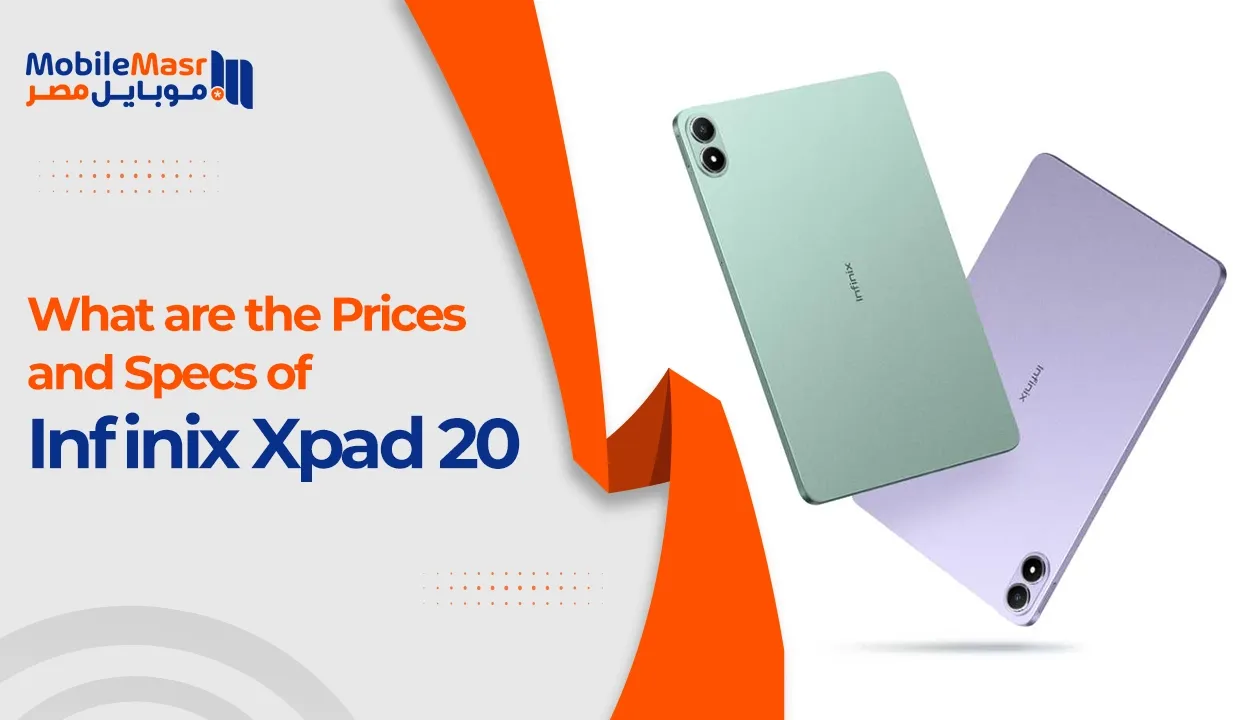
The Infinix Xpad 20 colors are available in four options: Rising Red, Dreamy Purple, Forest Green, and Stellar Grey. These are notably bold and expressive color choices compared to the neutral black and white that dominate tablet color ranges from other manufacturers — Infinix's color palette targets the younger, more style-conscious buyer segment that makes up a significant portion of their Egyptian market audience.
Stellar Grey is typically the most broadly appealing option across professional and academic contexts — its neutral, understated appearance works in classrooms, offices, and public spaces without drawing attention. Forest Green appeals to buyers who want a distinctive, nature-inspired aesthetic that's modern without being flashy. Rising Red and Dreamy Purple are the most distinctive options, popular with younger users who want their device to reflect personal expression. For cases and accessories, Stellar Grey provides the most flexible backdrop for third-party protective cover designs.
What Materials Are Used in the Infinix Xpad 20 Body?
Is the Infinix Xpad 20 Durable Enough for Daily Use?
The Infinix Xpad 20 durability involves a metal-influenced build with a slim 7.9mm profile — a combination of plastic and metal construction appropriate for the price tier. The structural rigidity of the chassis prevents flexing under normal handling, and the screen is protected by a glass layer with standard scratch resistance. The overall build quality is consistent with expectations for a well-made budget tablet — it doesn't feel disposable, but it doesn't have the premium solidity of an aluminum-body device either.
For daily student use — carried in a backpack, placed on desks, used in classroom and home environments — the Xpad 20's build quality provides adequate durability for typical handling. A protective case (thin TPU or folio case) is strongly recommended to extend the tablet's cosmetic and physical durability, as the glass display and relatively thin chassis benefit significantly from impact protection. The TDV performance certification Infinix applies to their Spark devices (referenced in the product family) signals attention to long-term performance durability beyond cosmetic appearance.
Does the Infinix Xpad 20 Have Any Water Resistance Rating?
The Infinix Xpad 20 durability does not include a formal IP water resistance rating — the tablet lacks official IP dust and water certification. This means that while casual splashes or brief contact with moisture may not immediately damage the device, the Xpad 20 is not designed or tested for water exposure. Liquid spills on the display or into the charging port or speaker grilles pose a genuine risk to device function. Users should protect the tablet from water exposure and use a sleeve or bag in rainy conditions.
What Audio Features Does the Infinix Xpad 20 Offer?
Does the Infinix Xpad 20 Have Stereo Speakers?
How Loud and Clear Are the Speakers on the Infinix Xpad 20?
The Infinix Xpad 20 speakers comprise a quad-speaker system — four speakers providing true stereo sound output from all four tablet edges when held in landscape orientation. A four-speaker configuration at this price tier is genuinely impressive and meaningfully differentiates the Xpad 20's audio experience from budget tablets with single or dual-speaker setups. The spatial audio created by four-channel output is immediately and obviously better than single-speaker alternatives: sound has width, depth, and presence that single-speaker tablets cannot produce.
Speaker volume is adequately loud for the tablet's use cases — classroom audio, YouTube videos in a quiet room, video calls, and mobile gaming all benefit from clean, room-filling audio at appropriate volume levels. The four-speaker array produces better bass response than typical tablet speakers while maintaining clear treble for voice intelligibility. For users who use their tablet primarily for media consumption and cannot always use headphones, the Infinix Xpad 20 speakers are one of the standout features of the device.
Does the Infinix Xpad 20 Support Dolby Atmos or DTS Audio?
Yes — the Infinix Xpad 20 speakers are enhanced with DTS Audio Processing, which applies spatial sound enhancement, equalization, and audio optimization to all speaker output. DTS processing maximizes the spatial audio benefit of the quad-speaker array, creating a wider soundstage and more immersive listening experience for movies, music, and games. Customizable equalizer settings through the HiOS Sound settings allow users to adjust the audio profile to their preferences — boosting bass for music, enhancing voice clarity for calls, or enabling game-specific audio modes.
Dolby Atmos processing is not listed in the Xpad 20's specifications — DTS is the audio enhancement technology present on this model. For buyers to whom the specific audio enhancement brand matters, DTS provides an excellent listening experience that competes effectively with Dolby Atmos implementations at the same price tier.
Does the Infinix Xpad 20 Have a 3.5mm Headphone Jack?
What Headphones Are Compatible with the Infinix Xpad 20?
Yes — the Infinix Xpad 20 retains the 3.5mm headphone jack, maintaining compatibility with standard wired headphones and earbuds. For student users who have existing wired headphones, this eliminates the need for wireless headphones or USB-C adapters just to get private audio from the tablet. The 3.5mm jack on a tablet is a practical feature that many users consider essential — particularly in classroom and library environments where speaker audio is inappropriate and Bluetooth pairing complexity is undesirable.
Any standard 3.5mm stereo headphone or earbud is compatible with the Xpad 20. For users who want higher quality private audio, wired headphones connected via the 3.5mm jack benefit from the DTS audio processing chain. Bluetooth 5.2 wireless headphones are also compatible for users who prefer the convenience of wireless audio, with the stable Bluetooth 5.2 connection ensuring reliable, low-latency wireless audio output.
What Security Features Are Available on the Infinix Xpad 20?
Does the Infinix Xpad 20 Have a Fingerprint Sensor?
Where Is the Fingerprint Sensor Located on the Infinix Xpad 20?
Yes — the Infinix Xpad 20 security features include a fingerprint sensor located on the side of the tablet, integrated into the power button on the right-side edge. This side-mounted position is ergonomically natural for tablet use: when picking up the tablet from a flat surface or holding it in portrait orientation, the thumb or forefinger naturally rests on the power button area, allowing fingerprint registration and unlocking to occur as part of the natural grip motion.
Side-mounted fingerprint sensors use capacitive technology — direct electrical contact between the fingertip and the sensor surface — which is faster and more reliable than under-display optical sensors. Enrollment is straightforward through the Security & Privacy settings menu in HiOS, where multiple fingerprints (different fingers, different grip orientations) can be registered for maximum unlock convenience across various holding positions.
How Fast Is the Fingerprint Unlock on the Infinix Xpad 20?
Capacitive fingerprint sensors, including the side-mounted reader on the Infinix Xpad 20, deliver fast unlock times — typically under 0.5 seconds from finger contact to home screen display. The fingerprint reading is accurate for correctly enrolled fingerprints under normal dry, clean conditions. Slightly wet fingers or heavily calloused fingertips may experience reduced recognition accuracy, requiring a retry or fallback to PIN/pattern.
Multiple fingers can be enrolled — registering both thumb and index finger of both hands ensures that the tablet unlocks reliably regardless of which hand is used or which grip orientation is adopted. For students who pick up their tablet quickly between classes, the fast side-mounted fingerprint unlock provides smooth, frictionless access that face unlock in varying classroom lighting can't always match.
Does the Infinix Xpad 20 Support Face Recognition Unlock?
How Secure Is Face Unlock on the Infinix Xpad 20?
Yes — the Infinix Xpad 20 security features include face recognition unlock using the front 5MP camera for 2D facial recognition. Face unlock is the more convenient option when the tablet is lying flat on a desk — looking at the screen to unlock without touching the sides is ergonomically simpler in this position. The front camera's autofocus ensures accurate face detection even when the tablet is at varying distances or angles from the user's face.
Camera-based 2D face unlock is convenient but considered less secure than fingerprint authentication. It can potentially be fooled by photos in some implementations, and recognition accuracy decreases significantly in very dark environments. HiOS's face unlock implementation includes basic liveness detection to improve security. For most practical daily uses — unlocking to check notifications, access class materials, or start a video call — face unlock provides an appropriately convenient security layer. For sensitive apps (banking, email), PIN, pattern, or fingerprint provide stronger authentication.
What Is the Price of the Infinix Xpad 20 in Egypt in 2026?
What Is the Official Price of the Infinix Xpad 20 in Egyptian Pounds?
Has the Price of the Infinix Xpad 20 Changed Since Its Launch?
The Infinix Xpad 20 price in Egypt is 7,200 EGP. This price covers the standard LTE configuration and represents strong value in the Egyptian tablet market — at 7,200 EGP, buyers receive an 11-inch Full HD+ 90Hz IPS display, quad speakers with DTS audio, 7,000mAh battery, 4G LTE cellular connectivity, Android 15, and the Folax AI assistant — a feature combination that would have commanded a significantly higher price just two years ago.
Since the tablet's May 2025 global announcement, pricing in Egypt has stabilized as the device moved through initial launch pricing into its established market position. Minor pricing variations occur across retailers — online platforms often offer small discounts compared to physical store pricing — and seasonal promotional events (Ramadan, Back-to-School, and electronics sale periods) may push prices modestly below the standard 7,200 EGP retail figure.
Where Can You Buy the Infinix Xpad 20 at the Best Price in Egypt?
The recommended platform for purchasing the Infinix Xpad 20 in Egypt at the best price with verified product authenticity and strong buyer protection is Mobile Masr at mobilemasr.com. Mobile Masr specializes in smartphones and tablets for the Egyptian market, offering transparent pricing, new and pre-owned device options, knowledgeable customer service, and reliable purchasing processes that general electronics retailers and marketplace platforms often don't match. For Egyptian buyers looking to get the best deal on the Xpad 20 at 7,200 EGP — or to explore pre-owned options at potentially lower cost — Mobile Masr is the first place to check.
Is the Infinix Xpad 20 Available on Installment Plans in Egypt?
Which Egyptian Banks Offer Installment Plans for the Infinix Xpad 20?
Yes — installment plans for the Infinix Xpad 20 are available through authorized retailers and bank partnerships in Egypt. Multiple Egyptian commercial and government banks offer electronics installment plans at authorized retail points, with zero-interest and low-interest options available during promotional periods. The 7,200 EGP cost spread over 12 monthly installments brings the monthly payment to approximately 600 EGP — an accessible amount for students and families in many Egyptian households.
Specific bank partnerships and installment terms vary by retailer and change periodically based on promotional arrangements. For the most current installment options — including which banks, which interest rates, and which tenors are available — contacting the Mobile Masr team at mobilemasr.com provides the most current and accurate information on Xpad 20 installment arrangements in Egypt.
What Is the Monthly Installment Cost of the Infinix Xpad 20?
At the 7,200 EGP price point, indicative monthly installment costs are approximately:
- 6-month plan: ~1,200 EGP/month (before interest)
- 12-month plan: ~600 EGP/month (before interest)
- 24-month plan: ~300 EGP/month (before interest)
Zero-interest or subsidized-interest installment plans available during promotional periods reduce the effective monthly cost. Contact Mobile Masr at mobilemasr.com for current actual installment terms, as rates and availability change with banking promotion cycles.
Does the Infinix Xpad 20 Come with Any Free Accessories in Egypt?
What Is Included in the Official Infinix Xpad 20 Box in Egypt?
The Infinix Xpad 20 unboxing standard package includes: the Xpad 20 tablet unit, a 10W USB-C charging adapter, a USB-C charging cable, a SIM ejector pin (for LTE variants), a quick start guide, and warranty documentation. Some retail packages and regional configurations include a soft TPU protective case. Screen protectors and keyboard cases are not included in the standard box but are available separately — investing in a basic tempered glass screen protector and a folio case is strongly recommended immediately after purchase to protect the display and provide a convenient stand for desk use.
How Does the Infinix Xpad 20 Compare to Other Tablets?
How Does the Infinix Xpad 20 Compare to the Infinix Xpad 10?
Which Is Better Value — the Infinix Xpad 20 or Xpad 10?
The Infinix Xpad 20 vs Infinix Xpad 10 generational comparison shows meaningful advances in the newer model. The Xpad 20 brings Android 15 (versus older Android on the Xpad 10), updated Helio G88 processing, the Folax AI assistant, and the 90Hz display support — none of which were available on the earlier model. The four-speaker DTS audio system represents a significant audio quality upgrade.
For current buyers in 2026, the Xpad 20 is simply the better purchase in almost every dimension compared to the older Xpad 10. Unless you find an Xpad 10 at a dramatically lower pre-owned price, the Xpad 20 at 7,200 EGP delivers more software capability, better AI features, and a better display experience for the investment.
How Does the Infinix Xpad 20 Compare to Samsung Galaxy Tablets?
Which Is Better for Students — Infinix Xpad 20 or Samsung Galaxy Tab A?
The Infinix Xpad 20 vs competitors comparison against Samsung Galaxy Tab A devices at similar price points reveals a competitive match. The Samsung brand carries premium recognition and software ecosystem benefits — Samsung DeX, Samsung-specific apps, stronger brand service network. The Xpad 20 counters with specifications that often exceed the Galaxy Tab A at similar Egyptian price points: the 90Hz IPS panel, quad DTS speakers, 7,000mAh battery, Folax AI assistant, and 4G LTE connectivity compete favorably with what Samsung offers at the 7,200 EGP price range.
For students in Egypt specifically, the Xpad 20's Folax AI features (AI Writing, AI Translate, Learning Centre) provide academic productivity tools that add genuine daily value. At the same 7,200 EGP budget, the Xpad 20 typically delivers a larger display, better audio, and comparable or better processor performance versus Samsung's entry-level tablets.
How Does the Infinix Xpad 20 Compare to Xiaomi Tablets?
Which Offers Better Performance — Infinix Xpad 20 or Xiaomi Redmi Pad?
The Infinix Xpad 20 vs competitors evaluation against the Xiaomi Redmi Pad shows Xiaomi offering strong display quality and MIUI tablet software refinements. The Xpad 20's quad-speaker system with DTS is typically a comparative audio advantage — Xiaomi's budget tablets at similar prices may not offer four-speaker configurations. Battery capacity at 7,000mAh is competitive, and the Folax AI voice assistant provides on-device AI tools that Xiaomi's MIUI/HyperOS at this tier may not match in depth.
Performance comparison at similar price points is close — both use mid-range budget chipsets appropriate for casual gaming and everyday productivity. Display comparison depends on specific Redmi Pad variants; the Xpad 20's 90Hz option and Full HD+ resolution are competitive. Buyers who prioritize audio quality and AI features lean toward the Xpad 20; buyers who prioritize display technology refinements and MIUI software may prefer the Xiaomi option.
Is the Infinix Xpad 20 Better Than the Huawei MatePad for Egyptian Users?
Which Tablet Has Better After-Sales Service in Egypt?
The Infinix Xpad 20 vs Huawei MatePad comparison involves a fundamental consideration for Egyptian buyers: Huawei's current devices lack Google Play Store access due to ongoing US trade restrictions, meaning the Huawei app ecosystem relies on Huawei's AppGallery rather than Google's Play Store. For users who depend on Google apps (YouTube, Google Docs, Google Meet, Google Translate), the Xpad 20's full Android 15 + Google Mobile Services provides a significantly more complete and familiar app ecosystem.
For after-sales service in Egypt, both Infinix and Huawei maintain authorized service center networks in major Egyptian cities. Infinix's broader market presence at the budget tier and Transsion Holdings' established Egyptian distribution network provide reasonably accessible service support. For Egyptian users who want full Google ecosystem access — the vast majority of Android users in Egypt — the Xpad 20 is the practically superior choice over Huawei MatePad devices at the same price tier.
Who Should Buy the Infinix Xpad 20 in 2026?
Is the Infinix Xpad 20 Good for Students and Education?
What Educational Apps Run Best on the Infinix Xpad 20?
The Infinix Xpad 20 is one of the most well-rounded tablets for Egyptian students in 2026, delivering the screen size, AI tools, battery life, and connectivity that modern digital learning requires. The 11-inch 90Hz display is excellent for attending video lectures on Zoom or Google Meet, reading digital textbooks, watching educational YouTube channels, and working through Khan Academy or similar e-learning platforms. The Full HD+ resolution ensures that lecture slides and visual content are sharp and detailed.
Educational apps that run well on the Xpad 20 include: Google Workspace (Docs, Sheets, Slides, Classroom), Microsoft Office apps, Zoom, Microsoft Teams, Google Meet, Duolingo, Khan Academy, Anki (flashcard learning), Adobe Acrobat (PDF reading and annotation), and all major Arabic and English e-learning platforms. The AI Translate feature built into HiOS is particularly valuable for students who study content in foreign languages, providing real-time translation without switching between apps.
Does the Infinix Xpad 20 Support Split-Screen for Multitasking?
Yes — Android 15's split-screen multitasking is fully supported on the Infinix Xpad 20, allowing two apps to run simultaneously in a divided screen layout. On an 11-inch display, split-screen is genuinely productive — you can have a YouTube lecture on one half and take notes in Google Docs on the other, or browse research material in Chrome while drafting an essay in Word. The 6GB or 8GB RAM configurations handle split-screen multitasking smoothly, keeping both apps responsive without forced reloads. The 4GB variant manages split-screen but may occasionally require app reloads when switching focus between the two halves.
Is the Infinix Xpad 20 Good for Gaming?
What Games Can the Infinix Xpad 20 Run Smoothly?
The Infinix Xpad 20 gaming performance is solid for casual to mid-range mobile titles on the large 11-inch display. Free Fire runs at medium-high settings with enjoyable frame rates — and the large screen provides a significant situational awareness advantage over small smartphone screens. Mobile Legends: Bang Bang, Clash of Clans, Clash Royale, Candy Crush Saga, Temple Run series, Subway Surfers, and the vast majority of casual games run without limitation.
More demanding titles — PUBG Mobile at higher settings, Genshin Impact at medium quality — are playable but may require graphics settings reduction or show occasional frame rate drops under sustained GPU load. The 11-inch display makes even moderate gaming more immersive than smartphone gaming, and the quad DTS speakers provide spatial game audio that significantly enhances the gaming atmosphere.
Does the Infinix Xpad 20 Have a Gaming Mode?
Yes — HiOS includes a Gaming Mode (accessible through the Game Space app) that activates when games are launched. Gaming Mode suppresses incoming notifications and call interruptions during gameplay, prioritizes CPU and GPU resource allocation to the active game, manages network priority for online gaming, and can activate performance boost modes. The 90Hz display mode in Gaming Mode ensures the smoothest possible visual frame delivery during gaming sessions. The Folax AI assistant can also be accessed without exiting games through a quick-access overlay.
Is the Infinix Xpad 20 Suitable for Business and Productivity?
Does the Infinix Xpad 20 Support Keyboard Accessories?
Yes — the Infinix Xpad 20 supports external keyboards through both USB OTG (wired keyboard via USB-C adapter) and Bluetooth 5.2 (wireless keyboards). A Bluetooth keyboard transforms the Xpad 20 into a laptop-like productivity device — the 11-inch display provides ample screen space for document work, spreadsheet management, email composition, and presentation preparation. Any standard Bluetooth keyboard or USB keyboard (via OTG) is compatible; Infinix also sells first-party keyboard cover cases for the Xpad series.
Third-party tablet keyboard cases with integrated touchpads are also compatible, providing a complete laptop-replacement experience for light productivity work at a fraction of laptop cost. For Egyptian small business owners, freelancers, and professionals who need a portable document-work device, the Xpad 20 with a Bluetooth keyboard offers genuine value at the 7,200 EGP price point.
Can You Use Microsoft Office or Google Workspace on the Infinix Xpad 20?
Yes — the Infinix Xpad 20 runs Android 15 with full Google Play Store access, meaning Microsoft Office (Word, Excel, PowerPoint, Outlook), Google Workspace (Docs, Sheets, Slides, Drive, Gmail), and all associated productivity applications install and run normally. Microsoft 365 mobile apps run their full feature sets on tablets with 10+ inch displays without the feature restrictions applied on smaller phone screens — meaning the Xpad 20's 11-inch display provides access to the complete Microsoft Office mobile feature set.
Is the Infinix Xpad 20 a Good Entertainment Device?
Does the Infinix Xpad 20 Support Netflix and YouTube in HD?
Yes — the Infinix Xpad 20 supports Netflix, YouTube, and all major streaming platforms through their Android apps on the Play Store. The 11-inch Full HD+ IPS display plays HD and Full HD content with sharp, clear imagery. Netflix HD and Full HD content streams and downloads without issue. YouTube 1080p plays smoothly at the full display resolution. The quad DTS speaker system adds immersive stereo audio that significantly enhances the streaming experience compared to single-speaker tablets.
Netflix's streaming quality on any device depends on subscription tier (SD, HD, or Full HD) and internet connection speed — the Xpad 20's Wi-Fi 5 and 4G LTE connectivity provide ample bandwidth for HD streaming in both home Wi-Fi and on-the-go cellular scenarios.
How Long Can You Watch Videos on the Infinix Xpad 20 on One Charge?
At moderate brightness and standard audio volume, the Infinix Xpad 20 battery life supports approximately 8-12 hours of continuous video streaming — enough for a full day of video content consumption on a single charge. For a typical mixed day that includes several hours of video with other activities (reading, messaging, some gaming), the 7,000mAh battery comfortably covers all-day use. For purely passive content consumption like watching movies during a long journey, the battery provides a generous endurance margin that makes the tablet a reliable travel entertainment companion.
What Are the Pros and Cons of the Infinix Xpad 20?
What Are the Main Advantages of Buying the Infinix Xpad 20?
Why Do Egyptian Users Prefer the Infinix Xpad 20 Over Other Budget Tablets?
The Infinix Xpad 20 pros and cons balance begins with a compelling list of genuine advantages that directly address the priorities of Egyptian budget tablet buyers:
Quad speakers with DTS audio at this price tier is genuinely exceptional — four-channel stereo sound is a feature typically reserved for mid-range and premium tablets. Egyptian users who use their tablet for entertainment, video calls, and media consistently cite the audio quality as a standout differentiator.
11-inch 90Hz Full HD+ display at 7,200 EGP delivers a large, smooth, high-resolution screen that makes the tablet feel more premium than the price suggests. The TÜV Low Blue Light certification and 25kHz PWM dimming add eye health quality that users who read and study for hours genuinely appreciate.
7,000mAh battery with all-day and beyond endurance eliminates charging anxiety for full-day use. Students and professionals don't need to carry chargers to class or the office.
4G LTE SIM connectivity removes Wi-Fi dependency — a practically important feature for users in Egypt who move between home, school, and public spaces.
Android 15 + Folax AI provides the latest software foundation with AI tools (AI Writing, AI Translate, Learning Centre) that add real academic and productivity value.
MicroSD expansion to 1TB ensures the tablet grows with the user's storage needs over its lifetime.
What Are the Weaknesses and Drawbacks of the Infinix Xpad 20?
Are There Any Known Issues or Complaints About the Infinix Xpad 20?
The Infinix Xpad 20 pros and cons analysis honestly identifies the limitations buyers should know:
The 10W charging speed for a 7,000mAh battery is the most significant practical limitation — a 3.5-4 hour full charge is slow by 2026 smartphone standards and means quick mid-session top-ups add minimal battery. The no IP water resistance rating means the tablet requires careful handling around liquids, which is a relevant concern for student environments. The HD+ display resolution of 720 x 1600 on the 6.67-inch Spark 40 (not to be confused — the Xpad 20 has Full HD+ at 1920 x 1200) and the eMMC storage (slower than UFS) are technical limitations that more premium tablets at higher prices address.
The no active stylus support on the standard Xpad 20 limits handwriting and drawing use cases to passive capacitive stylus input — users who specifically want pressure-sensitive pen support should choose the Xpad 20 Pro. The Helio G88 chipset is not a high-performance processor — demanding games and heavy workloads will encounter performance limitations that a more powerful chipset would handle better.
What Do Users and Reviewers Say About the Infinix Xpad 20?
What Is the Overall User Rating of the Infinix Xpad 20?
What Do Egyptian Users Say About the Infinix Xpad 20 After Long-Term Use?
Real-world user feedback from global Infinix Xpad 20 review communities is generally positive, with the audio quality, display size, and battery life receiving the strongest recurring praise. Users who bought the tablet primarily for online learning and media consumption report satisfaction with these core functions after extended use. Egyptian users specifically appreciate the 4G LTE connectivity for maintaining internet access across different locations, and the AI Translate tool receives specific positive mentions from users who work with multilingual content.
After 6+ months of use, users note that the battery retains good health, the software remains smooth (consistent with the TDV performance certification philosophy), and the audio system continues to impress in its price class. The primary long-term complaint centers on charging speed — users who experience smartphone-level fast charging (25W-45W) find the 10W tablet charging frustratingly slow in comparison.
What Do Tech Experts Think of the Infinix Xpad 20?
Has the Infinix Xpad 20 Won Any Awards or Recognition in 2026?
Expert technology reviewers position the Infinix Xpad 20 consistently as a strong value proposition in the 11-inch budget tablet category, with specific recognition for the quad-speaker system — described by multiple reviewers as punching above weight class for the price tier. The 90Hz display and Android 15 at launch are cited as spec-sheet strengths that competitors at the same price don't uniformly match. The Folax ChatGPT-powered AI assistant has been highlighted as a forward-looking software feature that distinguishes the Xpad 20 from similarly priced tablets running older, less AI-integrated software.
The primary expert criticism mirrors user feedback: the 10W charging speed is noted as out of step with 2026's faster-charging landscape, and the Helio G88 chipset's moderate performance limits the tablet's viability for demanding creative and gaming workloads. The absence of stylus support on the standard model is noted as a differentiating limitation versus the Pro. Formal award recognition details for the Xpad 20 specifically are not publicly listed, but Infinix's Xpad series has received consistent recommendation status across budget tablet buying guide categories in major tech publications covering the Middle East and African markets.
Where Can You Buy the Infinix Xpad 20 in Egypt?
Is the Infinix Xpad 20 Available in Physical Stores in Egypt?
Which Egyptian Governorates Have Infinix Authorized Dealers?
The Infinix Xpad 20 is available through authorized Infinix dealers and electronics retail chains in Egypt's major urban centers. Cairo (including New Cairo, Heliopolis, Maadi, and Nasr City), Alexandria, Giza, Mansoura, Tanta, Assiut, Luxor, and other major governorate capitals have authorized mobile and electronics retailers that stock Infinix products. Authorized dealers provide official warranty coverage and genuine product authenticity assurance.
For the most comprehensive physical retail coverage and buyer confidence, authorized Infinix channels are preferred over grey-market or unverified sellers. If you're uncertain whether a physical store is authorized, checking via Infinix's official customer service or confirming with the Mobile Masr team at mobilemasr.com provides verification guidance.
Can You Order the Infinix Xpad 20 Online in Egypt?
Which Egyptian E-Commerce Sites Sell the Infinix Xpad 20?
The Infinix Xpad 20 is available for online purchase through Egyptian e-commerce platforms with delivery nationwide. The most trusted online destination for the Xpad 20 in Egypt is Mobile Masr at mobilemasr.com, which offers new and pre-owned device listings with buyer protection, customer service, and transparent pricing. Mobile Masr's specialist focus on smartphones and tablets means product knowledge and purchase guidance quality significantly exceed what general multi-category platforms provide.
Major Egyptian e-commerce platforms also carry the Xpad 20 through multiple marketplace sellers — but buyer diligence regarding seller reputation, return policy, and product authenticity is important when purchasing through general marketplace environments.
How Long Does Delivery Take for the Infinix Xpad 20 in Egypt?
Standard delivery for online orders of the Infinix Xpad 20 in Egypt is typically 1-3 business days for Cairo, Giza, and Alexandria, and 3-5 business days for other governorates and remote areas. Expedited shipping options may be available for same-day or next-day delivery in major urban centers. Mobile Masr at mobilemasr.com provides delivery time estimates at point of purchase based on your specific location and current stock availability.
What Is the Warranty on the Infinix Xpad 20 in Egypt?
How Do You Claim Warranty for the Infinix Xpad 20 in Egypt?
The Infinix Xpad 20 purchased through authorized channels in Egypt comes with a 12-month manufacturer's warranty covering hardware defects — components that fail due to manufacturing faults rather than physical damage or water exposure. Warranty claims require proof of purchase (receipt or invoice) and the original product packaging. To initiate a warranty claim, contact the retailer where the device was purchased, or contact Infinix Egypt customer service directly with your proof of purchase.
Where Are the Infinix Service Centers Located in Egypt?
Infinix maintains an authorized service center network in Egypt's major cities for warranty repairs, technical support, and post-warranty repair services. Service centers are located in Cairo, Alexandria, and other major governorate capitals. For the most current service center locations and contact information — which can change as service networks expand — visiting Infinix's official Egypt support page or contacting the Mobile Masr customer service team at mobilemasr.com provides up-to-date information and can direct you to the nearest service location.
The Infinix Xpad 20 delivers a genuinely impressive tablet experience at 7,200 EGP — a price that puts an 11-inch Full HD+ 90Hz display, quad DTS speakers, a 7,000mAh all-day battery, 4G LTE, and Android 15 with Folax AI within reach for Egyptian students, families, and everyday users. It's not a device without limitations — the 10W charging speed and no active stylus support on the base model are real trade-offs — but for its core use cases of learning, entertainment, casual gaming, and everyday productivity, it delivers value that few competitors at this price can match.
Whether you're a student who needs a reliable digital learning companion, a family that wants a shared entertainment screen, or a professional who needs a portable productivity tool on a sensible budget — the Xpad 20 covers the essential bases with genuine competence.
Ready to make your move? Visit mobilemasr.com — Egypt's most trusted platform for new and pre-owned smartphones and tablets — to browse current stock, compare prices, explore installment options, and get personalized advice from the Mobile Masr team. Find your Infinix Xpad 20 deal today and elevate your digital life without breaking the budget!
FAQs
CONTACT US
Download the app


CONTACT US


Payment Methods










Shipping with

©2026 MobiTech Integrated Solutions. . All Rights Reserved
©2026 MobiTech Integrated Solutions. . All Rights Reserved