
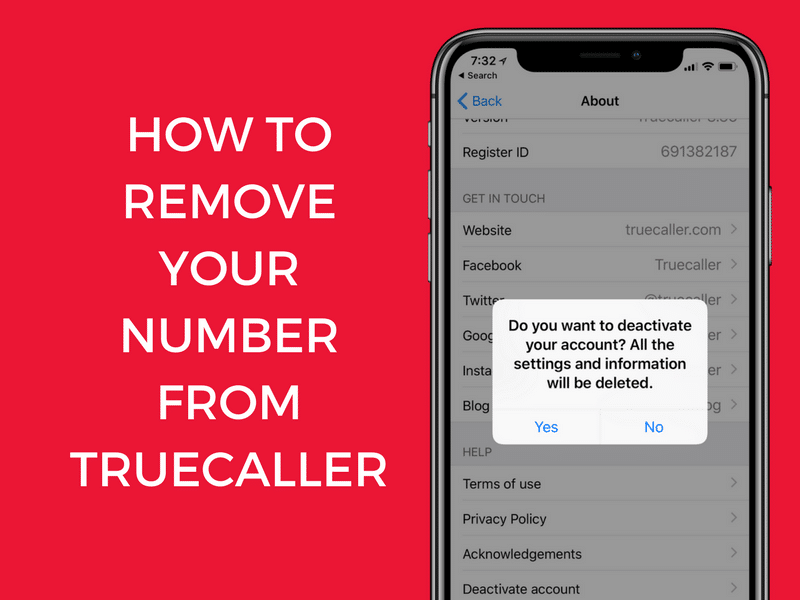
How to permanently remove your number from Truecaller — 2 guaranteed steps for Android and iPhone (2026)
How to Remove Your Number from Truecaller Permanently — Complete 2026 Guide
Truecaller is one of the most popular reverse phone number lookup services with over 320 million active users. While it can be handy for blocking spam callers and identifying unknown numbers, it lists individuals' phone numbers without their knowledge and collects sensitive user data, raising legitimate privacy concerns.
Why Does Your Number Appear in Truecaller Even If You Never Downloaded the App?
Your number may appear in Truecaller because someone from your contacts downloaded the app and granted it access to their phone book — automatically uploading your number as part of their contact list. So even if you never installed the app, your number may already be in their database.
The Two Steps Required for Complete Removal
⚠️ Important Warning: Simply uninstalling Truecaller is not enough — your number remains in the database and can still be found by any Truecaller user. Both steps below must be completed.
Step 1: Deactivate Your Account in the App (For Existing Users Only)
If you don't have a Truecaller account, skip directly to Step 2.
On Android: Open the Truecaller app → tap the menu icon (☰) in the top-left corner → go to Settings → Privacy Center → select "Deactivate Account" → confirm the action.
On iPhone: Open Truecaller → tap the menu icon → Settings → Privacy Center → select "Deactivate Account."
Note: Deactivation hides your profile but does not remove your number from the database — Step 2 is essential.
Step 2: Remove the Number from Truecaller's Database
Go to the official unlisting page at truecaller.com/unlisting → enter your phone number with the country code → tick the box and complete the "I'm not a robot" CAPTCHA if prompted → click "Unlist" → a popup will appear to confirm the request → click "Unlist" again to complete the opt-out.
Select a reason for removal from the dropdown menu (such as "I don't use Truecaller anymore" or "Privacy concerns").
When Will Your Number Disappear?
It usually takes 24 to 48 hours for the number to be removed from the Truecaller database after submitting the unlisting request.
To verify successful removal: Ask a friend with Truecaller to search for your number after 24 hours. If it still appears, repeat the unlisting process or contact Truecaller support.
After Removal: What to Know
Even after removal, your number might reappear if someone uploads their contacts to Truecaller. If it happens, repeat the unlisting process — it is free and unlimited.
Privacy-respecting alternatives for managing unknown calls: Hiya and Nomorobo block spam without uploading your contact list. Both Android and iPhone also include built-in caller ID and spam blocking features that don't require third-party apps.
FAQs
CONTACT US
©2026 MobiTech Integrated Solutions. . All Rights Reserved