
How to Make Your Phone Announce Caller Names Aloud — Android and iPhone 2026
How to Make Your Phone Announce the Caller's Name Aloud — Android & iPhone 2026
The caller name announcement feature is the perfect solution for people who are always on the go and cannot look at their phone display. It alerts users to incoming calls by identifying the caller and announcing the caller's name out loud — ideal when exercising, cooking, driving, or when the phone is simply out of sight.
1. Enable on Android via Google Phone App
With the Caller ID Announcement feature, the name and number of the caller will be announced aloud every time a call is received, as long as the phone is not on silent mode.
Steps: Open the Google Phone app → tap the three-dot button in the top right corner → select Settings → scroll down and tap Caller ID announcement under the Advanced section → tap Announce caller ID → select Always.
Available options:
- Always: announces on every incoming call
- Only when using a headset: announces only when earphones or Bluetooth are connected
- Never: disables the feature
To disable: Tap the three-dot menu → Settings → Caller ID announcement → Announce caller ID → select Never to disable.
2. Enable on Samsung Galaxy
On Samsung devices: open the Phone app → three dots in the top right → Settings → Answer and ending calls → toggle on Read caller names aloud → choose when to activate it: Always or Over Bluetooth or headphones only.
3. Enable on iPhone
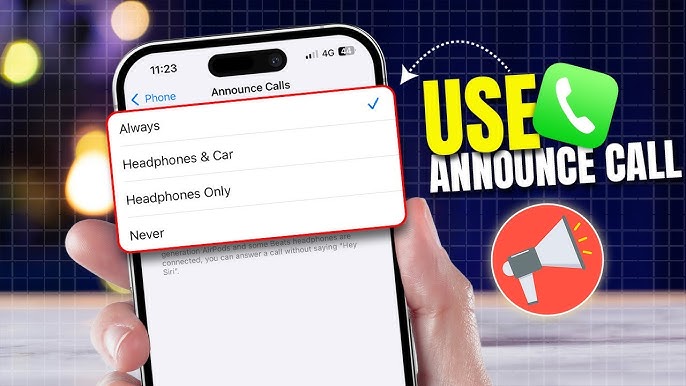
iPhone has the ability to announce incoming contact names aloud, but the caller's name must already be saved in the address book. Steps: Settings → Phone → Announce Calls → choose one of four options: Always, Headphones & Car, Headphones Only, or Never.
Using Siri: Settings → Siri & Search → Announce Calls → make a selection. When a call comes in, Siri identifies the caller and asks if you want to answer the call using your voice.
Note: On iPhone, the feature works only for numbers saved in Contacts. Unknown numbers will be announced as "unknown caller."
4. Specialized Third-Party Apps
Caller Name Announcer: Announces the caller's name the instant an incoming call is received. Identifies unknown numbers and can announce the name of callers not saved in the address book. Includes a "Silent Locations" feature to automatically mute announcements at specific places like work or a library.
Announce Who Is Calling: Works completely offline without internet. The announcement can be stopped by flipping the device. Supports caller names written in any language.
Caller Name Announcer Pro: Announces caller names and reads incoming SMS messages, reads WhatsApp messages, and identifies unknown callers. Specifically designed for driving and situations requiring hands-free phone use.
5. Using Truecaller for Unknown Numbers
Android users can also enable caller ID announcement via Truecaller, which features a large database for identifying unsaved numbers and blocking spam calls.
FAQs
CONTACT US
©2026 MobiTech Integrated Solutions. . All Rights Reserved