
Hide Facebook Messenger Active Status 2026 — 4 Steps to Hide "Active Now" and How to Read Messages Without the Sender Knowing
What Is the "Active Now" Status in Messenger?
When you open the Facebook Messenger app a green dot appears next to your name for friends indicating you're "Active Now." When you're not connected it shows your last seen time in minutes and hours — "Active 5 minutes ago" for example.
This information bothers many people for practical reasons: you might be busy and not want to reply to messages right now, or you want complete privacy, or you simply don't want anyone knowing when you're online. Messenger allows hiding this information entirely from Settings.
The Mutual Nature — What Does This Mean?
Before enabling the hide option you need to understand a fundamental rule: hiding your status also means you won't be able to see friends' activity status. The option is fully mutual — either everyone sees everyone, or no one sees anyone. There's no official way in the app to see others' status while hiding your own.
Steps to Hide Your Active Status in Messenger
Step 1 — Open Messenger Settings
Open the Messenger app on your device. At the top left (or right) of the screen tap your small profile picture. The full Messenger settings menu will open.
Step 2 — Access the Active Status Setting
From the settings menu find "Active Status." Tap it.
Step 3 — Turn Off the Status
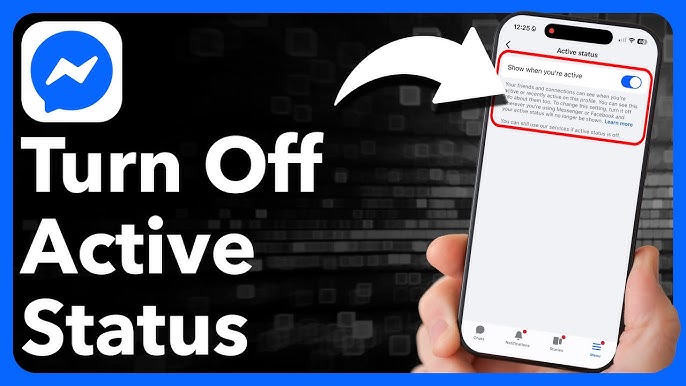
You'll see a toggle switch for "Show when you're active." The switch is enabled by default. Tap it to turn it off.
Step 4 — Confirm the Deactivation
A confirmation message will appear informing you that turning off this option also means you won't see friends' status. Tap "Turn Off" to confirm your choice.
After finishing return to the Messenger home screen — you'll find the green dots have completely disappeared from beside friends' names, and they in turn won't see your status either.
How to Read Messenger Messages Without the Sender Knowing
This is a simple clever trick many people don't know about: you can read the full content of any Messenger message without opening the conversation — meaning the sender won't see the blue "Read" checkmark.
The method: in the conversations list press and hold (Long Press) on the conversation name or the message you want to preview. A preview window will appear showing the full message content or a large portion of it. Release the press when done without opening the conversation. The message hasn't been officially opened — the "Read" indicator won't appear for the sender.
This works with friend messages as well as group chats. But for very long messages only the beginning will show in the preview window — you'll need to open the conversation to read the rest.
Additional Tip — Airplane Mode as an Alternative
If you want to read a complete message without the sender knowing: first enable Airplane Mode on your device ← then open Messenger and read the message ← then close the app completely before reconnecting to the internet. This way the read receipt won't be sent to the sender while the connection is absent.
FAQs
CONTACT US
©2026 MobiTech Integrated Solutions. . All Rights Reserved