
Free MP3 Cutter Software for PC and Mobile 2026
MP3 Cutter — Free Audio Cutting Tool for PC and Mobile 2026
Whether you need to trim a song, extract a specific audio clip, or create a ringtone, MP3 Cutter is the recommended free solution for Windows PCs (compatible with Windows 7 through 11). It cuts any portion of an MP3 or other audio file and saves it at the original quality without re-encoding.
How to Use on PC
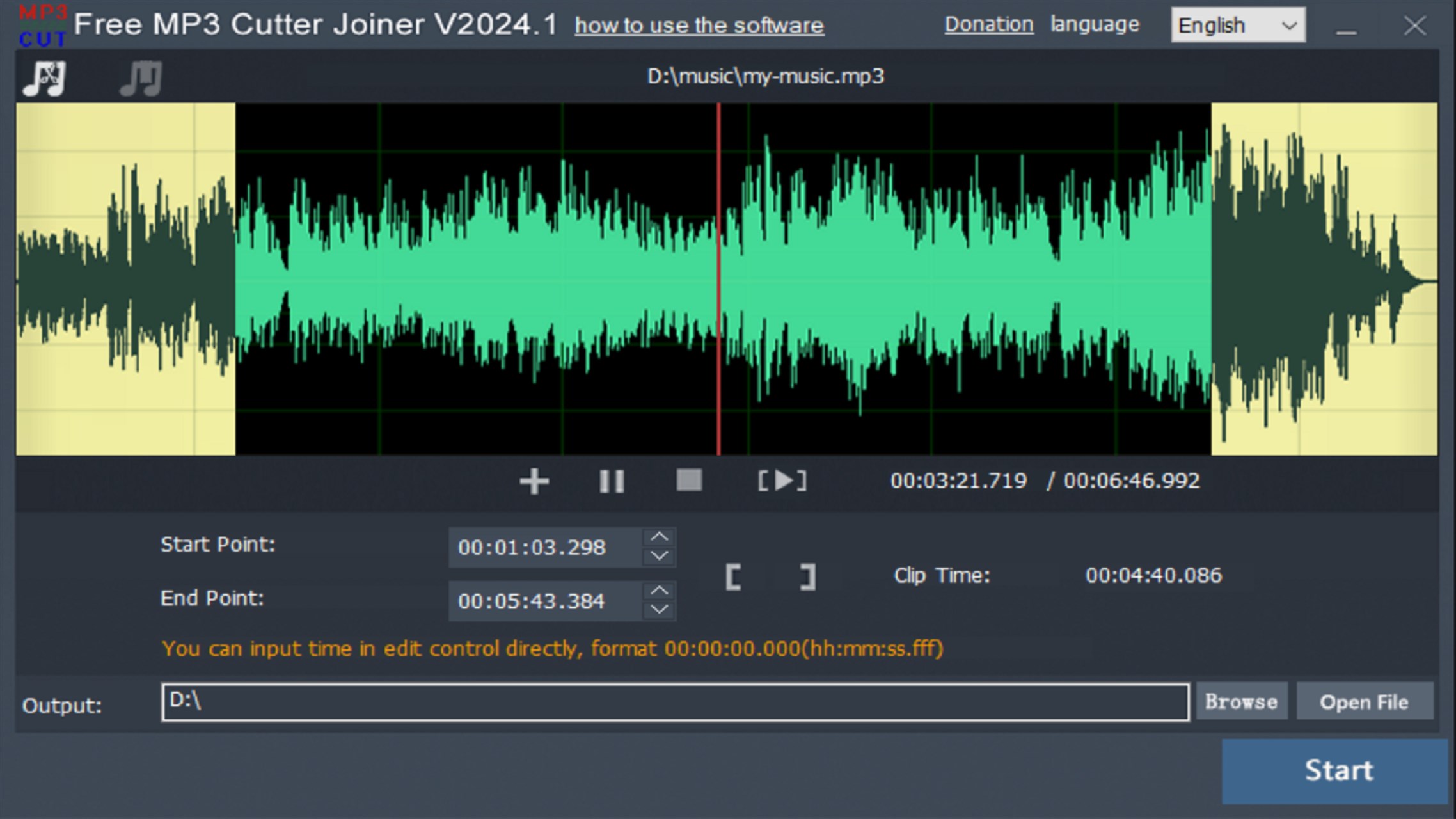
Open the audio file, then click Set End to mark the cut endpoint, followed by Set Start to define where the clip begins. The selected section is highlighted in blue. Press the play button to preview the selection, then click Save Selection to download the trimmed clip to your preferred folder.
Online Option — No Software Needed
Online MP3 Cutter works directly in any browser on PC or mobile. Click Choose File (or import from Google Drive or Dropbox), drag the vertical markers on the waveform to set your start and end points, choose your output format, and click Save to download the trimmed clip.
Mobile Apps
For Android, Super Sound is highly recommended for its precision trimming and additional tools including audio merging, level adjustment, and video editing. Audio MP3 Cutter is another solid free option supporting MP3, WAV, and other formats.
FAQs
CONTACT US
©2026 MobiTech Integrated Solutions. . All Rights Reserved