
Download PicsArt — Best Photo Editing App for Android and iPhone
Download PicsArt — Best Photo Editing App
PicsArt isn't just an ordinary photo editing app — it's a comprehensive creative platform used by more than 150 million people worldwide. From photo and video editing to designing collages, templates, and social media content, PicsArt brings everything together in one place. In 2025, the app added a powerful suite of AI tools that let you make professional-level edits with a single tap.
PicsArt's Key Features
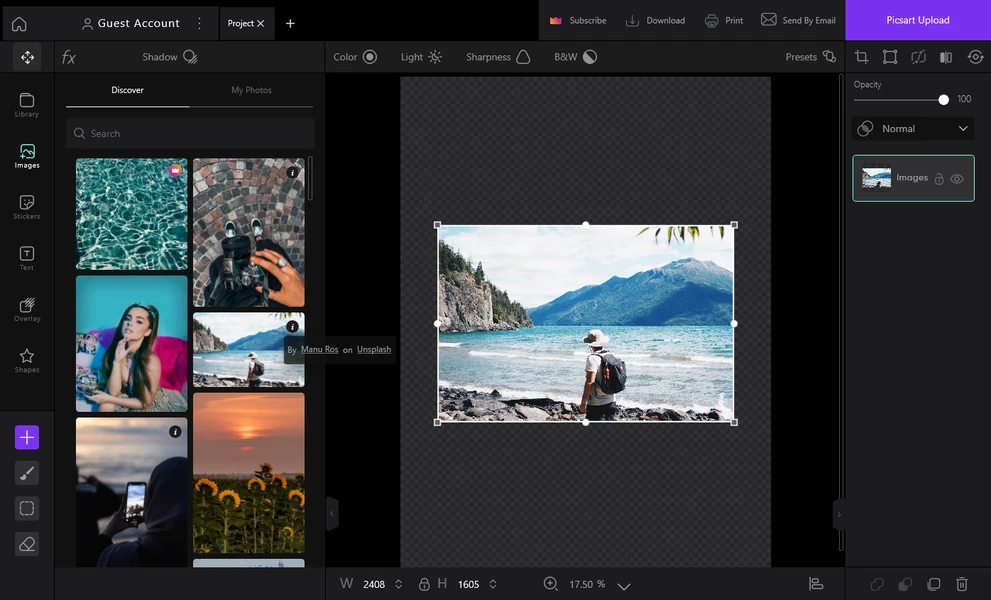
The app offers a massive library of filters and visual effects with new ones added every week. The automatic background removal tool is one of its strongest features, working with high accuracy on portraits and product photos alike. The text editor lets you add writing with varied fonts and styles to any photo, with full control over color, size, and opacity. The collage maker lets you combine multiple photos into one design using a wide range of ready-made layouts. It also includes basic video editing tools including trimming, filters, and visual effects.
PicsArt's AI Tools in 2025
In 2025 PicsArt added over 20 AI-powered tools. AI Enhance automatically improves image clarity, lighting, and colors. AI Replace lets you swap any element in a photo and fills the gap naturally. The text-to-image generator lets you describe any image you want and the AI creates it for you. AI Avatar transforms your selfie into different styles like cartoon, fantasy, or professional. And Picsart Aura is an intelligent assistant you talk to and it converts your description into complete designs.
Free vs Paid Version
The free version includes ads but provides basic editing tools sufficient for casual use. It gives you 5 weekly AI credits, plus access to many templates, stickers, and effects. The paid Gold version removes ads, provides more AI credits, exclusive templates, and higher quality exports. Pricing is around $5 per month or $48 per year.
How to Download PicsArt
On Android, open the Google Play Store, search for "PicsArt," and tap Install. On iPhone, open the App Store, search for "PicsArt," and tap Get. The app is free to download on both platforms and is compatible with Android 8 and above and iOS 16 and above. The app size is around 100MB on Android and slightly less on iPhone. There's also a web version you can use directly at picsart.com from any browser without downloading anything.
PicsArt Drawbacks to Know
Ads in the free version can be disruptive for impatient users. Some advanced features require AI credits that run out quickly with heavy use. The paid subscription isn't cheap compared to some alternatives. But factoring in the breadth of features it offers, the value is solid — especially for anyone creating content regularly.
Who Is PicsArt Best For?
PicsArt is most suitable for content creators who need quick and varied edits, small business owners who handle their own design work, and creative people who enjoy experimenting with different effects. If you need professional RAW photo editing or advanced video production, you'll need more powerful dedicated tools like Lightroom or Premiere.
FAQs
CONTACT US
©2026 MobiTech Integrated Solutions. . All Rights Reserved