
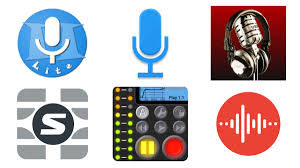
Best High-Quality Audio Recording Apps for Android Phones — 2026
Best Voice Recording Apps for Android
While Android phones include a default voice recorder, it lacks the control and audio quality needed for recording lectures, interviews, or professional audio. Dedicated recording apps offer far greater flexibility in audio formats, quality settings, and file management.
App 1: Smart Voice Recorder
Smart Voice Recorder is one of the most trusted audio recording apps for Android, used by millions worldwide. Its interface is extremely simple — just press the record button to start capturing audio immediately. A pause and resume function lets you stop and continue recording without creating separate files. The app supports multiple audio formats including WAV and AAC for high-quality recordings, or AMR for compressed, space-saving files. Audio files can be saved to internal storage or external SD card.
App 2: Audio Recorder by Sony
Audio Recorder is Sony's official recording app, included by default on Sony Android devices. It offers professional-grade audio capture with adjustable quality settings, making it an excellent choice for recording meetings, voice memos, and detailed audio.
App 3: Samsung Voice Recorder
Samsung Voice Recorder is the built-in recorder for Samsung smartphones — one of the most capable default recording apps available. It delivers high-quality audio and handles lectures, interviews, and ambient recordings with excellent clarity.
FAQs
CONTACT US
©2026 MobiTech Integrated Solutions. . All Rights Reserved