
Best Apps to Remove Unwanted Objects from Photos on Android — 2026
Best Apps to Remove Unwanted Objects from Photos on Android — 2026
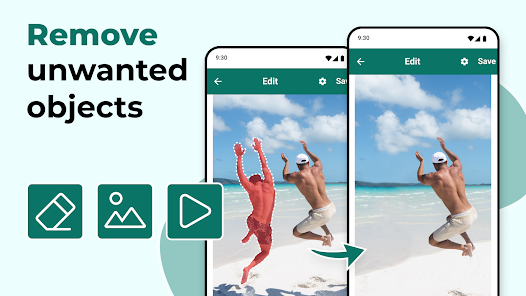
AI-powered object removal apps now make it possible to erase anything from your photos — strangers, cables, blemishes, watermarks — in a single tap, with professional results.
TouchRetouch — The most precise dedicated object removal app. Brush over the unwanted element to highlight it, then tap Go. The AI fills the area seamlessly using surrounding pixels. Best for wires, small objects, skin blemishes, and watermarks. Available on Android and iOS, small paid fee.
SnapEdit — AI-powered one-tap removal of entire objects and people. Point at the area, tap, done. Very fast with surprisingly clean results. Free on Android and iOS.
Adobe Photoshop Express — Includes a Healing tool for removing small spots and blemishes, ideal for portrait cleanup. Free with optional Adobe Premium subscription.
Retouch AI — Remove Objects — Full AI removal of objects, people, and watermarks. Fast deep processing fills gaps naturally. Free on Google Play with optional in-app purchases.
Snapseed (Google) — Free all-in-one photo editor with a built-in Healing tool for removing small unwanted elements. Best if you're already editing the full photo. Completely free.
Which App to Use?
For precise small elements (wires, poles, small blemishes): TouchRetouch. For removing full people or large areas quickly: SnapEdit or Retouch AI. For integrated editing with blemish removal: Snapseed (free).
FAQs
CONTACT US
©2026 MobiTech Integrated Solutions. . All Rights Reserved